

16 Apr
Categories Tin tức
Author By lab.adminPosted on
In modern dental laboratories and clinics operating within a digital workflow, efficiency is rarely limited by a single factor. Instead, it is shaped by how well each stage—case intake, design, manufacturing, and communication—connects without interruption. Among these stages, CAD design has increasingly become a critical bottleneck, especially as case volume grows and complexity increases.
Dental CAD design outsourcing is not simply a cost or staffing decision. It is a workflow strategy that directly impacts turnaround predictability, internal resource allocation, and overall case consistency. When structured correctly, outsourcing design functions as a stabilizing layer within the production system rather than an external dependency.
This article examines how outsourcing CAD design improves workflow efficiency by addressing common operational constraints in modern labs.
In a fully digital environment, design sits between data acquisition and manufacturing. Any delay or inconsistency at this stage propagates downstream.
Several recurring bottlenecks can be observed:
These issues are not caused by a lack of technology but by limitations in how design resources are distributed and managed.
CAD design is not just a technical step; it is a control point where multiple variables converge:
If this stage is delayed or inconsistent, downstream manufacturing cannot proceed efficiently. In many labs, even when milling or printing capacity is sufficient, production stalls because design output is not delivered in a stable, predictable rhythm.
Outsourcing design shifts this control point from an internal constraint to a managed external process.
The most immediate impact of dental CAD design outsourcing is the redistribution of workload. Instead of expanding internal teams to handle peak demand, labs can externalize variable design volume.
This creates two operational effects:
This separation allows internal teams to maintain focus without being overwhelmed by volume spikes.
Outsourcing providers often operate across extended working hours or multiple time zones. This enables:
In practice, this transforms design from a queued activity into a continuous flow.
Turnaround time in dental workflows is not determined solely by how fast a design is completed, but by how consistently cases move through each stage.
Outsourcing contributes to:
For example, when design turnaround is standardized (e.g., within defined hourly windows for small cases and structured timelines for complex cases), labs can align manufacturing schedules more precisely.
This predictability is more valuable than raw speed because it allows:
A common misconception is that outsourcing introduces quality risks. In reality, workflow inefficiency is more often caused by poor case intake and unclear design parameters than by the design process itself.
Structured outsourcing workflows typically include:
If required information is missing, cases are paused until clarification is provided.
While this may appear to delay individual cases, it prevents:
From a system perspective, this reduces total cycle time across all cases.
One of the technical barriers in digital dentistry is file compatibility. Labs and clinics may operate on different systems, producing various file formats:
Outsourced design providers typically support multi-format intake and conversion, allowing seamless integration into existing workflows.
This reduces:
As a result, case intake becomes more standardized and less dependent on internal technical troubleshooting.
Efficiency in CAD design is directly tied to how clearly cases are communicated. Outsourcing environments tend to formalize this process.
Typical structured requirements include:
For complex cases such as full-arch restorations, additional data may be required, including facial references or patient-specific parameters.
This structured communication reduces ambiguity and ensures that design output aligns with clinical expectations from the first iteration.
Remakes are one of the most significant sources of inefficiency in dental workflows. They consume:
Outsourcing contributes to remake reduction by enforcing:
Because outsourced teams often operate with standardized workflows, variability between cases is reduced. This consistency improves first-fit accuracy and minimizes adjustment requirements.
When design workload is partially outsourced, internal teams are no longer required to manage all cases end-to-end.
This allows reallocation of resources toward:
In effect, outsourcing shifts internal labor from volume processing to decision-making and quality control, which are higher-value functions within the workflow.
Not all cases require the same turnaround or level of attention. Efficient workflows segment cases based on urgency and complexity.
Outsourcing enables:
When large case volumes are involved, labs can define which cases need immediate attention and which can follow standard timelines.
This level of control is difficult to maintain with a purely in-house team operating at full capacity.
From a systems perspective, the primary benefit of dental CAD design outsourcing is not maximum speed but workflow stability.
Two contrasting perspectives can be observed:
In practice, the second approach leads to higher long-term efficiency because it reduces interruptions, rework, and scheduling conflicts.
Outsourcing is not a universal solution. Its effectiveness depends on how it is integrated into the workflow.
Potential challenges include:
However, these issues are typically process-related rather than inherent to outsourcing itself. When intake protocols and communication standards are well-defined, these risks are minimized.
Dental CAD design outsourcing should not be viewed as an external add-on but as a structural component of modern digital workflows.
By redistributing workload, enforcing intake discipline, and enabling continuous design flow, outsourcing addresses one of the most critical bottlenecks in dental production systems.
For labs and clinics managing increasing case volume and complexity, the question is not whether design can be completed internally, but whether the overall workflow can remain stable, predictable, and scalable without external support.
Dental CAD design outsourcing is not simply a cost or staffing decision. It is a workflow strategy that directly impacts turnaround predictability, internal resource allocation, and overall case consistency. When structured correctly, outsourcing design functions as a stabilizing layer within the production system rather than an external dependency.
This article examines how outsourcing CAD design improves workflow efficiency by addressing common operational constraints in modern labs.
Where Workflow Bottlenecks Typically Occur in Digital Dental Labs
In a fully digital environment, design sits between data acquisition and manufacturing. Any delay or inconsistency at this stage propagates downstream.
Several recurring bottlenecks can be observed:
- Design capacity mismatch: Case intake volume fluctuates, but in-house design teams are typically fixed in size.
- Peak-hour congestion: Cases accumulate during specific submission windows, leading to queue delays.
- Complex case interruption: Full-arch, implant, or multi-unit restorations require extended design time, disrupting standard case flow.
- Rework cycles: Incomplete scans or unclear prescriptions lead to design revisions, increasing turnaround time.
These issues are not caused by a lack of technology but by limitations in how design resources are distributed and managed.
CAD Design as a Workflow Control Point
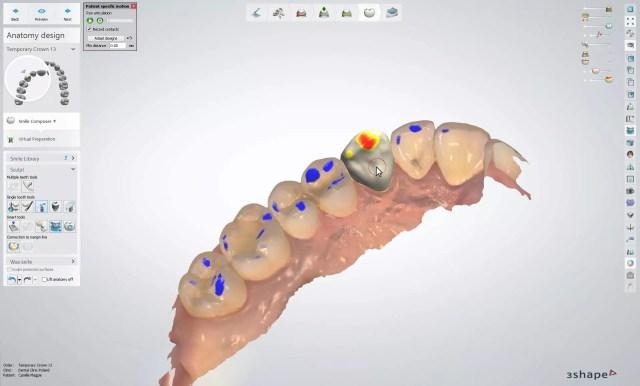
CAD design is not just a technical step; it is a control point where multiple variables converge:
- Scan quality and completeness
- Prescription clarity
- Material and thickness parameters
- Occlusal scheme and articulation logic
- Software compatibility (Exocad, 3Shape, etc.)
If this stage is delayed or inconsistent, downstream manufacturing cannot proceed efficiently. In many labs, even when milling or printing capacity is sufficient, production stalls because design output is not delivered in a stable, predictable rhythm.
Outsourcing design shifts this control point from an internal constraint to a managed external process.
How Dental CAD Design Outsourcing Redistributes Workload
The most immediate impact of dental CAD design outsourcing is the redistribution of workload. Instead of expanding internal teams to handle peak demand, labs can externalize variable design volume.
This creates two operational effects:
1. Separation of Fixed and Variable Capacity
- In-house team: Handles core cases, high-priority adjustments, and communication-intensive designs
- Outsourced team: Absorbs overflow, standardized cases, and scalable volume
This separation allows internal teams to maintain focus without being overwhelmed by volume spikes.
2. Continuous Design Availability
Outsourcing providers often operate across extended working hours or multiple time zones. This enables:
- Overnight design processing
- Reduced idle time between case submission and design initiation
- Faster case turnover without increasing internal workload
In practice, this transforms design from a queued activity into a continuous flow.
Impact on Turnaround Time and Case Throughput
Turnaround time in dental workflows is not determined solely by how fast a design is completed, but by how consistently cases move through each stage.
Outsourcing contributes to:
- Reduced queue time before design begins
- Parallel processing of multiple cases
- Predictable design delivery windows
For example, when design turnaround is standardized (e.g., within defined hourly windows for small cases and structured timelines for complex cases), labs can align manufacturing schedules more precisely.
This predictability is more valuable than raw speed because it allows:
- Better scheduling of milling and finishing
- Reduced technician idle time
- More accurate delivery commitments to clinics
Quality Control and Its Role in Preventing Workflow Delays
A common misconception is that outsourcing introduces quality risks. In reality, workflow inefficiency is more often caused by poor case intake and unclear design parameters than by the design process itself.
Structured outsourcing workflows typically include:
- Pre-design quality control (QC)
- Verification of scan completeness (preparation, antagonist, bite)
- Confirmation of prescription details before design begins
If required information is missing, cases are paused until clarification is provided.
While this may appear to delay individual cases, it prevents:
- Design errors
- Remakes
- Downstream adjustments
From a system perspective, this reduces total cycle time across all cases.
File Compatibility and Workflow Integration
One of the technical barriers in digital dentistry is file compatibility. Labs and clinics may operate on different systems, producing various file formats:
- STL, PLY for geometry
- XML for workflow data
- DCM for imaging
- OBJ, MTL for advanced modeling
Outsourced design providers typically support multi-format intake and conversion, allowing seamless integration into existing workflows.
This reduces:
- Manual file conversion
- Software-related delays
- Communication errors between clinic and lab
As a result, case intake becomes more standardized and less dependent on internal technical troubleshooting.
Case Communication and Instruction Clarity
Efficiency in CAD design is directly tied to how clearly cases are communicated. Outsourcing environments tend to formalize this process.
Typical structured requirements include:
- Defined scan sets (preparation, antagonist, bite)
- Material and thickness specifications
- Margin clarity
- Software version alignment
For complex cases such as full-arch restorations, additional data may be required, including facial references or patient-specific parameters.
This structured communication reduces ambiguity and ensures that design output aligns with clinical expectations from the first iteration.
Reducing Remakes Through Systematic Design Input
Remakes are one of the most significant sources of inefficiency in dental workflows. They consume:
- Additional design time
- Manufacturing resources
- Shipping and coordination effort
Outsourcing contributes to remake reduction by enforcing:
- Strict intake validation
- Consistent design protocols
- Repeatable parameter application
Because outsourced teams often operate with standardized workflows, variability between cases is reduced. This consistency improves first-fit accuracy and minimizes adjustment requirements.
Allowing In-House Teams to Focus on High-Value Tasks
When design workload is partially outsourced, internal teams are no longer required to manage all cases end-to-end.
This allows reallocation of resources toward:
- Complex implant planning
- Case troubleshooting
- Final quality verification
- Direct communication with clinicians
In effect, outsourcing shifts internal labor from volume processing to decision-making and quality control, which are higher-value functions within the workflow.
Managing Priority and Case Segmentation
Not all cases require the same turnaround or level of attention. Efficient workflows segment cases based on urgency and complexity.
Outsourcing enables:
- Priority-based processing (urgent cases handled separately)
- Batch handling of standard cases
- Flexible allocation based on deadlines
When large case volumes are involved, labs can define which cases need immediate attention and which can follow standard timelines.
This level of control is difficult to maintain with a purely in-house team operating at full capacity.
Workflow Stability vs. Speed Optimization
From a systems perspective, the primary benefit of dental CAD design outsourcing is not maximum speed but workflow stability.
Two contrasting perspectives can be observed:
Perspective 1: Speed-Centric Approach
- Focus on completing designs as quickly as possible
- Relies on expanding internal teams
- Often leads to variability and burnout
Perspective 2: Flow-Centric Approach
- Focus on maintaining continuous, predictable workflow
- Uses outsourcing to absorb variability
- Prioritizes consistency over peak performance
In practice, the second approach leads to higher long-term efficiency because it reduces interruptions, rework, and scheduling conflicts.
Limitations and Considerations
Outsourcing is not a universal solution. Its effectiveness depends on how it is integrated into the workflow.
Potential challenges include:
- Misalignment in design expectations if communication is unclear
- Delays when case data is incomplete
- Dependence on external coordination if not properly managed
However, these issues are typically process-related rather than inherent to outsourcing itself. When intake protocols and communication standards are well-defined, these risks are minimized.
Conclusion: Outsourcing as a Structural Workflow Strategy
Dental CAD design outsourcing should not be viewed as an external add-on but as a structural component of modern digital workflows.
By redistributing workload, enforcing intake discipline, and enabling continuous design flow, outsourcing addresses one of the most critical bottlenecks in dental production systems.
For labs and clinics managing increasing case volume and complexity, the question is not whether design can be completed internally, but whether the overall workflow can remain stable, predictable, and scalable without external support.

28 Mar
Categories News
Author By lab.adminPosted on
Long-term growth in dentistry does not come from volume alone. It comes from building a workflow that can handle more cases without losing control of quality, turnaround stability, communication clarity, or manufacturing consistency. For dental labs, clinics, prosthodontists, and oral surgeons, this is where a Professional Dental outsourcing lab becomes strategically important. The role of an outsourcing partner is not limited to case overflow. In a mature digital environment, the right partner supports growth by making the workflow more scalable, more repeatable, and less vulnerable to operational friction.
This matters because growth creates pressure in several directions at once. More case volume increases design demand. A broader case mix adds technical complexity. Faster clinical scheduling reduces tolerance for delay. Digital workflows introduce more file handling requirements, more software dependencies, and more coordination across teams. If these pressures are absorbed through improvisation alone, the system becomes unstable. A professional outsourcing lab helps prevent that instability by introducing structure where expansion would otherwise create inconsistency.
That is why long-term growth should not be discussed only in terms of sales, new accounts, or production numbers. In technical dentistry, growth is sustainable only when the workflow can expand without quietly increasing remake risk, communication failure, or design-to-manufacturing mismatch. A strong outsourcing partner supports exactly that kind of growth.
Many dental businesses assume growth problems will appear mainly at the business development level. In practice, the first real strain often appears inside production. A lab may gain more clients, a clinic may increase digital case submissions, or a specialist may broaden the range of implant and restorative work being handled. At first, this looks positive. Then the internal design queue becomes congested, communication slows, turnaround becomes uneven, and routine cases start competing for attention with complex ones.
This is one of the clearest reasons a Professional Dental outsourcing lab supports long-term growth. It expands functional capacity without requiring every increase in demand to be absorbed immediately by internal hiring, retraining, or rushed process changes. More importantly, it does so within a technical workflow rather than outside it. The partner becomes part of the case pathway, helping manage intake, design support, fabrication logic, and coordination under higher volume conditions.
From one angle, outsourcing may seem like a temporary solution for busy periods. From another, more operationally useful angle, it is a structural solution for growth management. The second view is usually more accurate when the goal is not simply to survive a busy month, but to support growth over years without degrading consistency.
In small or early-stage operations, growth can sometimes be sustained by extra individual effort. A technician stays late. A designer handles more cases than usual. A case manager manually resolves file problems one by one. This can work for a while. But it is not a scalable model. Growth supported only by human improvisation eventually becomes vulnerable to fatigue, inconsistency, and preventable errors.
A professional outsourcing structure helps replace heroic effort with repeatable process. That is one of the deeper advantages of a Professional Dental outsourcing lab. The partner does not merely add hands. It adds systems: file intake rules, case categorization logic, CAD design protocols, communication checkpoints, and production-aware review steps. These systems make the workflow less dependent on individual rescue behavior and more capable of handling sustained volume.
This distinction matters because long-term growth is not just an increase in demand. It is an increase in exposure to small operational failures. Every unclear prescription, incomplete scan, delayed clarification, or unstable design choice becomes more costly as volume rises. Repeatable systems reduce this risk. And in dentistry, risk reduction is often what allows growth to remain profitable rather than merely busy.
One of the first things growth tends to disrupt is turnaround consistency. When more cases arrive, design queues lengthen. When case complexity rises, routine units may wait behind larger or more technical cases. When internal teams are stretched, priorities become harder to manage. This is where a professional partner can create real operational value.
A Professional Dental outsourcing lab supports long-term growth by helping stabilize the early and middle stages of production. Standard cases can be routed efficiently. Overflow design can be absorbed without collapsing internal schedules. More complex categories can be triaged properly instead of forcing every case through the same bottleneck. This improves not only speed, but schedule predictability.
That point is important. Long-term growth does not benefit from occasional bursts of fast performance if the workflow remains unstable overall. What matters more is dependable rhythm. Clinics and labs need to know how work moves under normal conditions, under busy conditions, and under mixed case conditions. A professional outsourcing workflow supports that rhythm by smoothing capacity fluctuations before they become systemic delays.
Growth multiplies the consequences of weak submission habits. A small number of incomplete scans or vague prescriptions may be manageable in a low-volume setting. In a growing operation, those same problems can create repeated interruption across many cases. That is why one of the most valuable contributions of an outsourcing partner is stronger intake discipline.
A mature outsourcing lab does not simply receive files and start designing. It reviews whether the case is ready. It checks whether the digital package is complete. It identifies missing information early. In the context of long-term growth, this is extremely useful because it prevents expansion from being built on bad intake habits. A Professional Dental outsourcing lab helps the sending team become more disciplined as well, because the relationship encourages cleaner file preparation, clearer prescriptions, and more structured communication.
This creates a two-sided benefit. The outsourcing lab works more efficiently because incoming data is more usable. The sending lab or clinic also becomes operationally stronger because its own submission standards improve over time. That is one of the subtle ways outsourcing supports growth: it strengthens the upstream process, not only the downstream workload.
As operations grow, variability becomes more dangerous. If similar cases are designed differently from one week to the next, manufacturing becomes less predictable, adjustment time increases, and confidence in the workflow starts to erode. This is why consistency in CAD design matters so much for sustainable expansion.
A professional outsourcing lab helps by applying more stable design logic across routine and moderately complex cases. Contact strategy, occlusal balance, emergence control, connector behavior, internal fit planning, and production-aware anatomy can be managed with repeatable standards. A Professional Dental outsourcing lab supports growth not because it removes judgment from design, but because it reduces unnecessary variation in how judgment is applied.
From one perspective, design consistency sounds like a quality issue. From another, it is also a growth issue. A business cannot scale effectively if every additional case introduces new unpredictability into production. Stable design standards allow larger case volume to move through the system with less friction. That is one of the quiet foundations of long-term operational growth.
Growth is not always about more of the same work. Often it involves handling a wider range of cases. A lab may expand from routine crown and bridge work into implants, removable prosthetics, night guards, or surgical guides. A clinic may move from standard restorations into more digitally integrated prosthetic and surgical workflows. These shifts require more than capacity. They require technical breadth.
This is another reason a Professional Dental outsourcing lab can support long-term growth. A capable partner allows an operation to broaden its service range without building every specialty entirely in-house at the beginning. That does not mean internal expertise becomes unimportant. It means the path to expansion becomes more manageable. The business can enter new technical categories with support from a partner already structured around those workflows.
This approach reduces growth risk. Instead of overcommitting internal resources before demand is stable, the operation can expand more selectively. It can test workflow compatibility, refine communication patterns, and understand the demands of each new category while still protecting daily operations.
Many scaling problems do not begin in design alone. They begin when design and manufacturing drift apart. As volume increases, a workflow becomes more vulnerable to designs that are technically acceptable on screen but less stable in milling, printing, finishing, or assembly. Long-term growth requires stronger connection between digital planning and production behavior.
A professional outsourcing lab supports this by designing with fabrication in mind. That matters for crowns, bridges, implants, removable cases, and guides alike. Thickness, fit strategy, access planning, connector safety, insertion logic, and material behavior all affect whether a design will move cleanly into production. A Professional Dental outsourcing lab with real manufacturing awareness helps prevent growth from increasing this design-to-production gap.
That matters especially in high-volume settings, where small technical mismatches get repeated many times. One awkward workflow quirk may be tolerable at low volume. At scale, it becomes a tax on the whole operation.
As businesses grow, communication breakdown becomes more expensive. A missing implant detail, an unclear prescription, or a delayed design clarification may affect not just one case, but scheduling, staffing, and patient coordination across multiple teams. This is why communication should be treated as infrastructure rather than courtesy.
A strong outsourcing lab supports long-term growth by making case communication more structured. It identifies missing data clearly. It separates routine handling from exception handling. It creates a cleaner channel between intake, design review, and technical support. In practical terms, a Professional Dental outsourcing lab helps reduce the amount of interpretive chaos in the workflow.
There are two kinds of growth environments. One grows in volume while communication becomes noisier and more reactive. The other grows while communication becomes more structured and technically precise. Only the second environment scales well. The first one simply gets louder.
A fast-growing operation can look healthy on the surface while quietly accumulating risk underneath. Remakes, redesigns, inconsistent fit behavior, and unstable turnaround may not immediately stop growth, but they make it more costly and less durable. This is where quality control becomes central to long-term strategy.
A professional outsourcing lab supports growth by applying quality checks at intake, during design, before production, and in final case handling. This layered approach reduces the chance that flawed input or weak design logic moves unchecked through the system. A Professional Dental outsourcing lab does not merely help produce more work. It helps ensure that additional work does not create proportionally more correction and waste.
This is critical because growth without quality discipline is often fake efficiency. Cases move, but hidden costs rise. Teams get busier, but not stronger. Quality control is what prevents scaling from turning into organized self-sabotage.
One of the most overlooked benefits of a strong outsourcing relationship is that it often makes the internal organization better. File preparation improves. Case notes become clearer. Triage becomes more disciplined. Designers and technicians gain better understanding of what information matters at each stage. In short, the operation becomes more mature because the outsourcing workflow demands maturity.
That is why a Professional Dental outsourcing lab can support long-term growth even beyond the cases it directly handles. It influences the structure of the sending business. Over time, the internal workflow becomes more scalable because it has adapted to clearer external standards. This kind of operational learning is one of the most valuable forms of support a partner can provide.
If growth is the goal, the right outsourcing partner should offer more than broad case acceptance. The workflow should include disciplined intake, stable CAD design standards, production-aware planning, reliable file compatibility, strong communication, category-specific technical support, and layered quality control. These are the conditions that allow a business to expand without losing consistency.
Labs and clinics should not evaluate a Professional Dental outsourcing lab only by whether it can handle more cases today. They should ask whether the partner helps the workflow become more scalable, more predictable, and less risky over time. That is the standard that matters in long-term growth.
Long-term growth in dental production depends on more than attracting more case volume. It depends on building a workflow that can expand without increasing operational instability. A Professional Dental outsourcing lab supports that goal by adding structured capacity, stabilizing turnaround, improving intake discipline, supporting consistent CAD design, strengthening manufacturing alignment, clarifying communication, and protecting quality as complexity grows.
For dental labs, clinics, prosthodontists, and oral surgeons, the real value of outsourcing is not simply external support. It is the ability to grow with more control. A professional partner does not remove complexity from the business. It helps manage complexity with better systems, better consistency, and lower workflow risk over time.
That is what makes outsourcing strategically useful in the long run. Not just more output, but a stronger foundation for sustainable growth.
This matters because growth creates pressure in several directions at once. More case volume increases design demand. A broader case mix adds technical complexity. Faster clinical scheduling reduces tolerance for delay. Digital workflows introduce more file handling requirements, more software dependencies, and more coordination across teams. If these pressures are absorbed through improvisation alone, the system becomes unstable. A professional outsourcing lab helps prevent that instability by introducing structure where expansion would otherwise create inconsistency.
That is why long-term growth should not be discussed only in terms of sales, new accounts, or production numbers. In technical dentistry, growth is sustainable only when the workflow can expand without quietly increasing remake risk, communication failure, or design-to-manufacturing mismatch. A strong outsourcing partner supports exactly that kind of growth.
Growth becomes fragile when workflow capacity grows slower than case demand
Many dental businesses assume growth problems will appear mainly at the business development level. In practice, the first real strain often appears inside production. A lab may gain more clients, a clinic may increase digital case submissions, or a specialist may broaden the range of implant and restorative work being handled. At first, this looks positive. Then the internal design queue becomes congested, communication slows, turnaround becomes uneven, and routine cases start competing for attention with complex ones.
This is one of the clearest reasons a Professional Dental outsourcing lab supports long-term growth. It expands functional capacity without requiring every increase in demand to be absorbed immediately by internal hiring, retraining, or rushed process changes. More importantly, it does so within a technical workflow rather than outside it. The partner becomes part of the case pathway, helping manage intake, design support, fabrication logic, and coordination under higher volume conditions.
From one angle, outsourcing may seem like a temporary solution for busy periods. From another, more operationally useful angle, it is a structural solution for growth management. The second view is usually more accurate when the goal is not simply to survive a busy month, but to support growth over years without degrading consistency.
Long-term growth depends on repeatable systems, not heroic effort
In small or early-stage operations, growth can sometimes be sustained by extra individual effort. A technician stays late. A designer handles more cases than usual. A case manager manually resolves file problems one by one. This can work for a while. But it is not a scalable model. Growth supported only by human improvisation eventually becomes vulnerable to fatigue, inconsistency, and preventable errors.
A professional outsourcing structure helps replace heroic effort with repeatable process. That is one of the deeper advantages of a Professional Dental outsourcing lab. The partner does not merely add hands. It adds systems: file intake rules, case categorization logic, CAD design protocols, communication checkpoints, and production-aware review steps. These systems make the workflow less dependent on individual rescue behavior and more capable of handling sustained volume.
This distinction matters because long-term growth is not just an increase in demand. It is an increase in exposure to small operational failures. Every unclear prescription, incomplete scan, delayed clarification, or unstable design choice becomes more costly as volume rises. Repeatable systems reduce this risk. And in dentistry, risk reduction is often what allows growth to remain profitable rather than merely busy.
A professional outsourcing lab helps stabilize turnaround as volume increases
One of the first things growth tends to disrupt is turnaround consistency. When more cases arrive, design queues lengthen. When case complexity rises, routine units may wait behind larger or more technical cases. When internal teams are stretched, priorities become harder to manage. This is where a professional partner can create real operational value.
A Professional Dental outsourcing lab supports long-term growth by helping stabilize the early and middle stages of production. Standard cases can be routed efficiently. Overflow design can be absorbed without collapsing internal schedules. More complex categories can be triaged properly instead of forcing every case through the same bottleneck. This improves not only speed, but schedule predictability.
That point is important. Long-term growth does not benefit from occasional bursts of fast performance if the workflow remains unstable overall. What matters more is dependable rhythm. Clinics and labs need to know how work moves under normal conditions, under busy conditions, and under mixed case conditions. A professional outsourcing workflow supports that rhythm by smoothing capacity fluctuations before they become systemic delays.
File quality and intake discipline become more important as operations expand
Growth multiplies the consequences of weak submission habits. A small number of incomplete scans or vague prescriptions may be manageable in a low-volume setting. In a growing operation, those same problems can create repeated interruption across many cases. That is why one of the most valuable contributions of an outsourcing partner is stronger intake discipline.
A mature outsourcing lab does not simply receive files and start designing. It reviews whether the case is ready. It checks whether the digital package is complete. It identifies missing information early. In the context of long-term growth, this is extremely useful because it prevents expansion from being built on bad intake habits. A Professional Dental outsourcing lab helps the sending team become more disciplined as well, because the relationship encourages cleaner file preparation, clearer prescriptions, and more structured communication.
This creates a two-sided benefit. The outsourcing lab works more efficiently because incoming data is more usable. The sending lab or clinic also becomes operationally stronger because its own submission standards improve over time. That is one of the subtle ways outsourcing supports growth: it strengthens the upstream process, not only the downstream workload.
Consistent CAD design supports scalable quality
As operations grow, variability becomes more dangerous. If similar cases are designed differently from one week to the next, manufacturing becomes less predictable, adjustment time increases, and confidence in the workflow starts to erode. This is why consistency in CAD design matters so much for sustainable expansion.
A professional outsourcing lab helps by applying more stable design logic across routine and moderately complex cases. Contact strategy, occlusal balance, emergence control, connector behavior, internal fit planning, and production-aware anatomy can be managed with repeatable standards. A Professional Dental outsourcing lab supports growth not because it removes judgment from design, but because it reduces unnecessary variation in how judgment is applied.
From one perspective, design consistency sounds like a quality issue. From another, it is also a growth issue. A business cannot scale effectively if every additional case introduces new unpredictability into production. Stable design standards allow larger case volume to move through the system with less friction. That is one of the quiet foundations of long-term operational growth.
Broader case capability supports strategic expansion
Growth is not always about more of the same work. Often it involves handling a wider range of cases. A lab may expand from routine crown and bridge work into implants, removable prosthetics, night guards, or surgical guides. A clinic may move from standard restorations into more digitally integrated prosthetic and surgical workflows. These shifts require more than capacity. They require technical breadth.
This is another reason a Professional Dental outsourcing lab can support long-term growth. A capable partner allows an operation to broaden its service range without building every specialty entirely in-house at the beginning. That does not mean internal expertise becomes unimportant. It means the path to expansion becomes more manageable. The business can enter new technical categories with support from a partner already structured around those workflows.
This approach reduces growth risk. Instead of overcommitting internal resources before demand is stable, the operation can expand more selectively. It can test workflow compatibility, refine communication patterns, and understand the demands of each new category while still protecting daily operations.
Manufacturing awareness matters when growth increases case complexity
Many scaling problems do not begin in design alone. They begin when design and manufacturing drift apart. As volume increases, a workflow becomes more vulnerable to designs that are technically acceptable on screen but less stable in milling, printing, finishing, or assembly. Long-term growth requires stronger connection between digital planning and production behavior.
A professional outsourcing lab supports this by designing with fabrication in mind. That matters for crowns, bridges, implants, removable cases, and guides alike. Thickness, fit strategy, access planning, connector safety, insertion logic, and material behavior all affect whether a design will move cleanly into production. A Professional Dental outsourcing lab with real manufacturing awareness helps prevent growth from increasing this design-to-production gap.
That matters especially in high-volume settings, where small technical mismatches get repeated many times. One awkward workflow quirk may be tolerable at low volume. At scale, it becomes a tax on the whole operation.
Reliable communication becomes a growth asset, not just a service feature
As businesses grow, communication breakdown becomes more expensive. A missing implant detail, an unclear prescription, or a delayed design clarification may affect not just one case, but scheduling, staffing, and patient coordination across multiple teams. This is why communication should be treated as infrastructure rather than courtesy.
A strong outsourcing lab supports long-term growth by making case communication more structured. It identifies missing data clearly. It separates routine handling from exception handling. It creates a cleaner channel between intake, design review, and technical support. In practical terms, a Professional Dental outsourcing lab helps reduce the amount of interpretive chaos in the workflow.
There are two kinds of growth environments. One grows in volume while communication becomes noisier and more reactive. The other grows while communication becomes more structured and technically precise. Only the second environment scales well. The first one simply gets louder.
Quality control protects growth from becoming expensive
A fast-growing operation can look healthy on the surface while quietly accumulating risk underneath. Remakes, redesigns, inconsistent fit behavior, and unstable turnaround may not immediately stop growth, but they make it more costly and less durable. This is where quality control becomes central to long-term strategy.
A professional outsourcing lab supports growth by applying quality checks at intake, during design, before production, and in final case handling. This layered approach reduces the chance that flawed input or weak design logic moves unchecked through the system. A Professional Dental outsourcing lab does not merely help produce more work. It helps ensure that additional work does not create proportionally more correction and waste.
This is critical because growth without quality discipline is often fake efficiency. Cases move, but hidden costs rise. Teams get busier, but not stronger. Quality control is what prevents scaling from turning into organized self-sabotage.
Outsourcing can improve internal maturity over time
One of the most overlooked benefits of a strong outsourcing relationship is that it often makes the internal organization better. File preparation improves. Case notes become clearer. Triage becomes more disciplined. Designers and technicians gain better understanding of what information matters at each stage. In short, the operation becomes more mature because the outsourcing workflow demands maturity.
That is why a Professional Dental outsourcing lab can support long-term growth even beyond the cases it directly handles. It influences the structure of the sending business. Over time, the internal workflow becomes more scalable because it has adapted to clearer external standards. This kind of operational learning is one of the most valuable forms of support a partner can provide.
What long-term growth actually requires from an outsourcing partner
If growth is the goal, the right outsourcing partner should offer more than broad case acceptance. The workflow should include disciplined intake, stable CAD design standards, production-aware planning, reliable file compatibility, strong communication, category-specific technical support, and layered quality control. These are the conditions that allow a business to expand without losing consistency.
Labs and clinics should not evaluate a Professional Dental outsourcing lab only by whether it can handle more cases today. They should ask whether the partner helps the workflow become more scalable, more predictable, and less risky over time. That is the standard that matters in long-term growth.
Conclusion
Long-term growth in dental production depends on more than attracting more case volume. It depends on building a workflow that can expand without increasing operational instability. A Professional Dental outsourcing lab supports that goal by adding structured capacity, stabilizing turnaround, improving intake discipline, supporting consistent CAD design, strengthening manufacturing alignment, clarifying communication, and protecting quality as complexity grows.
For dental labs, clinics, prosthodontists, and oral surgeons, the real value of outsourcing is not simply external support. It is the ability to grow with more control. A professional partner does not remove complexity from the business. It helps manage complexity with better systems, better consistency, and lower workflow risk over time.
That is what makes outsourcing strategically useful in the long run. Not just more output, but a stronger foundation for sustainable growth.

25 Mar
Categories News
Author By lab.adminPosted on
In a digital production environment, the word Warranty is often treated as a simple commercial term. In practice, it has a deeper operational meaning. For dental labs, clinics, prosthodontists, and oral surgeons, warranty-related policies are not just about what happens after a case fails. They reflect how an outsourcing partner handles accountability, technical review, remake logic, and case support across the full workflow.
That distinction matters because remakes rarely begin as isolated product events. They usually emerge from a chain of technical conditions: incomplete file submission, unclear restorative instructions, scan quality limitations, implant compatibility problems, design interpretation gaps, or manufacturing constraints. When a lab evaluates Warranty, it should not only ask whether remakes are accepted. It should also ask how the partner reviews the case, how support is structured, and whether the process helps reduce repeat issues rather than simply reacting to them.
For this reason, dental labs should view warranty, remakes, and case support as connected parts of one quality system. A reliable partner does not treat them as separate departments or afterthoughts. The partner uses them to protect consistency, clarify responsibility, and support predictable case handling when something does not go as expected.
In a laboratory setting, Warranty should not be interpreted as a blanket promise that every completed restoration will perform perfectly under all conditions. That would be technically unserious. Restorations are influenced by case quality, preparation conditions, scan accuracy, occlusion, material choice, manufacturing behavior, and clinical handling. No honest lab workflow can reduce all of that into a simplistic guarantee.
What warranty does provide is a structure for accountability. It defines how the outsourcing partner responds when a case requires review, correction, or remake. It also shows whether the partner understands the difference between a technical production issue, a case input issue, and a limitation created upstream before design or fabrication began.
From one angle, some labs see Warranty as mainly a protection against financial loss. From another angle, it is equally a signal of process maturity. A partner with a clear and technically grounded warranty framework is often easier to work with because case responsibility is evaluated through workflow logic rather than through vague negotiation after a problem appears.
That is the first thing dental labs need to know: warranty matters most when it reflects a real case review process, not just a line item in a service summary.
A remake is easy to describe at the end of the case. The restoration does not fit, the contacts are unstable, the occlusion is off, the implant interface is inconsistent, or the design no longer matches the restorative need. But the deeper question is why the remake became necessary. Without that analysis, the same problem often returns in another form later.
This is where Warranty and remake policy should connect directly to technical review. A strong partner should not simply accept or reject a remake request in a mechanical way. The case should be assessed in context. Was the file submission complete? Were the bite and scan quality reliable? Was the restoration type communicated clearly? Were implant system details verified? Did the manufacturing path reflect the approved design correctly? These questions matter because they help distinguish a true production issue from an upstream case limitation.
There are two ways to handle remakes. One is purely transactional: remake or no remake. The other is diagnostic: what happened in the workflow, and how should the case be handled now? The second approach is far more useful for dental labs because it reduces recurring friction instead of merely processing individual complaints.
In a serious lab environment, a remake is not just a replacement event. It is a signal that something in the case pathway deserves closer attention.
One of the most important realities in digital dentistry is that the quality of the final restoration depends heavily on the quality of the information provided at intake. This is why Warranty cannot be separated from case submission standards. If a case enters the workflow with incomplete scans, unstable bite relationships, unclear preparation boundaries, missing implant references, or vague prescription instructions, the outcome may be limited before design even begins.
For dental labs, this means warranty conversations should always be connected to file submission quality. A reliable outsourcing partner should review input carefully at intake and identify major issues early. This protects both sides. The sending lab knows what is missing before deeper production begins, and the receiving lab reduces the chance of building a case on weak digital foundations.
From one perspective, this may sound like the partner is protecting itself. From another, more useful perspective, it is also protecting the client lab from false expectations. A weak submission that moves forward silently may create a more frustrating remake discussion later than a case that is paused for clarification at the start.
So when labs think about Warranty, they should also think about intake control. The two belong together. A clean warranty framework without disciplined intake review is like putting a fire extinguisher next to a leaking fuel tank and calling it strategy.
One reason remake handling can become messy is that the word “remake” covers very different situations. A restoration may need to be redone because of a design interpretation issue, a manufacturing deviation, a change in clinical conditions, a revised treatment direction, a new scan after tooth preparation changes, or a limitation in the original digital input. These are not the same event, even if the practical result is another restoration.
That is why dental labs should expect any serious Warranty process to distinguish between remake categories. A case support team should be able to identify whether the issue is related to production, communication, file quality, fit logic, component mismatch, or changed case conditions. This does not require dramatic language. It requires technical clarity.
For fixed restorations, that may involve reviewing the original files, the approved design logic, and any post-delivery feedback. For implant cases, it may require checking the component pathway, library alignment, scan body quality, or restorative space assumptions. For removable work, it may involve design constraints, adaptation expectations, or incomplete case reference data.
This classification matters because it helps labs avoid treating every corrective event as if it were caused by the same kind of failure. A stable outsourcing relationship depends on distinguishing cause, not just reacting to symptoms.
Many labs focus on whether a partner offers Warranty, but the more operationally important question is how case support works once a problem is identified. A formal warranty statement has limited value if the support process is slow, vague, or disconnected from the actual technical workflow.
Case support should include clear communication, timely review of the issue, access to the original case information, and a structured decision path for what happens next. That may include design revision, file clarification, technical explanation, or remake processing depending on the situation. The key point is that support should reduce uncertainty rather than adding another layer of it.
This is particularly important in outsourced digital workflows where the sending lab and receiving lab do not share the same physical production space. If a case problem appears, the support process becomes the bridge between technical diagnosis and operational action. A partner may have a perfectly respectable Warranty policy on paper and still perform poorly if the case support process turns every issue into a drawn-out interpretive mess.
From a practical angle, dental labs should judge support quality by how clearly the partner explains the problem, how efficiently the case is reviewed, and whether the corrective path makes technical sense.
If any category shows why simplified warranty thinking fails, it is implant restorations. Implant cases are more sensitive because they involve scan body accuracy, implant library matching, component selection, retention method, interface precision, and restorative space planning. A problem in any of these areas can affect fit and function later, sometimes in ways that are not obvious during the initial review.
This is why Warranty and case support for implant work should be especially structured. A serious outsourcing partner should review the implant-related data before deciding whether the case requires remake, redesign, or clarification. The response should not depend on generic rules alone. It should depend on how the implant workflow was built and where the technical mismatch occurred.
From one angle, this makes implant support more complicated. From another, it makes it more honest. Implant cases are not routine single-unit crowns, and they should not be treated as though every outcome issue can be judged with the same criteria. Labs that send implant work externally should look for support systems that understand this difference.
A partner who handles implant remakes casually is waving a tiny red flag made entirely of workflow chaos.
When a case issue appears, uncertainty grows fast if communication is vague. The lab may not know whether the partner is reviewing the original design, the fabrication stage, the file package, or the clinical feedback. This is where structured case communication becomes one of the most valuable parts of the support process.
A good Warranty workflow should not force the client lab to guess how the issue is being evaluated. The partner should explain what information is needed, what aspect of the case is under review, and what the likely corrective paths are. This can include requesting updated scans, reviewing original files, clarifying whether the case conditions changed, or verifying whether the design matched the submitted instructions.
There are two kinds of support communication. One creates friction because every response is partial and unclear. The other reduces friction because each response moves the case toward a more precise understanding. Dental labs should expect the second kind, especially when turnaround and patient scheduling may depend on a prompt and technically grounded resolution.
The best remake process does more than solve the current case. It also improves the workflow that produced the problem. This is one of the most useful ways to think about Warranty in a quality-focused outsourcing relationship. The point is not only to correct the outcome. It is to reduce the chance of the same issue repeating across future cases.
For example, if a recurring issue is linked to incomplete bite data, the lab and partner may refine intake standards. If a pattern emerges around implant library confusion, the case submission process may be tightened. If the problem comes from unclear restorative notes, communication templates may be adjusted. In each situation, the immediate remake is still important, but the larger value comes from strengthening the process behind it.
From one perspective, this sounds like operational maintenance. From another, it is exactly how trust is built. Dental labs do not gain confidence merely because a partner agrees to review a problem. They gain confidence when the partner helps make the workflow more stable over time.
When evaluating an outsourcing partner, dental labs should not look only for the presence of the word Warranty. They should look for the quality system surrounding it. That includes intake review discipline, clear remake classification, technically competent case support, transparent communication, implant-specific review where needed, and a corrective process that links current case handling to future workflow improvement.
A useful partner should be able to explain how case issues are reviewed, what information is needed for assessment, how remakes are distinguished from revised treatment situations, and how support is provided once a case is flagged. These are practical markers of reliability. They matter more than abstract language about customer care or broad quality claims.
A calm, structured support process usually tells you more about a lab partner than any marketing paragraph ever will.
Ultimately, Warranty is only as meaningful as the system around it. If intake quality is weak, communication is inconsistent, and case support is vague, then warranty language alone does not do much. By contrast, when warranty exists inside a disciplined digital workflow—one with good case review, clear design logic, manufacturing awareness, and structured support—it becomes genuinely useful.
For dental labs, the most important lesson is that warranty should not be separated from the rest of the production relationship. It is part of how risk is managed, how accountability is clarified, and how case issues are resolved without destroying workflow stability.
Warranty, remakes, and case support matter because they reveal how an outsourcing partner handles technical accountability when a case does not go according to plan. For dental labs, the real value is not in broad promise language. It is in whether the partner has a structured system for intake review, remake assessment, support communication, implant-specific analysis, and corrective follow-through.
A strong warranty framework does not pretend that every case can be reduced to a simple yes-or-no guarantee. Instead, it helps dental labs understand what happened, what support is available, and how the workflow can move forward with more clarity and less repeated risk.
That is what dental labs need to know. In a serious restorative workflow, warranty is not just about replacement. It is about how professionally the partner responds when reality gets a little unruly.
That distinction matters because remakes rarely begin as isolated product events. They usually emerge from a chain of technical conditions: incomplete file submission, unclear restorative instructions, scan quality limitations, implant compatibility problems, design interpretation gaps, or manufacturing constraints. When a lab evaluates Warranty, it should not only ask whether remakes are accepted. It should also ask how the partner reviews the case, how support is structured, and whether the process helps reduce repeat issues rather than simply reacting to them.
For this reason, dental labs should view warranty, remakes, and case support as connected parts of one quality system. A reliable partner does not treat them as separate departments or afterthoughts. The partner uses them to protect consistency, clarify responsibility, and support predictable case handling when something does not go as expected.
Warranty in dental workflows is really about accountability structure
In a laboratory setting, Warranty should not be interpreted as a blanket promise that every completed restoration will perform perfectly under all conditions. That would be technically unserious. Restorations are influenced by case quality, preparation conditions, scan accuracy, occlusion, material choice, manufacturing behavior, and clinical handling. No honest lab workflow can reduce all of that into a simplistic guarantee.
What warranty does provide is a structure for accountability. It defines how the outsourcing partner responds when a case requires review, correction, or remake. It also shows whether the partner understands the difference between a technical production issue, a case input issue, and a limitation created upstream before design or fabrication began.
From one angle, some labs see Warranty as mainly a protection against financial loss. From another angle, it is equally a signal of process maturity. A partner with a clear and technically grounded warranty framework is often easier to work with because case responsibility is evaluated through workflow logic rather than through vague negotiation after a problem appears.
That is the first thing dental labs need to know: warranty matters most when it reflects a real case review process, not just a line item in a service summary.
Why remakes should be evaluated as workflow events, not isolated failures
A remake is easy to describe at the end of the case. The restoration does not fit, the contacts are unstable, the occlusion is off, the implant interface is inconsistent, or the design no longer matches the restorative need. But the deeper question is why the remake became necessary. Without that analysis, the same problem often returns in another form later.
This is where Warranty and remake policy should connect directly to technical review. A strong partner should not simply accept or reject a remake request in a mechanical way. The case should be assessed in context. Was the file submission complete? Were the bite and scan quality reliable? Was the restoration type communicated clearly? Were implant system details verified? Did the manufacturing path reflect the approved design correctly? These questions matter because they help distinguish a true production issue from an upstream case limitation.
There are two ways to handle remakes. One is purely transactional: remake or no remake. The other is diagnostic: what happened in the workflow, and how should the case be handled now? The second approach is far more useful for dental labs because it reduces recurring friction instead of merely processing individual complaints.
In a serious lab environment, a remake is not just a replacement event. It is a signal that something in the case pathway deserves closer attention.
A meaningful warranty policy depends on case input quality
One of the most important realities in digital dentistry is that the quality of the final restoration depends heavily on the quality of the information provided at intake. This is why Warranty cannot be separated from case submission standards. If a case enters the workflow with incomplete scans, unstable bite relationships, unclear preparation boundaries, missing implant references, or vague prescription instructions, the outcome may be limited before design even begins.
For dental labs, this means warranty conversations should always be connected to file submission quality. A reliable outsourcing partner should review input carefully at intake and identify major issues early. This protects both sides. The sending lab knows what is missing before deeper production begins, and the receiving lab reduces the chance of building a case on weak digital foundations.
From one perspective, this may sound like the partner is protecting itself. From another, more useful perspective, it is also protecting the client lab from false expectations. A weak submission that moves forward silently may create a more frustrating remake discussion later than a case that is paused for clarification at the start.
So when labs think about Warranty, they should also think about intake control. The two belong together. A clean warranty framework without disciplined intake review is like putting a fire extinguisher next to a leaking fuel tank and calling it strategy.
Not every remake means the same thing
One reason remake handling can become messy is that the word “remake” covers very different situations. A restoration may need to be redone because of a design interpretation issue, a manufacturing deviation, a change in clinical conditions, a revised treatment direction, a new scan after tooth preparation changes, or a limitation in the original digital input. These are not the same event, even if the practical result is another restoration.
That is why dental labs should expect any serious Warranty process to distinguish between remake categories. A case support team should be able to identify whether the issue is related to production, communication, file quality, fit logic, component mismatch, or changed case conditions. This does not require dramatic language. It requires technical clarity.
For fixed restorations, that may involve reviewing the original files, the approved design logic, and any post-delivery feedback. For implant cases, it may require checking the component pathway, library alignment, scan body quality, or restorative space assumptions. For removable work, it may involve design constraints, adaptation expectations, or incomplete case reference data.
This classification matters because it helps labs avoid treating every corrective event as if it were caused by the same kind of failure. A stable outsourcing relationship depends on distinguishing cause, not just reacting to symptoms.
Case support is often more important than the warranty label itself
Many labs focus on whether a partner offers Warranty, but the more operationally important question is how case support works once a problem is identified. A formal warranty statement has limited value if the support process is slow, vague, or disconnected from the actual technical workflow.
Case support should include clear communication, timely review of the issue, access to the original case information, and a structured decision path for what happens next. That may include design revision, file clarification, technical explanation, or remake processing depending on the situation. The key point is that support should reduce uncertainty rather than adding another layer of it.
This is particularly important in outsourced digital workflows where the sending lab and receiving lab do not share the same physical production space. If a case problem appears, the support process becomes the bridge between technical diagnosis and operational action. A partner may have a perfectly respectable Warranty policy on paper and still perform poorly if the case support process turns every issue into a drawn-out interpretive mess.
From a practical angle, dental labs should judge support quality by how clearly the partner explains the problem, how efficiently the case is reviewed, and whether the corrective path makes technical sense.
Implant cases require more careful warranty and support logic
If any category shows why simplified warranty thinking fails, it is implant restorations. Implant cases are more sensitive because they involve scan body accuracy, implant library matching, component selection, retention method, interface precision, and restorative space planning. A problem in any of these areas can affect fit and function later, sometimes in ways that are not obvious during the initial review.
This is why Warranty and case support for implant work should be especially structured. A serious outsourcing partner should review the implant-related data before deciding whether the case requires remake, redesign, or clarification. The response should not depend on generic rules alone. It should depend on how the implant workflow was built and where the technical mismatch occurred.
From one angle, this makes implant support more complicated. From another, it makes it more honest. Implant cases are not routine single-unit crowns, and they should not be treated as though every outcome issue can be judged with the same criteria. Labs that send implant work externally should look for support systems that understand this difference.
A partner who handles implant remakes casually is waving a tiny red flag made entirely of workflow chaos.
Clear communication reduces dispute and speeds correction
When a case issue appears, uncertainty grows fast if communication is vague. The lab may not know whether the partner is reviewing the original design, the fabrication stage, the file package, or the clinical feedback. This is where structured case communication becomes one of the most valuable parts of the support process.
A good Warranty workflow should not force the client lab to guess how the issue is being evaluated. The partner should explain what information is needed, what aspect of the case is under review, and what the likely corrective paths are. This can include requesting updated scans, reviewing original files, clarifying whether the case conditions changed, or verifying whether the design matched the submitted instructions.
There are two kinds of support communication. One creates friction because every response is partial and unclear. The other reduces friction because each response moves the case toward a more precise understanding. Dental labs should expect the second kind, especially when turnaround and patient scheduling may depend on a prompt and technically grounded resolution.
A strong remake process should improve future consistency
The best remake process does more than solve the current case. It also improves the workflow that produced the problem. This is one of the most useful ways to think about Warranty in a quality-focused outsourcing relationship. The point is not only to correct the outcome. It is to reduce the chance of the same issue repeating across future cases.
For example, if a recurring issue is linked to incomplete bite data, the lab and partner may refine intake standards. If a pattern emerges around implant library confusion, the case submission process may be tightened. If the problem comes from unclear restorative notes, communication templates may be adjusted. In each situation, the immediate remake is still important, but the larger value comes from strengthening the process behind it.
From one perspective, this sounds like operational maintenance. From another, it is exactly how trust is built. Dental labs do not gain confidence merely because a partner agrees to review a problem. They gain confidence when the partner helps make the workflow more stable over time.
What dental labs should actually look for in warranty and case support
When evaluating an outsourcing partner, dental labs should not look only for the presence of the word Warranty. They should look for the quality system surrounding it. That includes intake review discipline, clear remake classification, technically competent case support, transparent communication, implant-specific review where needed, and a corrective process that links current case handling to future workflow improvement.
A useful partner should be able to explain how case issues are reviewed, what information is needed for assessment, how remakes are distinguished from revised treatment situations, and how support is provided once a case is flagged. These are practical markers of reliability. They matter more than abstract language about customer care or broad quality claims.
A calm, structured support process usually tells you more about a lab partner than any marketing paragraph ever will.
Warranty is strongest when it sits inside a larger quality system
Ultimately, Warranty is only as meaningful as the system around it. If intake quality is weak, communication is inconsistent, and case support is vague, then warranty language alone does not do much. By contrast, when warranty exists inside a disciplined digital workflow—one with good case review, clear design logic, manufacturing awareness, and structured support—it becomes genuinely useful.
For dental labs, the most important lesson is that warranty should not be separated from the rest of the production relationship. It is part of how risk is managed, how accountability is clarified, and how case issues are resolved without destroying workflow stability.
Conclusion
Warranty, remakes, and case support matter because they reveal how an outsourcing partner handles technical accountability when a case does not go according to plan. For dental labs, the real value is not in broad promise language. It is in whether the partner has a structured system for intake review, remake assessment, support communication, implant-specific analysis, and corrective follow-through.
A strong warranty framework does not pretend that every case can be reduced to a simple yes-or-no guarantee. Instead, it helps dental labs understand what happened, what support is available, and how the workflow can move forward with more clarity and less repeated risk.
That is what dental labs need to know. In a serious restorative workflow, warranty is not just about replacement. It is about how professionally the partner responds when reality gets a little unruly.

24 Mar
Categories News
Author By lab.adminPosted on
Choosing a Dental Outsourcing partner is not only a purchasing decision. It is a workflow decision that affects case intake, design consistency, turnaround stability, manufacturing predictability, and remake risk across the entire restorative process. For dental labs, clinics, prosthodontists, and oral surgeons, the right partner should do more than accept files and return restorations. The partner should function as a dependable technical extension of the internal workflow.
That distinction matters because outsourcing can either reduce operational pressure or quietly increase it. A partner may appear capable based on service range alone, yet still create friction through inconsistent communication, weak file handling, unclear design standards, or unstable production output. On the other hand, a well-structured outsourcing workflow can improve consistency precisely because it introduces discipline where many internal systems become overloaded or variable.
For this reason, evaluating a Dental Outsourcing partner should not begin with broad claims. It should begin with practical questions. How does the partner review incoming files? How are design decisions controlled? How does the team manage implant-specific requirements? What happens when a case is incomplete? How predictable is the workflow across routine and complex cases? These are the questions that reveal whether the partner supports reliability or merely processes volume.
A common mistake is to judge a Dental Outsourcing partner mainly by the number of services listed. A broad menu may sound impressive: crown and bridge, implants, removable dentures, night guards, surgical guides, CAD design support, and other digital solutions. But service breadth alone does not prove operational reliability. A partner can offer many categories and still perform inconsistently if the underlying workflow lacks structure.
A more useful starting point is workflow discipline. A reliable partner should show clear case intake rules, defined review steps, organized communication channels, and technical standards that remain stable from one case to the next. This does not mean every case is treated identically. It means the process is coherent enough that the submitting team knows how cases will be handled and what information is required at each stage.
From one perspective, labs want flexibility. From another, they need predictability even more. The strongest Dental Outsourcing relationships usually combine both: flexibility in case handling, but structure in process. Without that structure, flexibility turns into improvisation, and improvisation is a poor foundation for consistency.
A reliable outsourcing partner does not treat every submitted case as immediately ready for production. The partner should first determine whether the file package is complete and usable. This is one of the clearest operational indicators of quality because weak intake review often leads to later delays, redesign, or remakes.
In a strong Dental Outsourcing workflow, the intake process should verify scan completeness, restoration type, bite relationships, relevant case notes, and any category-specific requirements such as implant system details or design references. If important information is missing, the partner should identify the issue early rather than designing around assumption.
This matters because a partner who begins work without validating the input may appear fast at first while actually creating hidden instability. A case that moves into CAD with incomplete data can return later with far greater disruption. By contrast, a partner who reviews before designing may appear slightly stricter at intake, but often delivers a more dependable workflow overall.
In practical terms, good intake review is a quality signal. It shows that the partner is protecting the case before value is added, not only inspecting it after risk has already entered the system.
Even highly skilled production teams become unreliable when communication is vague, delayed, or inconsistent. This is especially true in Dental Outsourcing, where the external team does not share the same room, case history, or informal discussions as the sending lab or clinic. If the workflow depends on unspoken assumptions, problems tend to surface later and at higher cost.
A dependable partner should communicate clearly at three stages: before design starts, during clarification if needed, and when the case moves into completion or release. That communication should be precise rather than overly broad. The point is not to generate more messages. The point is to reduce ambiguity.
For example, if scan quality is weak, the partner should specify what is missing. If an implant case lacks component clarity, the partner should identify that directly. If a complex case needs more review time, that should be visible early rather than discovered when the expected delivery point has already passed.
There are two different kinds of outsourcing communication. One is reactive and vague, usually appearing only when something has already gone wrong. The other is structured and early, helping the case stay stable before problems grow. A reliable Dental Outsourcing partner should operate in the second mode.
A partner may have capable technicians and advanced software, but reliability still depends on whether design decisions are applied consistently. Similar cases should not receive dramatically different occlusal logic, contact behavior, margin handling, connector planning, or emergence design simply because they were processed on different days or by different designers.
This is why a trustworthy Dental Outsourcing partner should demonstrate stable CAD standards. Crown and bridge cases should reflect repeatable logic in fit, contact, and occlusion. Bridge cases should be designed with consistent attention to connector behavior and insertion logic. Implant restorations should follow disciplined control around component compatibility, access positioning, and restorative space.
The real issue here is not artistic variation. It is technical repeatability. Labs do not gain reliability from stylistic fluctuation. They gain it from design consistency that supports predictable manufacturing and adjustment behavior.
From one angle, CAD design is a creative technical task. From another, it is also a system task. The best partner understands both. The team must be able to adapt to case-specific demands without abandoning core design discipline.
One of the most important differences between a useful partner and a weak one is manufacturing awareness. A file processor may produce a visually acceptable design. A real laboratory partner produces a design that is appropriate for how the case will actually be fabricated.
This matters because Dental Outsourcing does not end at the screen. Restorations move into milling, printing, sintering, finishing, assembly, and final inspection. If the design stage ignores manufacturing behavior, the case may look correct digitally while still performing poorly in production. Thickness management, connector structure, access positioning, internal fit logic, and post-processing feasibility all influence whether the restoration remains stable beyond the CAD phase.
A reliable partner therefore designs with production in mind. That is especially critical in implant work, long-span bridges, removable cases, and any workflow where small digital decisions can create large downstream consequences. The more complex the case, the more important this manufacturing awareness becomes.
A practical test is simple: does the partner seem to understand not just how to generate the file, but how that file will behave as a manufactured restoration? If the answer is unclear, the partnership may be technically shallow.
If there is one area where reliability is easiest to expose, it is implant prosthetics. Implant cases demand stricter control because they involve more than anatomy and occlusion. They depend on library verification, scan body interpretation, retention method, restorative space, component compatibility, and interface precision. A partner who handles implant cases casually is not likely to be reliable elsewhere either.
For Dental Outsourcing, implant workflow control should include early verification of implant-related information before design begins. The partner should not rely on assumption-based library matching or vague component interpretation. Instead, the team should confirm the pathway that the restoration is meant to follow and communicate clearly when essential data is missing.
This does not mean only implant-focused partners are reliable. It means implant workflows reveal how disciplined the overall system really is. A partner that handles implant cases with technical caution, clear review, and consistent logic is more likely to treat other categories with similar seriousness.
In a strange little way, implant cases are honesty machines. They reveal whether the workflow is genuinely controlled or merely looks polished from the outside.
Many teams initially evaluate a Dental Outsourcing partner by asking how fast a case can be completed. That is understandable, but incomplete. Speed matters, yet isolated fast delivery is less useful than stable turnaround behavior across many cases. A partner that returns some files quickly and others unpredictably may create more scheduling difficulty than one whose timelines are slightly more conservative but much more consistent.
A reliable partner should show realistic turnaround behavior tied to case type, case completeness, and workflow conditions. Routine cases may move quickly when the submission is clean. More complex cases may require additional review. That is normal. What matters is whether the partner handles these differences transparently and predictably.
The right benchmark is not only “How fast can they go?” but also “How stable is their process under normal pressure?” Labs and clinics need operational rhythm, not theatrical urgency. In daily dental production, dependable timing is usually more valuable than occasional bursts of apparent speed.
A strong Dental Outsourcing partner should not rely on one final inspection point to catch everything. Quality control works best when it appears at multiple stages: intake review, design validation, pre-manufacturing assessment, and final verification. This layered structure is one of the clearest indicators that the partner is serious about reducing avoidable errors.
At intake, QC confirms whether the case is usable. During design, QC checks fit logic, contact behavior, occlusal stability, and category-specific requirements. Before fabrication, QC helps ensure that the design matches the intended production method. After fabrication, QC confirms that the output remains aligned with the approved digital direction.
This matters because many case failures are not caused by one dramatic mistake. They develop through several smaller assumptions that pass unchecked. A layered QC model interrupts that chain earlier. For labs seeking reliability, this is far more important than generic claims about being “quality-focused.”
A partner with real quality discipline usually makes the workflow quieter. Fewer surprises. Fewer clarification loops. Fewer unstable handoffs. In technical environments, boring can be beautiful.
Digital workflows only remain reliable when files move cleanly between systems. That means the outsourcing partner should be comfortable handling the digital environments the submitting lab or clinic actually uses. File compatibility is not just about whether an STL or PLY can be opened. It also concerns how the full case package is interpreted, whether linked data is preserved properly, and whether the workflow avoids unnecessary manual reconstruction.
A dependable Dental Outsourcing partner should make file handling easier, not more fragile. If every submission requires repeated troubleshooting, version checks, or format reinterpretation, the workflow becomes unstable even if the technical team is skilled. The partner should have a clear process for accepted formats, linked case data, and category-specific digital requirements.
This point becomes even more important in complex restorative and implant workflows, where file completeness influences much more than geometry alone. Reliable partners do not treat compatibility as an afterthought. They treat it as part of case readiness.
One seductive trap in vendor evaluation is to focus too heavily on exceptional cases. Complex cases matter, of course, but routine case handling is often the better reliability test. A partner may perform well once under special attention and still fail to maintain consistency across daily crown and bridge volume.
For Dental Outsourcing, true trust is built when routine cases behave predictably over time. Fit logic remains stable. Contacts follow known patterns. Communication remains consistent. The team does not reinvent the wheel on every single-unit crown. This is what allows the sending lab or clinic to plan confidently and reduce the mental load of constant oversight.
In other words, a reliable outsourcing partner should not require dramatic management to produce normal results. If the workflow only works when every case is watched closely, the system is not truly dependable.
When evaluating a Dental Outsourcing partner, the most useful question is not whether the partner looks advanced. It is whether the partner reduces operational uncertainty. That includes strong intake review, clear communication, repeatable design standards, manufacturing-aware execution, disciplined implant handling, stable turnaround, layered quality control, and practical file compatibility.
These elements are not separate luxuries. Together, they define whether the outsourcing relationship strengthens the workflow or merely relocates its problems. A partner becomes reliable when the submitting team can trust the process, not just the sales description of the process.
A reliable Dental Outsourcing partner should function as a controlled technical extension of the lab or clinic workflow. The right partner does more than accept cases and return restorations. It supports predictability through disciplined intake, clear communication, consistent CAD design, manufacturing-aware thinking, implant-specific control, realistic turnaround behavior, and visible quality checkpoints throughout the process.
For dental labs, clinics, prosthodontists, and oral surgeons, this means the best outsourcing relationship is not necessarily the one with the broadest service list or the boldest speed claims. It is the one that reduces risk, supports consistency, and makes the restorative workflow easier to trust over time.
That is what reliability looks like in practice. Not noise, not bravado, not vague promises—just a workflow that behaves the way a professional laboratory partner should.
That distinction matters because outsourcing can either reduce operational pressure or quietly increase it. A partner may appear capable based on service range alone, yet still create friction through inconsistent communication, weak file handling, unclear design standards, or unstable production output. On the other hand, a well-structured outsourcing workflow can improve consistency precisely because it introduces discipline where many internal systems become overloaded or variable.
For this reason, evaluating a Dental Outsourcing partner should not begin with broad claims. It should begin with practical questions. How does the partner review incoming files? How are design decisions controlled? How does the team manage implant-specific requirements? What happens when a case is incomplete? How predictable is the workflow across routine and complex cases? These are the questions that reveal whether the partner supports reliability or merely processes volume.
Reliability begins with workflow discipline, not service breadth
A common mistake is to judge a Dental Outsourcing partner mainly by the number of services listed. A broad menu may sound impressive: crown and bridge, implants, removable dentures, night guards, surgical guides, CAD design support, and other digital solutions. But service breadth alone does not prove operational reliability. A partner can offer many categories and still perform inconsistently if the underlying workflow lacks structure.
A more useful starting point is workflow discipline. A reliable partner should show clear case intake rules, defined review steps, organized communication channels, and technical standards that remain stable from one case to the next. This does not mean every case is treated identically. It means the process is coherent enough that the submitting team knows how cases will be handled and what information is required at each stage.
From one perspective, labs want flexibility. From another, they need predictability even more. The strongest Dental Outsourcing relationships usually combine both: flexibility in case handling, but structure in process. Without that structure, flexibility turns into improvisation, and improvisation is a poor foundation for consistency.
File intake quality is one of the first signs of a serious partner
A reliable outsourcing partner does not treat every submitted case as immediately ready for production. The partner should first determine whether the file package is complete and usable. This is one of the clearest operational indicators of quality because weak intake review often leads to later delays, redesign, or remakes.
In a strong Dental Outsourcing workflow, the intake process should verify scan completeness, restoration type, bite relationships, relevant case notes, and any category-specific requirements such as implant system details or design references. If important information is missing, the partner should identify the issue early rather than designing around assumption.
This matters because a partner who begins work without validating the input may appear fast at first while actually creating hidden instability. A case that moves into CAD with incomplete data can return later with far greater disruption. By contrast, a partner who reviews before designing may appear slightly stricter at intake, but often delivers a more dependable workflow overall.
In practical terms, good intake review is a quality signal. It shows that the partner is protecting the case before value is added, not only inspecting it after risk has already entered the system.
Communication quality matters as much as technical capability
Even highly skilled production teams become unreliable when communication is vague, delayed, or inconsistent. This is especially true in Dental Outsourcing, where the external team does not share the same room, case history, or informal discussions as the sending lab or clinic. If the workflow depends on unspoken assumptions, problems tend to surface later and at higher cost.
A dependable partner should communicate clearly at three stages: before design starts, during clarification if needed, and when the case moves into completion or release. That communication should be precise rather than overly broad. The point is not to generate more messages. The point is to reduce ambiguity.
For example, if scan quality is weak, the partner should specify what is missing. If an implant case lacks component clarity, the partner should identify that directly. If a complex case needs more review time, that should be visible early rather than discovered when the expected delivery point has already passed.
There are two different kinds of outsourcing communication. One is reactive and vague, usually appearing only when something has already gone wrong. The other is structured and early, helping the case stay stable before problems grow. A reliable Dental Outsourcing partner should operate in the second mode.
Strong CAD design standards are a core part of reliability
A partner may have capable technicians and advanced software, but reliability still depends on whether design decisions are applied consistently. Similar cases should not receive dramatically different occlusal logic, contact behavior, margin handling, connector planning, or emergence design simply because they were processed on different days or by different designers.
This is why a trustworthy Dental Outsourcing partner should demonstrate stable CAD standards. Crown and bridge cases should reflect repeatable logic in fit, contact, and occlusion. Bridge cases should be designed with consistent attention to connector behavior and insertion logic. Implant restorations should follow disciplined control around component compatibility, access positioning, and restorative space.
The real issue here is not artistic variation. It is technical repeatability. Labs do not gain reliability from stylistic fluctuation. They gain it from design consistency that supports predictable manufacturing and adjustment behavior.
From one angle, CAD design is a creative technical task. From another, it is also a system task. The best partner understands both. The team must be able to adapt to case-specific demands without abandoning core design discipline.
Manufacturing awareness separates true lab partners from pure file processors
One of the most important differences between a useful partner and a weak one is manufacturing awareness. A file processor may produce a visually acceptable design. A real laboratory partner produces a design that is appropriate for how the case will actually be fabricated.
This matters because Dental Outsourcing does not end at the screen. Restorations move into milling, printing, sintering, finishing, assembly, and final inspection. If the design stage ignores manufacturing behavior, the case may look correct digitally while still performing poorly in production. Thickness management, connector structure, access positioning, internal fit logic, and post-processing feasibility all influence whether the restoration remains stable beyond the CAD phase.
A reliable partner therefore designs with production in mind. That is especially critical in implant work, long-span bridges, removable cases, and any workflow where small digital decisions can create large downstream consequences. The more complex the case, the more important this manufacturing awareness becomes.
A practical test is simple: does the partner seem to understand not just how to generate the file, but how that file will behave as a manufactured restoration? If the answer is unclear, the partnership may be technically shallow.
Implant workflow control is a major reliability checkpoint
If there is one area where reliability is easiest to expose, it is implant prosthetics. Implant cases demand stricter control because they involve more than anatomy and occlusion. They depend on library verification, scan body interpretation, retention method, restorative space, component compatibility, and interface precision. A partner who handles implant cases casually is not likely to be reliable elsewhere either.
For Dental Outsourcing, implant workflow control should include early verification of implant-related information before design begins. The partner should not rely on assumption-based library matching or vague component interpretation. Instead, the team should confirm the pathway that the restoration is meant to follow and communicate clearly when essential data is missing.
This does not mean only implant-focused partners are reliable. It means implant workflows reveal how disciplined the overall system really is. A partner that handles implant cases with technical caution, clear review, and consistent logic is more likely to treat other categories with similar seriousness.
In a strange little way, implant cases are honesty machines. They reveal whether the workflow is genuinely controlled or merely looks polished from the outside.
Turnaround reliability is more important than isolated speed
Many teams initially evaluate a Dental Outsourcing partner by asking how fast a case can be completed. That is understandable, but incomplete. Speed matters, yet isolated fast delivery is less useful than stable turnaround behavior across many cases. A partner that returns some files quickly and others unpredictably may create more scheduling difficulty than one whose timelines are slightly more conservative but much more consistent.
A reliable partner should show realistic turnaround behavior tied to case type, case completeness, and workflow conditions. Routine cases may move quickly when the submission is clean. More complex cases may require additional review. That is normal. What matters is whether the partner handles these differences transparently and predictably.
The right benchmark is not only “How fast can they go?” but also “How stable is their process under normal pressure?” Labs and clinics need operational rhythm, not theatrical urgency. In daily dental production, dependable timing is usually more valuable than occasional bursts of apparent speed.
Quality control should be visible throughout the process
A strong Dental Outsourcing partner should not rely on one final inspection point to catch everything. Quality control works best when it appears at multiple stages: intake review, design validation, pre-manufacturing assessment, and final verification. This layered structure is one of the clearest indicators that the partner is serious about reducing avoidable errors.
At intake, QC confirms whether the case is usable. During design, QC checks fit logic, contact behavior, occlusal stability, and category-specific requirements. Before fabrication, QC helps ensure that the design matches the intended production method. After fabrication, QC confirms that the output remains aligned with the approved digital direction.
This matters because many case failures are not caused by one dramatic mistake. They develop through several smaller assumptions that pass unchecked. A layered QC model interrupts that chain earlier. For labs seeking reliability, this is far more important than generic claims about being “quality-focused.”
A partner with real quality discipline usually makes the workflow quieter. Fewer surprises. Fewer clarification loops. Fewer unstable handoffs. In technical environments, boring can be beautiful.
Case compatibility and software handling should reduce friction, not create it
Digital workflows only remain reliable when files move cleanly between systems. That means the outsourcing partner should be comfortable handling the digital environments the submitting lab or clinic actually uses. File compatibility is not just about whether an STL or PLY can be opened. It also concerns how the full case package is interpreted, whether linked data is preserved properly, and whether the workflow avoids unnecessary manual reconstruction.
A dependable Dental Outsourcing partner should make file handling easier, not more fragile. If every submission requires repeated troubleshooting, version checks, or format reinterpretation, the workflow becomes unstable even if the technical team is skilled. The partner should have a clear process for accepted formats, linked case data, and category-specific digital requirements.
This point becomes even more important in complex restorative and implant workflows, where file completeness influences much more than geometry alone. Reliable partners do not treat compatibility as an afterthought. They treat it as part of case readiness.
Consistency across routine cases is often the best proof of trustworthiness
One seductive trap in vendor evaluation is to focus too heavily on exceptional cases. Complex cases matter, of course, but routine case handling is often the better reliability test. A partner may perform well once under special attention and still fail to maintain consistency across daily crown and bridge volume.
For Dental Outsourcing, true trust is built when routine cases behave predictably over time. Fit logic remains stable. Contacts follow known patterns. Communication remains consistent. The team does not reinvent the wheel on every single-unit crown. This is what allows the sending lab or clinic to plan confidently and reduce the mental load of constant oversight.
In other words, a reliable outsourcing partner should not require dramatic management to produce normal results. If the workflow only works when every case is watched closely, the system is not truly dependable.
What a lab should really be looking for
When evaluating a Dental Outsourcing partner, the most useful question is not whether the partner looks advanced. It is whether the partner reduces operational uncertainty. That includes strong intake review, clear communication, repeatable design standards, manufacturing-aware execution, disciplined implant handling, stable turnaround, layered quality control, and practical file compatibility.
These elements are not separate luxuries. Together, they define whether the outsourcing relationship strengthens the workflow or merely relocates its problems. A partner becomes reliable when the submitting team can trust the process, not just the sales description of the process.
Conclusion
A reliable Dental Outsourcing partner should function as a controlled technical extension of the lab or clinic workflow. The right partner does more than accept cases and return restorations. It supports predictability through disciplined intake, clear communication, consistent CAD design, manufacturing-aware thinking, implant-specific control, realistic turnaround behavior, and visible quality checkpoints throughout the process.
For dental labs, clinics, prosthodontists, and oral surgeons, this means the best outsourcing relationship is not necessarily the one with the broadest service list or the boldest speed claims. It is the one that reduces risk, supports consistency, and makes the restorative workflow easier to trust over time.
That is what reliability looks like in practice. Not noise, not bravado, not vague promises—just a workflow that behaves the way a professional laboratory partner should.

23 Mar
Categories News
Author By lab.adminPosted on
In a digital restorative workflow, remakes are rarely caused by one dramatic failure. More often, they result from a chain of small inconsistencies: incomplete file submission, unclear case instructions, unstable design parameters, manufacturing variation, or weak communication between clinical and laboratory teams. For dental labs, clinics, prosthodontists, and oral surgeons, this is where Dental Outsourcing becomes more than a capacity solution. It becomes a quality-control strategy.
A well-structured outsourcing workflow can help reduce remakes because it introduces repeatable systems into areas where inconsistency often enters the case. That includes file intake review, CAD design standardization, implant library control, manufacturing alignment, and communication checkpoints before production moves too far downstream. When these processes are managed carefully, the result is not only faster support. It is more predictable restorative output.
This matters because consistency is one of the strongest indicators of laboratory reliability. A dental partner is not judged only by whether a case can be completed. It is judged by whether similar cases are handled with similar logic, similar technical discipline, and similar production behavior over time. That is where Dental Outsourcing can provide real operational value.
A remake often appears at the final stage of the case, when a restoration does not fit, contacts are unstable, occlusion is off, implant components do not align as expected, or the prosthesis cannot move into production as planned. But the real cause usually began much earlier. In many workflows, remakes start with poor intake, weak case classification, inconsistent design interpretation, or a mismatch between digital intent and manufacturing reality.
This is the first reason Dental Outsourcing can improve consistency. A specialized outsourcing partner typically works through defined submission rules, structured design protocols, and standardized production steps. That does not make errors impossible. It does make the workflow less dependent on improvisation. And improvisation, while sometimes heroic, is not a stable quality system.
From one angle, outsourcing might appear to increase risk because another team is involved. From another angle, it reduces risk because the external workflow is designed to be repeatable at scale. The second outcome becomes more likely when the outsourcing partner operates with strong intake standards, case review discipline, and production consistency rather than acting as a simple overflow vendor.
The first place remakes can be prevented is case intake. If a case enters the workflow with incomplete scans, unclear prescriptions, unstable bite records, or missing implant references, the chance of downstream correction rises immediately. This is where a structured Dental Outsourcing process can help. External teams that depend on repeatable submission quality are often more disciplined about checking whether the case is actually ready before design begins.
For crown and bridge work, this means confirming preparation clarity, antagonist data, bite relationship, and restoration type before the design stage starts. For implant cases, it means verifying scan body accuracy, implant system identification, retention pathway, and case intent. For removable or guide-related work, the intake process should confirm that the digital package supports the design requirements of that category.
Some labs view this kind of intake control as a slowdown. In reality, it often prevents larger delays later. A case paused briefly for clarification at intake is usually less expensive than a case that proceeds into design and then returns through revision or remake. Strong Dental Outsourcing workflows understand this well: they protect quality before modeling begins, not after trouble appears.
One of the quiet causes of remake risk is inconsistent design decision-making. Two cases with similar anatomy and restorative intent should not behave completely differently just because they were designed by different people under different assumptions. When design logic varies too much, manufacturing variation and seating inconsistency tend to increase as well.
A strong Dental Outsourcing model helps reduce this by applying more repeatable CAD standards. Margin interpretation, occlusal design, proximal contact strategy, connector planning, emergence control, and internal spacing can all be managed with greater consistency when the design process follows stable technical parameters. That is especially valuable for labs handling high volume across multiple clinicians, where internal design outcomes may otherwise drift over time.
This point matters for both routine and complex work. Routine cases benefit because predictable design reduces day-to-day variability. Complex cases benefit because structured review helps prevent design choices from becoming too dependent on individual habit. In other words, outsourcing does not improve consistency merely by adding capacity. It improves consistency when it introduces disciplined design behavior into the workflow.
Digital restorations do not fail only because the CAD file was inaccurate in a visual sense. They also fail when the design does not respect how the case will actually be produced. A crown may look acceptable on screen but create milling difficulty, weak support zones, or finishing complications. An implant restoration may appear aligned digitally while carrying risks around interface behavior, access position, or emergence. A bridge may be designed attractively but with connector logic that is weak for the intended material and span.
This is where Dental Outsourcing can improve quality if the external partner is not just a design service, but a laboratory workflow partner. A manufacturing-aware outsourcing team designs with production behavior in mind. It understands that restorations are not just digital objects. They are produced objects that must survive milling, printing, finishing, assembly, and final inspection.
From one perspective, a remake is a delivery problem. From another, more accurate perspective, it is often a design-to-manufacturing translation problem. Outsourcing helps when it strengthens that translation rather than separating the two worlds.
If there is one category where remake prevention depends heavily on workflow precision, it is implant prosthetics. Implant restorations carry more variables than standard fixed work: scan body accuracy, implant library selection, component compatibility, access planning, restorative space, emergence profile, and interface stability. A small intake or design inconsistency can lead to a large downstream issue.
This is why Dental Outsourcing can be particularly effective in implant workflows when it is built around verification and standardization. A mature outsourcing partner should review implant-specific information before design starts, confirm the correct digital pathway, and apply restoration logic that matches both the component system and the manufacturing plan. This reduces the chance that a restoration moves forward on the basis of a mistaken assumption.
Implant remakes are especially costly because they usually consume more design effort, more manufacturing resources, and more communication time than routine fixed cases. For that reason, any process that improves implant consistency has disproportionate operational value. Outsourcing helps not because implant cases are easy, but because they benefit so much from structured technical control.
Not all remakes come from bad files or weak design. Some come from ambiguous communication. The restoration type may be clear, but the contact preference may not be. The implant system may be identified, but the intended retention method may remain uncertain. A bridge may be prescribed, but pontic behavior or occlusal expectations may be left unsaid. When the design team fills in these gaps by assumption, the result may be technically reasonable and still wrong for the case.
A good Dental Outsourcing workflow reduces this risk by making communication more structured. Intake questions are raised earlier. Missing information is identified earlier. Case notes are translated into more actionable design instructions. This decreases the number of design choices that rely on inference rather than confirmation.
There are two kinds of workflow calm. One is the calm of a system with clarity. The other is the calm before the remake. Outsourcing improves consistency only when it creates the first kind.
Consistency is not built from one careful case. It is built from repeated habits across many cases. This is one of the strongest operational advantages of Dental Outsourcing. External laboratory teams that handle digital cases at scale often depend on repeatable systems simply to stay functional. That discipline can benefit the submitting lab as well.
When cases are reviewed through the same intake logic, designed through the same technical standards, and released through the same quality checkpoints, the output becomes easier to predict. That does not mean every case is identical. It means similar case categories are treated with similar technical discipline. Over time, that reduces variability in seating behavior, occlusal adjustment needs, manufacturing flow, and remake frequency.
For labs and clinics, this repeatability matters because it supports trust. Trust in laboratory work is not built by one excellent case. It is built by knowing what kind of case quality to expect across the next fifty.
One of the more interesting effects of Dental Outsourcing is that it often improves the internal workflow of the sending lab or clinic as well. Once a team begins working with a structured outsourcing partner, it tends to become more disciplined in case submission, prescription completeness, file naming, and communication timing. In other words, outsourcing can impose useful order on the upstream side of the workflow.
This matters because some remake risks originate inside the submitting process rather than inside production. Poor scan preparation, weak file packaging, incomplete implant references, and vague notes all increase variability before the external team even begins. When outsourcing forces these habits to become cleaner, consistency improves on both sides of the relationship.
So there are really two mechanisms at work. One is direct: the external partner provides more standardized design and production handling. The other is indirect: the submitting team becomes more systematic because the outsourcing relationship requires it. Both mechanisms can help reduce remakes.
A weak quality system checks the restoration only at the end. A stronger one applies review at multiple stages. This is another reason Dental Outsourcing can improve consistency. Mature outsourcing workflows often distribute quality control across intake, design review, pre-manufacturing validation, and final inspection rather than relying on one last checkpoint.
At intake, QC checks whether the case is complete enough to begin. During design, QC evaluates margins, occlusion, contacts, interfaces, and restorative logic. Before fabrication, QC confirms that the design aligns with the intended material and production route. After production, QC verifies that the result matches the approved digital direction as closely as the case allows.
This layered approach matters because most remakes are not born in one spectacular moment. They emerge through a sequence of small unchallenged assumptions. Distributed quality control interrupts that sequence. And that is exactly how remake reduction becomes real rather than theoretical.
If the goal is fewer remakes and more consistent restorative output, the right outsourcing partner should offer more than technical execution. The workflow should include structured intake standards, disciplined communication, strong file compatibility handling, consistent CAD parameters, manufacturing-aware design, and clear quality checkpoints before production release.
Labs should not judge Dental Outsourcing only by how quickly a file is returned. They should also ask whether the external workflow reduces clarification loops, improves the stability of routine design decisions, and supports repeatable production outcomes across similar cases. These are better indicators of consistency than isolated speed claims.
From a practical standpoint, the best outsourcing relationship is the one that makes the overall workflow quieter. Fewer surprises, fewer avoidable revisions, fewer unstable outputs, fewer remakes. In a dental lab, quiet is often a sign that the system is actually working.
Dental Outsourcing helps reduce remakes and improve consistency when it functions as a structured technical extension of the laboratory workflow rather than as a simple external labor source. Its value lies in standardized intake, clearer communication, more repeatable CAD design, manufacturing-aware planning, implant-specific control, and layered quality review across the case lifecycle.
For dental labs, clinics, prosthodontists, and oral surgeons, the practical advantage is not only increased capacity. It is better process stability. When the workflow becomes more standardized, similar cases are handled more consistently, technical uncertainty is reduced earlier, and the probability of preventable remakes begins to fall.
That is the real quality benefit of outsourcing. Not that it removes complexity, but that it manages complexity with more discipline.
A well-structured outsourcing workflow can help reduce remakes because it introduces repeatable systems into areas where inconsistency often enters the case. That includes file intake review, CAD design standardization, implant library control, manufacturing alignment, and communication checkpoints before production moves too far downstream. When these processes are managed carefully, the result is not only faster support. It is more predictable restorative output.
This matters because consistency is one of the strongest indicators of laboratory reliability. A dental partner is not judged only by whether a case can be completed. It is judged by whether similar cases are handled with similar logic, similar technical discipline, and similar production behavior over time. That is where Dental Outsourcing can provide real operational value.
Remakes are usually workflow problems before they become product problems
A remake often appears at the final stage of the case, when a restoration does not fit, contacts are unstable, occlusion is off, implant components do not align as expected, or the prosthesis cannot move into production as planned. But the real cause usually began much earlier. In many workflows, remakes start with poor intake, weak case classification, inconsistent design interpretation, or a mismatch between digital intent and manufacturing reality.
This is the first reason Dental Outsourcing can improve consistency. A specialized outsourcing partner typically works through defined submission rules, structured design protocols, and standardized production steps. That does not make errors impossible. It does make the workflow less dependent on improvisation. And improvisation, while sometimes heroic, is not a stable quality system.
From one angle, outsourcing might appear to increase risk because another team is involved. From another angle, it reduces risk because the external workflow is designed to be repeatable at scale. The second outcome becomes more likely when the outsourcing partner operates with strong intake standards, case review discipline, and production consistency rather than acting as a simple overflow vendor.
Standardized intake reduces remake risk at the earliest stage
The first place remakes can be prevented is case intake. If a case enters the workflow with incomplete scans, unclear prescriptions, unstable bite records, or missing implant references, the chance of downstream correction rises immediately. This is where a structured Dental Outsourcing process can help. External teams that depend on repeatable submission quality are often more disciplined about checking whether the case is actually ready before design begins.
For crown and bridge work, this means confirming preparation clarity, antagonist data, bite relationship, and restoration type before the design stage starts. For implant cases, it means verifying scan body accuracy, implant system identification, retention pathway, and case intent. For removable or guide-related work, the intake process should confirm that the digital package supports the design requirements of that category.
Some labs view this kind of intake control as a slowdown. In reality, it often prevents larger delays later. A case paused briefly for clarification at intake is usually less expensive than a case that proceeds into design and then returns through revision or remake. Strong Dental Outsourcing workflows understand this well: they protect quality before modeling begins, not after trouble appears.
Consistent CAD design reduces variation between similar cases
One of the quiet causes of remake risk is inconsistent design decision-making. Two cases with similar anatomy and restorative intent should not behave completely differently just because they were designed by different people under different assumptions. When design logic varies too much, manufacturing variation and seating inconsistency tend to increase as well.
A strong Dental Outsourcing model helps reduce this by applying more repeatable CAD standards. Margin interpretation, occlusal design, proximal contact strategy, connector planning, emergence control, and internal spacing can all be managed with greater consistency when the design process follows stable technical parameters. That is especially valuable for labs handling high volume across multiple clinicians, where internal design outcomes may otherwise drift over time.
This point matters for both routine and complex work. Routine cases benefit because predictable design reduces day-to-day variability. Complex cases benefit because structured review helps prevent design choices from becoming too dependent on individual habit. In other words, outsourcing does not improve consistency merely by adding capacity. It improves consistency when it introduces disciplined design behavior into the workflow.
Manufacturing-aware design is one of the best defenses against remakes
Digital restorations do not fail only because the CAD file was inaccurate in a visual sense. They also fail when the design does not respect how the case will actually be produced. A crown may look acceptable on screen but create milling difficulty, weak support zones, or finishing complications. An implant restoration may appear aligned digitally while carrying risks around interface behavior, access position, or emergence. A bridge may be designed attractively but with connector logic that is weak for the intended material and span.
This is where Dental Outsourcing can improve quality if the external partner is not just a design service, but a laboratory workflow partner. A manufacturing-aware outsourcing team designs with production behavior in mind. It understands that restorations are not just digital objects. They are produced objects that must survive milling, printing, finishing, assembly, and final inspection.
From one perspective, a remake is a delivery problem. From another, more accurate perspective, it is often a design-to-manufacturing translation problem. Outsourcing helps when it strengthens that translation rather than separating the two worlds.
Implant workflows benefit especially from structured outsourcing systems
If there is one category where remake prevention depends heavily on workflow precision, it is implant prosthetics. Implant restorations carry more variables than standard fixed work: scan body accuracy, implant library selection, component compatibility, access planning, restorative space, emergence profile, and interface stability. A small intake or design inconsistency can lead to a large downstream issue.
This is why Dental Outsourcing can be particularly effective in implant workflows when it is built around verification and standardization. A mature outsourcing partner should review implant-specific information before design starts, confirm the correct digital pathway, and apply restoration logic that matches both the component system and the manufacturing plan. This reduces the chance that a restoration moves forward on the basis of a mistaken assumption.
Implant remakes are especially costly because they usually consume more design effort, more manufacturing resources, and more communication time than routine fixed cases. For that reason, any process that improves implant consistency has disproportionate operational value. Outsourcing helps not because implant cases are easy, but because they benefit so much from structured technical control.
Better communication reduces assumption-based remakes
Not all remakes come from bad files or weak design. Some come from ambiguous communication. The restoration type may be clear, but the contact preference may not be. The implant system may be identified, but the intended retention method may remain uncertain. A bridge may be prescribed, but pontic behavior or occlusal expectations may be left unsaid. When the design team fills in these gaps by assumption, the result may be technically reasonable and still wrong for the case.
A good Dental Outsourcing workflow reduces this risk by making communication more structured. Intake questions are raised earlier. Missing information is identified earlier. Case notes are translated into more actionable design instructions. This decreases the number of design choices that rely on inference rather than confirmation.
There are two kinds of workflow calm. One is the calm of a system with clarity. The other is the calm before the remake. Outsourcing improves consistency only when it creates the first kind.
Repeated process discipline creates more reliable production outcomes
Consistency is not built from one careful case. It is built from repeated habits across many cases. This is one of the strongest operational advantages of Dental Outsourcing. External laboratory teams that handle digital cases at scale often depend on repeatable systems simply to stay functional. That discipline can benefit the submitting lab as well.
When cases are reviewed through the same intake logic, designed through the same technical standards, and released through the same quality checkpoints, the output becomes easier to predict. That does not mean every case is identical. It means similar case categories are treated with similar technical discipline. Over time, that reduces variability in seating behavior, occlusal adjustment needs, manufacturing flow, and remake frequency.
For labs and clinics, this repeatability matters because it supports trust. Trust in laboratory work is not built by one excellent case. It is built by knowing what kind of case quality to expect across the next fifty.
Outsourcing can improve internal consistency, not just external support
One of the more interesting effects of Dental Outsourcing is that it often improves the internal workflow of the sending lab or clinic as well. Once a team begins working with a structured outsourcing partner, it tends to become more disciplined in case submission, prescription completeness, file naming, and communication timing. In other words, outsourcing can impose useful order on the upstream side of the workflow.
This matters because some remake risks originate inside the submitting process rather than inside production. Poor scan preparation, weak file packaging, incomplete implant references, and vague notes all increase variability before the external team even begins. When outsourcing forces these habits to become cleaner, consistency improves on both sides of the relationship.
So there are really two mechanisms at work. One is direct: the external partner provides more standardized design and production handling. The other is indirect: the submitting team becomes more systematic because the outsourcing relationship requires it. Both mechanisms can help reduce remakes.
Quality control works better when it is distributed across the workflow
A weak quality system checks the restoration only at the end. A stronger one applies review at multiple stages. This is another reason Dental Outsourcing can improve consistency. Mature outsourcing workflows often distribute quality control across intake, design review, pre-manufacturing validation, and final inspection rather than relying on one last checkpoint.
At intake, QC checks whether the case is complete enough to begin. During design, QC evaluates margins, occlusion, contacts, interfaces, and restorative logic. Before fabrication, QC confirms that the design aligns with the intended material and production route. After production, QC verifies that the result matches the approved digital direction as closely as the case allows.
This layered approach matters because most remakes are not born in one spectacular moment. They emerge through a sequence of small unchallenged assumptions. Distributed quality control interrupts that sequence. And that is exactly how remake reduction becomes real rather than theoretical.
What labs should expect from an outsourcing partner if consistency is the goal
If the goal is fewer remakes and more consistent restorative output, the right outsourcing partner should offer more than technical execution. The workflow should include structured intake standards, disciplined communication, strong file compatibility handling, consistent CAD parameters, manufacturing-aware design, and clear quality checkpoints before production release.
Labs should not judge Dental Outsourcing only by how quickly a file is returned. They should also ask whether the external workflow reduces clarification loops, improves the stability of routine design decisions, and supports repeatable production outcomes across similar cases. These are better indicators of consistency than isolated speed claims.
From a practical standpoint, the best outsourcing relationship is the one that makes the overall workflow quieter. Fewer surprises, fewer avoidable revisions, fewer unstable outputs, fewer remakes. In a dental lab, quiet is often a sign that the system is actually working.
Conclusion
Dental Outsourcing helps reduce remakes and improve consistency when it functions as a structured technical extension of the laboratory workflow rather than as a simple external labor source. Its value lies in standardized intake, clearer communication, more repeatable CAD design, manufacturing-aware planning, implant-specific control, and layered quality review across the case lifecycle.
For dental labs, clinics, prosthodontists, and oral surgeons, the practical advantage is not only increased capacity. It is better process stability. When the workflow becomes more standardized, similar cases are handled more consistently, technical uncertainty is reduced earlier, and the probability of preventable remakes begins to fall.
That is the real quality benefit of outsourcing. Not that it removes complexity, but that it manages complexity with more discipline.

22 Mar
Categories News
Author By lab.adminPosted on
In digital dentistry, design speed often gets more attention than intake discipline. Yet in a professional production environment, the stability of a case is usually determined before the first restoration contour is drawn. This is where Quality Control becomes essential. In dental CAD workflows, pre-design quality control is not an optional checkpoint added for caution. It is a technical stage that determines whether the submitted case is ready for design, whether the digital inputs are trustworthy, and whether the workflow can move forward without avoidable correction.
For dental labs, dental clinics, prosthodontists, and oral surgeons, the practical value of pre-design Quality Control is straightforward. It reduces design interruption, protects manufacturing consistency, improves communication accuracy, and lowers the risk of remakes caused by weak case input. A design team can only work as predictably as the case information allows. If scan quality is poor, if instructions are incomplete, or if implant details are unclear, design becomes a guessing exercise instead of a controlled technical process.
That is why quality-focused CAD workflows begin with validation, not with modeling. The objective is not to delay the case. The objective is to prevent unstable cases from moving deeper into the workflow where errors become more expensive to fix.
A common misconception in digital production is that design errors are mostly created during the design stage itself. In reality, many design problems originate earlier. They begin when a case is submitted with incomplete scans, unstable bite records, unclear restoration instructions, or incompatible digital files. By the time these issues become visible in the design stage, the workflow has already lost efficiency.
This is exactly why pre-design Quality Control matters. It allows the lab to evaluate whether the case is complete enough to support accurate CAD work before time is invested in designing contacts, occlusion, anatomy, or interfaces. If the case is weak at the input level, even a highly experienced designer will be working under unnecessary uncertainty.
From one angle, it may seem faster to begin designing immediately and solve problems along the way. From another, more operationally honest angle, that approach usually creates rework. A case that passes through design with unresolved intake problems often returns later through clarification, revision, or manufacturing interruption. In a real lab workflow, those loops cost more than an early intake review.
Fast turnaround only has value when the case moves forward correctly. A design returned quickly is not truly efficient if it later needs revision because the bite was unreliable, the prep margin was unreadable, or the restoration type was not clearly stated. This is where pre-design Quality Control plays a surprisingly important role in speed. It slows the wrong kind of movement so the right kind of movement can happen later.
There are two ways to think about workflow speed. One focuses on how early the case enters design. The other focuses on how smoothly the case moves from submission to production with minimal interruption. The second is the more meaningful measure. A lab that designs weak cases immediately may appear fast at first, but often loses time in redesign, clarification, and downstream correction.
Pre-design review filters out this false speed. It checks whether the case should proceed now, whether it needs clarification, or whether it requires stronger file support before design begins. That discipline helps the workflow behave more predictably, especially in outsourcing environments where the design team cannot casually fill in missing details by walking across the room and asking a colleague.
The most basic function of pre-design Quality Control is to verify whether the scan data is suitable for design. This includes evaluating the preparation scan, antagonist scan, bite scan, and any additional records relevant to the case type. The goal is not merely to confirm that files were uploaded. The goal is to confirm that the files support technical interpretation.
For fixed restorative work, that means readable margins, clear preparation boundaries, reliable occlusal relationships, and enough adjacent anatomy to evaluate contacts and emergence. For implant cases, it means adequate scan body capture, stable soft tissue representation where relevant, and compatibility with the intended digital pathway. For removable prosthetics, guides, or appliances, the QC standard must reflect the specific design logic of those cases.
This is an important distinction. File presence is not the same as file usability. A scan can exist and still be poor enough to disrupt design. In many labs, delayed cases are not caused by missing files at all. They are caused by files that technically arrived but did not provide enough clarity to support accurate CAD work. That is precisely the kind of issue pre-design Quality Control is meant to catch.
A technically strong scan still does not create a stable workflow if the prescription is vague. Before design begins, the lab needs to know what is being requested. A crown, bridge, veneer, coping, screw-retained implant crown, custom abutment, surgical guide, or night guard each follows a different design logic. If the restoration type is unclear, the design team may stop the case or proceed on assumption. Neither option is ideal.
This is why pre-design Quality Control should verify prescription completeness alongside scan quality. The lab should confirm the restoration category, units involved, relevant material direction when known, and any special instructions that materially affect design. Implant cases require even tighter control because implant system identification, retention pathway, and component references may determine whether the design is valid at all.
From a practical standpoint, this prescription review reduces one of the most common sources of avoidable delay: interpretive back-and-forth after the case has already entered production. A case with clear digital files but unclear restorative intent is not actually ready. It is simply waiting to become a problem later.
In digital dentistry, many inefficiencies are not dramatic enough to look like obvious errors. They appear as small interruptions: a case imports incorrectly, a bite relationship does not align, a linked file is missing, or an implant case arrives without the information needed for library validation. These issues often begin at intake, which makes them ideal targets for pre-design Quality Control.
A strong QC process checks whether the file package is complete and compatible with the intended CAD environment. That may include STL, PLY, XML, DICOM-related files, or platform-linked digital records depending on the case type. The point is not to treat compatibility as an IT problem. It is to determine whether the case can enter design without manual reconstruction or unsafe interpretation.
This matters especially in outsourced CAD workflows. When a case is transferred from one lab or clinic to another, small compatibility issues can quietly consume time before the first technical design step even begins. Pre-design review helps surface those problems early so they can be resolved before they distort turnaround expectations.
If any category proves the value of pre-design Quality Control, it is implant work. Implant restorations are less forgiving than routine fixed cases because the design depends on more than surface geometry. The workflow may require scan body accuracy, implant system confirmation, correct library selection, restorative pathway clarity, and a stable understanding of emergence, access, and component relationships.
Without intake QC, implant cases can move into design with hidden structural weakness. A designer may begin building the restoration before realizing that the implant reference is incomplete or that the digital records do not support the intended component pathway. By that point, the workflow is already spending effort on unstable ground.
This is why implant QC before design should be specific, not generic. The lab should verify that the implant information is not only present, but usable and consistent with the requested restoration type. In implant CAD workflows, small intake mistakes do not stay small. They tend to travel downstream and become much more expensive.
Many people think of Quality Control as purely technical, but in dental CAD workflows it also improves communication. A structured intake review forces the case information to become clearer before active design starts. Missing details are identified earlier. Questions are asked earlier. Expectations are aligned earlier. This reduces the number of vague mid-process conversations that often slow digital workflows.
For outsourced labs, this is particularly valuable. Clear intake QC provides a common language between the sending team and the receiving design team. Instead of discovering problems during design review or production release, both sides address them at the point where correction is fastest and least disruptive.
There are two communication styles in dental workflows. One waits for problems to surface naturally and then reacts. The other uses pre-design Quality Control to expose likely issues before they cause technical delay. The second style is usually quieter, less dramatic, and much more efficient.
A common mistake is to think of pre-design QC as something only relevant to designers. In reality, it directly affects manufacturing consistency. If the case enters CAD with weak information, the resulting design may include compromises that later create difficulty in milling, printing, finishing, or seating. A crown designed on a questionable bite may require occlusal correction. A bridge designed from unclear instructions may need anatomical revision. An implant restoration built on incomplete references may fail much later, after more time and cost have been invested.
Pre-design Quality Control helps prevent this by asking an early question that protects the entire workflow: is the case ready to become a production file? That question matters because once a case is designed and released, it starts accumulating technical commitment. Manufacturing resources, technician attention, and turnaround planning all begin to align around that design.
If the intake was weak, the rest of the workflow becomes fragile. If the intake was strong, the case has a better chance of moving predictably from design to fabrication. In that sense, quality control before design is not just about reviewing the case. It is about protecting the integrity of everything that follows.
In any production system, remake reduction is a major quality objective. But remake risk is rarely controlled by one final inspection step alone. It is managed through multiple upstream decisions, and one of the most influential is whether the case was validated before design. Weak inputs create weak outputs. That principle is brutally simple and annoyingly true.
Pre-design Quality Control reduces remake risk by blocking cases that depend too heavily on assumption. It does not eliminate all errors, and no honest lab should pretend otherwise. But it does reduce the likelihood that a preventable intake issue becomes a costly downstream failure.
From one perspective, this is caution. From another, it is production maturity. Mature CAD workflows do not wait for a case to fail before questioning whether it was ready. They ask that question early, while correction is still relatively cheap and straightforward.
A strong pre-design QC stage should be structured enough to be repeatable, but flexible enough to reflect different case types. At a practical level, that means reviewing scan completeness, scan readability, occlusal reliability, prescription clarity, case identification, file compatibility, and any category-specific information such as implant system details or guide-planning requirements.
For routine cases, the review may be fast because the workflow is standardized. For complex cases, it may require deeper evaluation before design begins. The objective is not to make every case slower. The objective is to make every case more technically honest at entry.
This is also where labs can gain operational leverage. When QC is performed consistently before design, internal capacity is used more effectively. Designers spend less time chasing missing information. Manufacturing teams receive more stable files. Communication becomes more specific. Turnaround becomes easier to predict because the intake stage has already filtered much of the hidden instability out of the system.
Labs that prioritize reliability understand a simple but powerful truth: design amplifies whatever it is given. If the input is clear, design becomes a strong technical tool. If the input is weak, design can become a polished version of uncertainty. That is why pre-design Quality Control is so important in modern CAD workflows. It determines whether the design stage will operate as controlled engineering or as educated guesswork.
For dental professionals sending cases to an external lab, this is also a trust issue. A lab that reviews before it designs is showing that it values predictability over appearance of speed. That approach may feel stricter at intake, but it often produces a smoother workflow overall because problems are surfaced before they multiply.
Pre-design Quality Control matters in dental CAD workflows because it determines whether the case entering design is complete, usable, and technically stable enough to support predictable production. It protects the workflow from false speed, reduces communication noise, improves file reliability, supports manufacturing consistency, and lowers the risk of avoidable redesign or remake.
For dental labs, clinics, prosthodontists, and oral surgeons, the practical lesson is clear. Quality in digital dentistry does not begin when the restoration is finished, and it does not even begin when design starts. It begins earlier, when the case is reviewed critically enough to decide whether design should start at all.
That is what strong quality systems do. They do not just inspect outcomes. They protect the workflow before the outcome is created.
For dental labs, dental clinics, prosthodontists, and oral surgeons, the practical value of pre-design Quality Control is straightforward. It reduces design interruption, protects manufacturing consistency, improves communication accuracy, and lowers the risk of remakes caused by weak case input. A design team can only work as predictably as the case information allows. If scan quality is poor, if instructions are incomplete, or if implant details are unclear, design becomes a guessing exercise instead of a controlled technical process.
That is why quality-focused CAD workflows begin with validation, not with modeling. The objective is not to delay the case. The objective is to prevent unstable cases from moving deeper into the workflow where errors become more expensive to fix.
Design problems often start before design begins
A common misconception in digital production is that design errors are mostly created during the design stage itself. In reality, many design problems originate earlier. They begin when a case is submitted with incomplete scans, unstable bite records, unclear restoration instructions, or incompatible digital files. By the time these issues become visible in the design stage, the workflow has already lost efficiency.
This is exactly why pre-design Quality Control matters. It allows the lab to evaluate whether the case is complete enough to support accurate CAD work before time is invested in designing contacts, occlusion, anatomy, or interfaces. If the case is weak at the input level, even a highly experienced designer will be working under unnecessary uncertainty.
From one angle, it may seem faster to begin designing immediately and solve problems along the way. From another, more operationally honest angle, that approach usually creates rework. A case that passes through design with unresolved intake problems often returns later through clarification, revision, or manufacturing interruption. In a real lab workflow, those loops cost more than an early intake review.
Pre-design quality control protects the workflow from false speed
Fast turnaround only has value when the case moves forward correctly. A design returned quickly is not truly efficient if it later needs revision because the bite was unreliable, the prep margin was unreadable, or the restoration type was not clearly stated. This is where pre-design Quality Control plays a surprisingly important role in speed. It slows the wrong kind of movement so the right kind of movement can happen later.
There are two ways to think about workflow speed. One focuses on how early the case enters design. The other focuses on how smoothly the case moves from submission to production with minimal interruption. The second is the more meaningful measure. A lab that designs weak cases immediately may appear fast at first, but often loses time in redesign, clarification, and downstream correction.
Pre-design review filters out this false speed. It checks whether the case should proceed now, whether it needs clarification, or whether it requires stronger file support before design begins. That discipline helps the workflow behave more predictably, especially in outsourcing environments where the design team cannot casually fill in missing details by walking across the room and asking a colleague.
Scan quality is the first foundation of reliable CAD work
The most basic function of pre-design Quality Control is to verify whether the scan data is suitable for design. This includes evaluating the preparation scan, antagonist scan, bite scan, and any additional records relevant to the case type. The goal is not merely to confirm that files were uploaded. The goal is to confirm that the files support technical interpretation.
For fixed restorative work, that means readable margins, clear preparation boundaries, reliable occlusal relationships, and enough adjacent anatomy to evaluate contacts and emergence. For implant cases, it means adequate scan body capture, stable soft tissue representation where relevant, and compatibility with the intended digital pathway. For removable prosthetics, guides, or appliances, the QC standard must reflect the specific design logic of those cases.
This is an important distinction. File presence is not the same as file usability. A scan can exist and still be poor enough to disrupt design. In many labs, delayed cases are not caused by missing files at all. They are caused by files that technically arrived but did not provide enough clarity to support accurate CAD work. That is precisely the kind of issue pre-design Quality Control is meant to catch.
Prescription clarity matters as much as scan accuracy
A technically strong scan still does not create a stable workflow if the prescription is vague. Before design begins, the lab needs to know what is being requested. A crown, bridge, veneer, coping, screw-retained implant crown, custom abutment, surgical guide, or night guard each follows a different design logic. If the restoration type is unclear, the design team may stop the case or proceed on assumption. Neither option is ideal.
This is why pre-design Quality Control should verify prescription completeness alongside scan quality. The lab should confirm the restoration category, units involved, relevant material direction when known, and any special instructions that materially affect design. Implant cases require even tighter control because implant system identification, retention pathway, and component references may determine whether the design is valid at all.
From a practical standpoint, this prescription review reduces one of the most common sources of avoidable delay: interpretive back-and-forth after the case has already entered production. A case with clear digital files but unclear restorative intent is not actually ready. It is simply waiting to become a problem later.
File compatibility review prevents invisible workflow loss
In digital dentistry, many inefficiencies are not dramatic enough to look like obvious errors. They appear as small interruptions: a case imports incorrectly, a bite relationship does not align, a linked file is missing, or an implant case arrives without the information needed for library validation. These issues often begin at intake, which makes them ideal targets for pre-design Quality Control.
A strong QC process checks whether the file package is complete and compatible with the intended CAD environment. That may include STL, PLY, XML, DICOM-related files, or platform-linked digital records depending on the case type. The point is not to treat compatibility as an IT problem. It is to determine whether the case can enter design without manual reconstruction or unsafe interpretation.
This matters especially in outsourced CAD workflows. When a case is transferred from one lab or clinic to another, small compatibility issues can quietly consume time before the first technical design step even begins. Pre-design review helps surface those problems early so they can be resolved before they distort turnaround expectations.
Implant cases show why early quality control is not optional
If any category proves the value of pre-design Quality Control, it is implant work. Implant restorations are less forgiving than routine fixed cases because the design depends on more than surface geometry. The workflow may require scan body accuracy, implant system confirmation, correct library selection, restorative pathway clarity, and a stable understanding of emergence, access, and component relationships.
Without intake QC, implant cases can move into design with hidden structural weakness. A designer may begin building the restoration before realizing that the implant reference is incomplete or that the digital records do not support the intended component pathway. By that point, the workflow is already spending effort on unstable ground.
This is why implant QC before design should be specific, not generic. The lab should verify that the implant information is not only present, but usable and consistent with the requested restoration type. In implant CAD workflows, small intake mistakes do not stay small. They tend to travel downstream and become much more expensive.
Pre-design quality control improves communication, not just accuracy
Many people think of Quality Control as purely technical, but in dental CAD workflows it also improves communication. A structured intake review forces the case information to become clearer before active design starts. Missing details are identified earlier. Questions are asked earlier. Expectations are aligned earlier. This reduces the number of vague mid-process conversations that often slow digital workflows.
For outsourced labs, this is particularly valuable. Clear intake QC provides a common language between the sending team and the receiving design team. Instead of discovering problems during design review or production release, both sides address them at the point where correction is fastest and least disruptive.
There are two communication styles in dental workflows. One waits for problems to surface naturally and then reacts. The other uses pre-design Quality Control to expose likely issues before they cause technical delay. The second style is usually quieter, less dramatic, and much more efficient.
Manufacturing consistency depends on what is approved before design
A common mistake is to think of pre-design QC as something only relevant to designers. In reality, it directly affects manufacturing consistency. If the case enters CAD with weak information, the resulting design may include compromises that later create difficulty in milling, printing, finishing, or seating. A crown designed on a questionable bite may require occlusal correction. A bridge designed from unclear instructions may need anatomical revision. An implant restoration built on incomplete references may fail much later, after more time and cost have been invested.
Pre-design Quality Control helps prevent this by asking an early question that protects the entire workflow: is the case ready to become a production file? That question matters because once a case is designed and released, it starts accumulating technical commitment. Manufacturing resources, technician attention, and turnaround planning all begin to align around that design.
If the intake was weak, the rest of the workflow becomes fragile. If the intake was strong, the case has a better chance of moving predictably from design to fabrication. In that sense, quality control before design is not just about reviewing the case. It is about protecting the integrity of everything that follows.
Pre-design review helps labs reduce remake risk without overpromising
In any production system, remake reduction is a major quality objective. But remake risk is rarely controlled by one final inspection step alone. It is managed through multiple upstream decisions, and one of the most influential is whether the case was validated before design. Weak inputs create weak outputs. That principle is brutally simple and annoyingly true.
Pre-design Quality Control reduces remake risk by blocking cases that depend too heavily on assumption. It does not eliminate all errors, and no honest lab should pretend otherwise. But it does reduce the likelihood that a preventable intake issue becomes a costly downstream failure.
From one perspective, this is caution. From another, it is production maturity. Mature CAD workflows do not wait for a case to fail before questioning whether it was ready. They ask that question early, while correction is still relatively cheap and straightforward.
What a practical pre-design quality control process should include
A strong pre-design QC stage should be structured enough to be repeatable, but flexible enough to reflect different case types. At a practical level, that means reviewing scan completeness, scan readability, occlusal reliability, prescription clarity, case identification, file compatibility, and any category-specific information such as implant system details or guide-planning requirements.
For routine cases, the review may be fast because the workflow is standardized. For complex cases, it may require deeper evaluation before design begins. The objective is not to make every case slower. The objective is to make every case more technically honest at entry.
This is also where labs can gain operational leverage. When QC is performed consistently before design, internal capacity is used more effectively. Designers spend less time chasing missing information. Manufacturing teams receive more stable files. Communication becomes more specific. Turnaround becomes easier to predict because the intake stage has already filtered much of the hidden instability out of the system.
Why quality-focused labs review first and design second
Labs that prioritize reliability understand a simple but powerful truth: design amplifies whatever it is given. If the input is clear, design becomes a strong technical tool. If the input is weak, design can become a polished version of uncertainty. That is why pre-design Quality Control is so important in modern CAD workflows. It determines whether the design stage will operate as controlled engineering or as educated guesswork.
For dental professionals sending cases to an external lab, this is also a trust issue. A lab that reviews before it designs is showing that it values predictability over appearance of speed. That approach may feel stricter at intake, but it often produces a smoother workflow overall because problems are surfaced before they multiply.
Conclusion
Pre-design Quality Control matters in dental CAD workflows because it determines whether the case entering design is complete, usable, and technically stable enough to support predictable production. It protects the workflow from false speed, reduces communication noise, improves file reliability, supports manufacturing consistency, and lowers the risk of avoidable redesign or remake.
For dental labs, clinics, prosthodontists, and oral surgeons, the practical lesson is clear. Quality in digital dentistry does not begin when the restoration is finished, and it does not even begin when design starts. It begins earlier, when the case is reviewed critically enough to decide whether design should start at all.
That is what strong quality systems do. They do not just inspect outcomes. They protect the workflow before the outcome is created.

21 Mar
Categories News
Author By lab.adminPosted on
In a modern digital workflow, file compatibility is not a minor technical detail. It is one of the main conditions that determines whether a case moves efficiently from scan intake to Dental Design, manufacturing, and final delivery. A restoration may be clinically straightforward, but if the file package is incomplete, mismatched, or poorly structured, the case can stall before meaningful design work begins.
For dental labs, clinics, prosthodontists, and oral surgeons, this is why digital file compatibility should be treated as a workflow issue rather than an IT issue. The format of the incoming data affects scan readability, articulation accuracy, implant library use, case communication, software interoperability, and production predictability. It also affects turnaround. A design team can work quickly only when the files support reliable interpretation inside the actual CAD environment being used.
The practical reality is that most digital cases do not arrive in one universal format. They arrive as a mix of open and closed files, mesh data and prescription data, scan exports and platform-linked records. STL, PLY, XML, DCM, and other formats each play different roles in the chain. Understanding that role is essential if a lab wants Dental Design to begin without unnecessary delay.
When people talk about digital compatibility, they often reduce the issue to a simple question: can the software open the file? That question matters, but it is not enough. A case can open successfully and still be incomplete for production. A file may import into the CAD system while losing occlusal relationships, color information, implant references, or prescription-linked metadata. That is where workflow problems begin.
In Dental Design, compatibility should be understood at three levels. First, the file must be readable. Second, the file must preserve the information needed for the intended restoration. Third, the file must fit into the manufacturing and communication pathway without creating manual rework. A file that satisfies only the first condition is not truly compatible in a practical sense.
From one perspective, compatibility sounds like a software topic. From another, more useful perspective, it is a case continuity topic. The design team needs to know whether the digital record arriving at intake still contains enough usable meaning to support the restoration that will eventually be fabricated. That is the real test.
Digital dentistry operates across both open and closed workflows. Open workflows usually allow file export into broadly usable formats such as STL or PLY. Closed workflows may preserve more integrated information inside proprietary ecosystems, but they can also limit how freely the case moves between scanners, design platforms, and external labs.
This distinction matters because Dental Design is often outsourced, shared, or transferred across different digital environments. An open workflow tends to support easier external collaboration, especially for standard crown and bridge design. A closed workflow may protect data structure inside one ecosystem, but if the receiving lab cannot access the same environment, file transfer becomes more complicated.
Neither model is automatically better in all situations. Open systems support flexibility, but they may require more careful file organization to preserve meaning. Closed systems may carry structured relationships more elegantly, but they can create friction when a case needs to leave the original platform. The important point is that compatibility is not only about format. It is also about whether the file can travel where the case actually needs to go.
STL is still the most familiar file format in digital restorative workflows. It is widely used because it is simple, lightweight, and broadly accepted across CAD and CAM systems. For many routine fixed cases, STL provides enough geometric information to support Dental Design efficiently. Crown and bridge workflows often depend on it because the format is easy to export and easy to import across platforms.
That said, STL only carries surface mesh geometry. It does not include color texture, implant system logic, shade information, or richer metadata. For straightforward posterior crowns, that limitation may not matter much. For more complex cases, it can matter a great deal. If the design team needs more than raw surface shape, STL alone may be insufficient.
This is where many workflows become subtly unstable. A lab may think, “We sent the scan.” Technically true. But if the file lacks the contextual information needed for the intended restoration, the Dental Design stage may still require clarification. STL is extremely useful, but it is not magical. It is a mesh, not a complete digital case language.
PLY is often discussed alongside STL because both can carry 3D mesh data. The important difference is that PLY can also include color information. In some workflows, that extra visual data helps the design team interpret preparation boundaries, soft tissue detail, scan body capture, and other visual cues that may be less obvious in a plain mesh environment.
For Dental Design, PLY can be particularly helpful when texture improves the readability of the scan. A margin line may still require clinical preparation quality and clear scanning technique, but color data can make the case easier to assess during intake and review. This can support faster case validation, especially in situations where mesh-only data feels visually ambiguous.
That does not mean PLY is always necessary. Many excellent restorative workflows operate perfectly well with STL-based geometry. But when a scanner platform exports both STL and PLY, or when the receiving lab can benefit from texture-enhanced review, PLY can add practical value. In digital dentistry, sometimes the difference between “technically usable” and “cleanly readable” is larger than people expect.
XML files are not usually the visible stars of digital dentistry, but they are extremely important in certain workflows. An XML file often carries structured case data rather than 3D geometry. Depending on the platform, it may include articulation relationships, prescription details, restoration intent, tooth designation, scan alignment logic, or case-specific metadata linked to the main scan files.
For Dental Design, XML becomes valuable because it helps preserve the case context around the mesh. A scan without structured prescription data can force the design team to reconstruct details manually. A scan paired with XML may enter the CAD environment with much more of the original workflow logic intact.
This is especially relevant when cases are exported from intraoral scanning systems or digital platforms that rely on linked file packages rather than one standalone model. If the lab receives only the visible mesh file and not the supporting XML or linked data, the case may lose information that affects efficiency. The result is not always catastrophic. It is often just annoying, slow, and surprisingly avoidable. Which, in production terms, is its own species of catastrophe.
DCM generally refers to files associated with DICOM imaging data. In dentistry, DICOM data is essential in workflows involving CBCT scans, surgical planning, implant placement guidance, anatomical evaluation, and certain advanced digital integrations. These files do not function the same way as STL or PLY model files. Instead, they provide volumetric imaging information rather than simple surface geometry.
In Dental Design, DCM or DICOM data becomes especially relevant when the case extends beyond conventional restorative design into surgical guide planning, implant positioning analysis, or workflows that combine intraoral scans with radiographic anatomy. A design team working on such cases may need both the surface scan data and the imaging dataset to plan accurately.
This distinction is important because some teams assume all digital dental files are interchangeable as long as they are “3D.” They are not. STL supports model geometry. DICOM supports volumetric anatomy. XML may support structured workflow data. Each plays a different role. Sending only one when the case requires all three is a classic way to slow a complex workflow before design even starts.
When a case fails to move smoothly into Dental Design, the software often gets blamed first. Sometimes that blame is deserved. More often, the real problem is incomplete packaging. A lab may receive an STL without the articulation reference, a PLY without the expected case notes, or an implant scan without the supporting component information. The software can only work with what it receives.
This is why file compatibility should always be discussed as a package issue, not just a format issue. A crown case may need the prep scan, antagonist, and bite. An implant case may also need scan body data, implant identification, and the correct linked records. A guide case may require surface scans plus DICOM data. When one part is missing, the file format itself is not the whole problem.
There are two ways to think about compatibility. One is narrow: does this file extension work? The other is operational: does this file package allow the case to proceed without reconstruction or assumption? The second question is the one that actually matters in daily lab work.
Routine fixed restorations can sometimes tolerate mild workflow inconsistency. Implant cases are less forgiving. In implant-related Dental Design, file compatibility affects not only shape interpretation but also library matching, scan body positioning, restoration pathway, and manufacturing logic. A case may appear visually fine while still being structurally incomplete if the implant-specific references are not preserved.
This is why implant workflows often demand stricter intake rules. The receiving lab needs to know which files belong to the case, which system the case depends on, and whether the export pathway preserves the necessary relationships. A generic mesh alone may not be enough. If the implant context is lost, the case can become slower, riskier, or both.
For practical case management, implant compatibility should never be left to assumption. If the file package depends on a specific scanner ecosystem, platform, or linked dataset, that should be clear before the case is transferred. In implant design, ambiguity is a tiny crack that later turns into a very expensive canyon.
Even when the file format itself is correct, compatibility can still be affected by software version, export settings, or platform-specific behavior. Two teams may both say they support STL, yet still encounter differences in scaling assumptions, bite import logic, or model orientation behavior. XML-linked workflows can be even more sensitive to version mismatch. DICOM integration may vary depending on the planning environment.
For Dental Design, this means compatibility should be validated in real workflow conditions, not only in theory. It is not enough to know that a format is “supported.” The lab also needs to know whether it behaves predictably inside the intended CAD environment. A case that imports with errors, loses alignment, or requires repeated manual correction is not practically compatible, even if the software technically opens it.
This is one reason mature labs build standardized intake rules around tested workflows rather than around broad assumptions. General compatibility lists are useful. Proven working pathways are better.
The direct operational benefit of strong compatibility is speed. When the file package is complete, correctly structured, and aligned with the receiving lab’s workflow, Dental Design can start earlier and move with fewer interruptions. Intake review becomes faster. Communication becomes more specific. Quality control becomes easier because the case data is more coherent from the beginning.
By contrast, weak compatibility introduces invisible delay. The lab may need to request missing files, rebuild relationships manually, verify implant context, or interpret unclear exports. None of these tasks looks dramatic on a production chart, but together they erode turnaround, consistency, and design stability.
This is why digital compatibility should be seen as part of case quality. It is not a background convenience. It is one of the structural conditions that determine whether a digital case is actually ready for design.
For a smooth Dental Design workflow, labs should send a complete file package rather than isolated files. That includes the primary scan geometry, bite data, antagonist data, linked XML or metadata files when relevant, implant-specific references where applicable, and DICOM data for cases involving radiographic planning. The case should also be clearly identified, and the restoration intent should be stated in a way that matches the digital package.
Just as important, the sending team should know the receiving lab’s accepted formats and tested workflow conditions before urgent cases appear. Compatibility planning is much easier before the goblins of last-minute confusion arrive with clipboards and chaos.
Digital file compatibility in Dental Design is not just a matter of whether a lab accepts STL, PLY, XML, DCM, or other formats. It is a matter of whether the full digital package preserves the information needed for case review, design execution, manufacturing planning, and predictable communication. Each format serves a different role. STL supports broad mesh exchange. PLY can add valuable visual detail. XML often preserves structured case logic. DCM and DICOM data support imaging-based workflows beyond surface models.
For dental labs, clinics, prosthodontists, and oral surgeons, the practical lesson is clear: a compatible file is not simply a file that opens. It is a file package that carries the case forward without forcing the design team to reconstruct missing meaning. In a digital production system, that difference is where workflow stability begins.
For dental labs, clinics, prosthodontists, and oral surgeons, this is why digital file compatibility should be treated as a workflow issue rather than an IT issue. The format of the incoming data affects scan readability, articulation accuracy, implant library use, case communication, software interoperability, and production predictability. It also affects turnaround. A design team can work quickly only when the files support reliable interpretation inside the actual CAD environment being used.
The practical reality is that most digital cases do not arrive in one universal format. They arrive as a mix of open and closed files, mesh data and prescription data, scan exports and platform-linked records. STL, PLY, XML, DCM, and other formats each play different roles in the chain. Understanding that role is essential if a lab wants Dental Design to begin without unnecessary delay.
File compatibility is really about workflow compatibility
When people talk about digital compatibility, they often reduce the issue to a simple question: can the software open the file? That question matters, but it is not enough. A case can open successfully and still be incomplete for production. A file may import into the CAD system while losing occlusal relationships, color information, implant references, or prescription-linked metadata. That is where workflow problems begin.
In Dental Design, compatibility should be understood at three levels. First, the file must be readable. Second, the file must preserve the information needed for the intended restoration. Third, the file must fit into the manufacturing and communication pathway without creating manual rework. A file that satisfies only the first condition is not truly compatible in a practical sense.
From one perspective, compatibility sounds like a software topic. From another, more useful perspective, it is a case continuity topic. The design team needs to know whether the digital record arriving at intake still contains enough usable meaning to support the restoration that will eventually be fabricated. That is the real test.
Why open and closed file systems affect dental design differently
Digital dentistry operates across both open and closed workflows. Open workflows usually allow file export into broadly usable formats such as STL or PLY. Closed workflows may preserve more integrated information inside proprietary ecosystems, but they can also limit how freely the case moves between scanners, design platforms, and external labs.
This distinction matters because Dental Design is often outsourced, shared, or transferred across different digital environments. An open workflow tends to support easier external collaboration, especially for standard crown and bridge design. A closed workflow may protect data structure inside one ecosystem, but if the receiving lab cannot access the same environment, file transfer becomes more complicated.
Neither model is automatically better in all situations. Open systems support flexibility, but they may require more careful file organization to preserve meaning. Closed systems may carry structured relationships more elegantly, but they can create friction when a case needs to leave the original platform. The important point is that compatibility is not only about format. It is also about whether the file can travel where the case actually needs to go.
STL remains the most common base format, but it is not complete for every case
STL is still the most familiar file format in digital restorative workflows. It is widely used because it is simple, lightweight, and broadly accepted across CAD and CAM systems. For many routine fixed cases, STL provides enough geometric information to support Dental Design efficiently. Crown and bridge workflows often depend on it because the format is easy to export and easy to import across platforms.
That said, STL only carries surface mesh geometry. It does not include color texture, implant system logic, shade information, or richer metadata. For straightforward posterior crowns, that limitation may not matter much. For more complex cases, it can matter a great deal. If the design team needs more than raw surface shape, STL alone may be insufficient.
This is where many workflows become subtly unstable. A lab may think, “We sent the scan.” Technically true. But if the file lacks the contextual information needed for the intended restoration, the Dental Design stage may still require clarification. STL is extremely useful, but it is not magical. It is a mesh, not a complete digital case language.
PLY adds surface richness that can matter in practical design review
PLY is often discussed alongside STL because both can carry 3D mesh data. The important difference is that PLY can also include color information. In some workflows, that extra visual data helps the design team interpret preparation boundaries, soft tissue detail, scan body capture, and other visual cues that may be less obvious in a plain mesh environment.
For Dental Design, PLY can be particularly helpful when texture improves the readability of the scan. A margin line may still require clinical preparation quality and clear scanning technique, but color data can make the case easier to assess during intake and review. This can support faster case validation, especially in situations where mesh-only data feels visually ambiguous.
That does not mean PLY is always necessary. Many excellent restorative workflows operate perfectly well with STL-based geometry. But when a scanner platform exports both STL and PLY, or when the receiving lab can benefit from texture-enhanced review, PLY can add practical value. In digital dentistry, sometimes the difference between “technically usable” and “cleanly readable” is larger than people expect.
XML matters because geometry alone is not enough
XML files are not usually the visible stars of digital dentistry, but they are extremely important in certain workflows. An XML file often carries structured case data rather than 3D geometry. Depending on the platform, it may include articulation relationships, prescription details, restoration intent, tooth designation, scan alignment logic, or case-specific metadata linked to the main scan files.
For Dental Design, XML becomes valuable because it helps preserve the case context around the mesh. A scan without structured prescription data can force the design team to reconstruct details manually. A scan paired with XML may enter the CAD environment with much more of the original workflow logic intact.
This is especially relevant when cases are exported from intraoral scanning systems or digital platforms that rely on linked file packages rather than one standalone model. If the lab receives only the visible mesh file and not the supporting XML or linked data, the case may lose information that affects efficiency. The result is not always catastrophic. It is often just annoying, slow, and surprisingly avoidable. Which, in production terms, is its own species of catastrophe.
DCM and DICOM-based data serve different purposes from standard model files
DCM generally refers to files associated with DICOM imaging data. In dentistry, DICOM data is essential in workflows involving CBCT scans, surgical planning, implant placement guidance, anatomical evaluation, and certain advanced digital integrations. These files do not function the same way as STL or PLY model files. Instead, they provide volumetric imaging information rather than simple surface geometry.
In Dental Design, DCM or DICOM data becomes especially relevant when the case extends beyond conventional restorative design into surgical guide planning, implant positioning analysis, or workflows that combine intraoral scans with radiographic anatomy. A design team working on such cases may need both the surface scan data and the imaging dataset to plan accurately.
This distinction is important because some teams assume all digital dental files are interchangeable as long as they are “3D.” They are not. STL supports model geometry. DICOM supports volumetric anatomy. XML may support structured workflow data. Each plays a different role. Sending only one when the case requires all three is a classic way to slow a complex workflow before design even starts.
Compatibility problems often come from missing file packages, not bad software
When a case fails to move smoothly into Dental Design, the software often gets blamed first. Sometimes that blame is deserved. More often, the real problem is incomplete packaging. A lab may receive an STL without the articulation reference, a PLY without the expected case notes, or an implant scan without the supporting component information. The software can only work with what it receives.
This is why file compatibility should always be discussed as a package issue, not just a format issue. A crown case may need the prep scan, antagonist, and bite. An implant case may also need scan body data, implant identification, and the correct linked records. A guide case may require surface scans plus DICOM data. When one part is missing, the file format itself is not the whole problem.
There are two ways to think about compatibility. One is narrow: does this file extension work? The other is operational: does this file package allow the case to proceed without reconstruction or assumption? The second question is the one that actually matters in daily lab work.
Implant workflows are where compatibility discipline becomes non-negotiable
Routine fixed restorations can sometimes tolerate mild workflow inconsistency. Implant cases are less forgiving. In implant-related Dental Design, file compatibility affects not only shape interpretation but also library matching, scan body positioning, restoration pathway, and manufacturing logic. A case may appear visually fine while still being structurally incomplete if the implant-specific references are not preserved.
This is why implant workflows often demand stricter intake rules. The receiving lab needs to know which files belong to the case, which system the case depends on, and whether the export pathway preserves the necessary relationships. A generic mesh alone may not be enough. If the implant context is lost, the case can become slower, riskier, or both.
For practical case management, implant compatibility should never be left to assumption. If the file package depends on a specific scanner ecosystem, platform, or linked dataset, that should be clear before the case is transferred. In implant design, ambiguity is a tiny crack that later turns into a very expensive canyon.
Software version and platform behavior affect compatibility more than many teams admit
Even when the file format itself is correct, compatibility can still be affected by software version, export settings, or platform-specific behavior. Two teams may both say they support STL, yet still encounter differences in scaling assumptions, bite import logic, or model orientation behavior. XML-linked workflows can be even more sensitive to version mismatch. DICOM integration may vary depending on the planning environment.
For Dental Design, this means compatibility should be validated in real workflow conditions, not only in theory. It is not enough to know that a format is “supported.” The lab also needs to know whether it behaves predictably inside the intended CAD environment. A case that imports with errors, loses alignment, or requires repeated manual correction is not practically compatible, even if the software technically opens it.
This is one reason mature labs build standardized intake rules around tested workflows rather than around broad assumptions. General compatibility lists are useful. Proven working pathways are better.
Strong file compatibility reduces turnaround because it reduces interpretation
The direct operational benefit of strong compatibility is speed. When the file package is complete, correctly structured, and aligned with the receiving lab’s workflow, Dental Design can start earlier and move with fewer interruptions. Intake review becomes faster. Communication becomes more specific. Quality control becomes easier because the case data is more coherent from the beginning.
By contrast, weak compatibility introduces invisible delay. The lab may need to request missing files, rebuild relationships manually, verify implant context, or interpret unclear exports. None of these tasks looks dramatic on a production chart, but together they erode turnaround, consistency, and design stability.
This is why digital compatibility should be seen as part of case quality. It is not a background convenience. It is one of the structural conditions that determine whether a digital case is actually ready for design.
What labs should provide to support file compatibility from the start
For a smooth Dental Design workflow, labs should send a complete file package rather than isolated files. That includes the primary scan geometry, bite data, antagonist data, linked XML or metadata files when relevant, implant-specific references where applicable, and DICOM data for cases involving radiographic planning. The case should also be clearly identified, and the restoration intent should be stated in a way that matches the digital package.
Just as important, the sending team should know the receiving lab’s accepted formats and tested workflow conditions before urgent cases appear. Compatibility planning is much easier before the goblins of last-minute confusion arrive with clipboards and chaos.
Conclusion
Digital file compatibility in Dental Design is not just a matter of whether a lab accepts STL, PLY, XML, DCM, or other formats. It is a matter of whether the full digital package preserves the information needed for case review, design execution, manufacturing planning, and predictable communication. Each format serves a different role. STL supports broad mesh exchange. PLY can add valuable visual detail. XML often preserves structured case logic. DCM and DICOM data support imaging-based workflows beyond surface models.
For dental labs, clinics, prosthodontists, and oral surgeons, the practical lesson is clear: a compatible file is not simply a file that opens. It is a file package that carries the case forward without forcing the design team to reconstruct missing meaning. In a digital production system, that difference is where workflow stability begins.

20 Mar
Categories News
Author By lab.adminPosted on
In a digital workflow, CAD Design does not begin when the file is opened. It begins when the case is submitted. If the submission lacks critical information, the design process slows down before any restoration geometry is created. For dental labs, clinics, prosthodontists, and oral surgeons working with an outsourcing partner, the quality of case preparation directly affects turnaround, design accuracy, manufacturing predictability, and remake risk.
This is why the question is not only whether a lab has sent the files. The more important question is whether the lab has provided enough structured information for CAD Design to start without delay or assumption. A strong design team can work quickly, but it should not be expected to interpret unclear restorative intent, guess missing implant details, or design around incomplete digital records. Those gaps usually lead to extra communication, design revisions, or downstream manufacturing problems.
Before CAD Design starts, the submitting lab should provide a technically usable package: complete scans, clear restoration instructions, correct case identification, relevant material direction, and any design notes that materially affect the result. When those inputs are organized well, the workflow becomes faster and more predictable. When they are weak, the entire process becomes fragile, no matter how experienced the design team may be.
One of the most underestimated parts of digital case preparation is basic identification. Before a design team can review margins, contacts, or occlusion, it has to know exactly what the case is, which units are involved, and what type of restoration is being requested. If files are mislabeled, mixed between arches, or unclear about the unit numbers, the design process becomes slower before any technical work begins.
For CAD Design, proper case identification should include the patient or case ID used by the submitting lab, the arch, the unit or units involved, and the restoration category. A single posterior crown, a multi-unit bridge, an implant-supported crown, and a surgical guide do not enter the workflow the same way. The design team needs to know what kind of task they are reviewing before they determine what additional information is required.
This may sound administrative, but it is not merely clerical. Clear identification is the first layer of workflow control. A technically sound scan can still lose time if the design team has to decode what belongs to which case. In dental outsourcing, ambiguity at the beginning has a habit of multiplying later.
Before CAD Design starts, the most basic requirement is a complete scan set appropriate to the restoration type. For standard crown and bridge work, this usually includes the preparation scan, antagonist scan, and bite scan. If any of these elements are missing or unreliable, design may pause because occlusal and positional decisions cannot be made safely.
Completeness alone is not enough. The scans must also be usable. Preparation margins should be readable, adjacent structures should be captured clearly enough to evaluate contacts and emergence, and the bite should reflect a stable relationship. In a digital workflow, a file can be present but still be unsuitable for design because the margin is blurred, the bite is distorted, or the scan contains stitching errors.
This is where many labs unintentionally slow the CAD Design stage. They assume that file transfer equals case readiness. It does not. The design team needs input that supports interpretation, not just upload confirmation. A simple posterior case with strong scans often moves faster than a nominally routine case with questionable bite data or indistinct preparation boundaries. In other words, scan quality is not a bonus. It is part of the minimum requirement.
A design team should not have to infer whether the case is a monolithic crown, cutback crown, bridge, coping, veneer, inlay, onlay, implant restoration, removable framework, or another prosthetic category. Before CAD Design starts, the restoration type should be explicitly stated because it determines the design logic, the review process, and the manufacturing pathway.
This becomes especially important when one digital case could support more than one restorative option. For example, a posterior tooth preparation may be restorable as a crown or onlay depending on the clinical plan. An implant site may require a screw-retained crown, a custom abutment with cement-retained crown, or another component-based solution. If the intended restoration is not defined, the design team is forced to stop or interpret. Neither choice supports efficient workflow.
There is a useful tension here. Some submitting teams want flexibility and therefore keep instructions broad. Some design teams want specificity and therefore prefer tightly defined prescriptions. In practice, CAD Design works best when the prescription is specific about what matters and silent about what does not. The design team should have room to execute professionally, but it should not be asked to decide the restorative category on its own.
Even though CAD Design is a digital stage, it should not be separated from material reality. The intended material affects thickness management, connector planning, morphology, internal spacing, and manufacturing feasibility. For that reason, the submitting lab should provide material direction before design begins whenever that information is already established.
For a routine crown, the material may seem secondary at first glance. Yet zirconia, lithium disilicate, PMMA, hybrid ceramic, or metal-supported pathways do not behave identically in design or production. In bridge work, material selection becomes even more relevant because connector safety and span behavior must be considered. In implant restorations, the selected restorative material may influence crown geometry, emergence contour, and post-processing expectations.
From one angle, a skilled design team can work with standard defaults and adjust later. From another angle, later adjustment is exactly what slows a digital workflow. When material direction is known early, the CAD Design stage can align more closely with manufacturing needs from the start. That reduces redesign and improves consistency.
Implant work is where incomplete information causes some of the most expensive delays. Before CAD Design starts on an implant case, the submitting lab should provide the implant system, platform details where relevant, scan body information, restoration type, and intended retention pathway. Without these details, the design team cannot verify the correct library, assess the interface properly, or plan the restorative geometry with confidence.
An implant case is not just a crown on a digital model. It is a component-dependent restoration built around a precise connection. If the implant library is unclear, if the scan body is misidentified, or if the retention method is not defined, the design team may produce a file that appears acceptable but is technically wrong. That is the sort of mistake that behaves politely at first and then causes chaos later.
For implant-related CAD Design, the best submission is the one that eliminates guesswork around hardware. The design team should know whether the case involves a custom abutment, screw-retained crown, hybrid pathway, or another defined solution. It should also know which implant system and components the restoration must match. In implant workflows, details that seem small at submission become structural once design begins.
Routine cases can often be designed according to standard lab parameters for occlusion and proximal contact. But when a case involves nonstandard expectations, the submitting lab should state them clearly before CAD Design begins. This includes heavy or light contact preference, occlusal scheme considerations, limited clearance concerns, special pontic requirements, or site-specific functional priorities.
The reason is simple: not every restoration should be designed according to the same internal default. A bridge may require careful connector and contact management. An anterior case may need conservative contouring to protect space and esthetics. A night guard or splint case may depend on occlusal logic that is central to function. If these expectations are communicated only after the first design is returned, the workflow becomes slower and less stable.
This is one of the subtle differences between average and strong case submission. Average submission provides the files. Strong submission provides the files plus the exceptions. A design team does not need a long essay on every routine case. It does need early notice when the case departs from normal design assumptions.
Before CAD Design starts, the submitting lab should identify any known limitation that affects the restoration. This may include reduced occlusal space, questionable preparation geometry, difficult insertion path, short clinical crown, adjacent implant proximity, or esthetic constraints in a visible zone. These limitations matter because they shape what the design team can do safely.
A design file created without awareness of these constraints may look idealized rather than realistic. For example, a crown may be given anatomy that cannot be supported within the available clearance. A bridge may be designed without sufficient attention to path of insertion. An implant crown may be contoured beautifully on screen while ignoring access compromises. In each case, the problem is not design skill. It is incomplete design context.
There are two philosophies here. One assumes the design team should discover all limitations from the scan alone. The other assumes the submitting team should flag what it already knows. The second philosophy is more efficient. Good CAD Design is not weakened by better information. It is strengthened by it.
Not every case requires photos, but some do. When facial context, shade behavior, provisional reference, emergence profile, or anterior anatomy expectations materially influence the result, those visual references should be provided before CAD Design starts. This is especially relevant in anterior esthetic cases, implant soft tissue-sensitive zones, and situations where the final design should reflect an existing restorative reference.
A design team can build morphology from the scan alone in many routine cases. But in cases where visual integration matters, the absence of photos may lead to avoidable interpretation. That does not mean the design will fail technically. It means it may not align as closely with the restorative objective as it could have.
For labs working with an outsourcing partner, this is an important distinction. The goal of CAD Design is not only to generate a file that can be milled. The goal is to generate a file that supports the intended restorative result with minimal revision. When photos influence that result, they belong in the submission package.
Before CAD Design starts, the lab should communicate whether the case follows standard scheduling or carries a genuine priority requirement. This should be done clearly and early, not halfway through the process. A design team organizes work based on queue logic, case complexity, and available capacity. If priority information appears late, the workflow may already be structured around a different timeline.
That said, marking every case urgent is not a strategy. It is a fast route to organizational nonsense. Priority status should be reserved for cases that genuinely require faster handling, and the information should be provided at intake along with the rest of the case data.
This matters because delivery speed is part of workflow planning. A design team can support faster CAD Design more effectively when it knows the timeline in advance and when the case is actually ready to move. A rushed case with incomplete input is still incomplete. Urgency does not magically repair missing information.
Before design starts, the submitting lab should perform its own internal review of the case package. This means checking that the correct files are attached, the restoration type is stated correctly, implant details are included when necessary, and special instructions are visible. That internal review is the first layer of quality control.
A receiving design team will usually perform its own intake review as well. Together, these two checkpoints create a more stable CAD Design process. Problems are caught earlier, communication becomes more precise, and the number of redesign loops tends to decrease. This is one of the quiet truths of digital outsourcing: good quality control at submission often saves more time than aggressive speed after submission.
A well-prepared case does not guarantee that every design will be simple. But it does make the workflow more honest. The design team can spend time solving restorative problems rather than chasing missing information.
Before CAD Design starts, labs should provide more than just digital files. They should provide a complete technical package that allows the design team to understand the case without delay or assumption. That package should include clear case identification, a complete and usable scan set, explicit restoration type, material direction when known, implant component details where relevant, nonstandard design expectations, known clinical limitations, visual references when they affect the outcome, and honest turnaround priorities.
For dental labs, clinics, prosthodontists, and oral surgeons, the practical benefit is straightforward. Better information at submission leads to smoother design flow, fewer clarification cycles, and more predictable manufacturing preparation. In a digital workflow, CAD Design speed is not driven only by how fast a designer works. It is driven by how well the case is prepared before the first design step begins.
That is what strong case submission does. It turns the design stage from a guessing exercise into a controlled technical process.
This is why the question is not only whether a lab has sent the files. The more important question is whether the lab has provided enough structured information for CAD Design to start without delay or assumption. A strong design team can work quickly, but it should not be expected to interpret unclear restorative intent, guess missing implant details, or design around incomplete digital records. Those gaps usually lead to extra communication, design revisions, or downstream manufacturing problems.
Before CAD Design starts, the submitting lab should provide a technically usable package: complete scans, clear restoration instructions, correct case identification, relevant material direction, and any design notes that materially affect the result. When those inputs are organized well, the workflow becomes faster and more predictable. When they are weak, the entire process becomes fragile, no matter how experienced the design team may be.
CAD design starts with case identification, not with contouring
One of the most underestimated parts of digital case preparation is basic identification. Before a design team can review margins, contacts, or occlusion, it has to know exactly what the case is, which units are involved, and what type of restoration is being requested. If files are mislabeled, mixed between arches, or unclear about the unit numbers, the design process becomes slower before any technical work begins.
For CAD Design, proper case identification should include the patient or case ID used by the submitting lab, the arch, the unit or units involved, and the restoration category. A single posterior crown, a multi-unit bridge, an implant-supported crown, and a surgical guide do not enter the workflow the same way. The design team needs to know what kind of task they are reviewing before they determine what additional information is required.
This may sound administrative, but it is not merely clerical. Clear identification is the first layer of workflow control. A technically sound scan can still lose time if the design team has to decode what belongs to which case. In dental outsourcing, ambiguity at the beginning has a habit of multiplying later.
The core scan set must be complete and usable
Before CAD Design starts, the most basic requirement is a complete scan set appropriate to the restoration type. For standard crown and bridge work, this usually includes the preparation scan, antagonist scan, and bite scan. If any of these elements are missing or unreliable, design may pause because occlusal and positional decisions cannot be made safely.
Completeness alone is not enough. The scans must also be usable. Preparation margins should be readable, adjacent structures should be captured clearly enough to evaluate contacts and emergence, and the bite should reflect a stable relationship. In a digital workflow, a file can be present but still be unsuitable for design because the margin is blurred, the bite is distorted, or the scan contains stitching errors.
This is where many labs unintentionally slow the CAD Design stage. They assume that file transfer equals case readiness. It does not. The design team needs input that supports interpretation, not just upload confirmation. A simple posterior case with strong scans often moves faster than a nominally routine case with questionable bite data or indistinct preparation boundaries. In other words, scan quality is not a bonus. It is part of the minimum requirement.
The restoration type must be stated clearly from the beginning
A design team should not have to infer whether the case is a monolithic crown, cutback crown, bridge, coping, veneer, inlay, onlay, implant restoration, removable framework, or another prosthetic category. Before CAD Design starts, the restoration type should be explicitly stated because it determines the design logic, the review process, and the manufacturing pathway.
This becomes especially important when one digital case could support more than one restorative option. For example, a posterior tooth preparation may be restorable as a crown or onlay depending on the clinical plan. An implant site may require a screw-retained crown, a custom abutment with cement-retained crown, or another component-based solution. If the intended restoration is not defined, the design team is forced to stop or interpret. Neither choice supports efficient workflow.
There is a useful tension here. Some submitting teams want flexibility and therefore keep instructions broad. Some design teams want specificity and therefore prefer tightly defined prescriptions. In practice, CAD Design works best when the prescription is specific about what matters and silent about what does not. The design team should have room to execute professionally, but it should not be asked to decide the restorative category on its own.
Material direction influences design decisions earlier than many labs expect
Even though CAD Design is a digital stage, it should not be separated from material reality. The intended material affects thickness management, connector planning, morphology, internal spacing, and manufacturing feasibility. For that reason, the submitting lab should provide material direction before design begins whenever that information is already established.
For a routine crown, the material may seem secondary at first glance. Yet zirconia, lithium disilicate, PMMA, hybrid ceramic, or metal-supported pathways do not behave identically in design or production. In bridge work, material selection becomes even more relevant because connector safety and span behavior must be considered. In implant restorations, the selected restorative material may influence crown geometry, emergence contour, and post-processing expectations.
From one angle, a skilled design team can work with standard defaults and adjust later. From another angle, later adjustment is exactly what slows a digital workflow. When material direction is known early, the CAD Design stage can align more closely with manufacturing needs from the start. That reduces redesign and improves consistency.
Implant cases require component-specific information before design begins
Implant work is where incomplete information causes some of the most expensive delays. Before CAD Design starts on an implant case, the submitting lab should provide the implant system, platform details where relevant, scan body information, restoration type, and intended retention pathway. Without these details, the design team cannot verify the correct library, assess the interface properly, or plan the restorative geometry with confidence.
An implant case is not just a crown on a digital model. It is a component-dependent restoration built around a precise connection. If the implant library is unclear, if the scan body is misidentified, or if the retention method is not defined, the design team may produce a file that appears acceptable but is technically wrong. That is the sort of mistake that behaves politely at first and then causes chaos later.
For implant-related CAD Design, the best submission is the one that eliminates guesswork around hardware. The design team should know whether the case involves a custom abutment, screw-retained crown, hybrid pathway, or another defined solution. It should also know which implant system and components the restoration must match. In implant workflows, details that seem small at submission become structural once design begins.
Occlusal and contact expectations should be communicated when they are nonstandard
Routine cases can often be designed according to standard lab parameters for occlusion and proximal contact. But when a case involves nonstandard expectations, the submitting lab should state them clearly before CAD Design begins. This includes heavy or light contact preference, occlusal scheme considerations, limited clearance concerns, special pontic requirements, or site-specific functional priorities.
The reason is simple: not every restoration should be designed according to the same internal default. A bridge may require careful connector and contact management. An anterior case may need conservative contouring to protect space and esthetics. A night guard or splint case may depend on occlusal logic that is central to function. If these expectations are communicated only after the first design is returned, the workflow becomes slower and less stable.
This is one of the subtle differences between average and strong case submission. Average submission provides the files. Strong submission provides the files plus the exceptions. A design team does not need a long essay on every routine case. It does need early notice when the case departs from normal design assumptions.
Design limitations and clinical constraints should be visible before CAD work begins
Before CAD Design starts, the submitting lab should identify any known limitation that affects the restoration. This may include reduced occlusal space, questionable preparation geometry, difficult insertion path, short clinical crown, adjacent implant proximity, or esthetic constraints in a visible zone. These limitations matter because they shape what the design team can do safely.
A design file created without awareness of these constraints may look idealized rather than realistic. For example, a crown may be given anatomy that cannot be supported within the available clearance. A bridge may be designed without sufficient attention to path of insertion. An implant crown may be contoured beautifully on screen while ignoring access compromises. In each case, the problem is not design skill. It is incomplete design context.
There are two philosophies here. One assumes the design team should discover all limitations from the scan alone. The other assumes the submitting team should flag what it already knows. The second philosophy is more efficient. Good CAD Design is not weakened by better information. It is strengthened by it.
Photographs and visual references matter when they change the design outcome
Not every case requires photos, but some do. When facial context, shade behavior, provisional reference, emergence profile, or anterior anatomy expectations materially influence the result, those visual references should be provided before CAD Design starts. This is especially relevant in anterior esthetic cases, implant soft tissue-sensitive zones, and situations where the final design should reflect an existing restorative reference.
A design team can build morphology from the scan alone in many routine cases. But in cases where visual integration matters, the absence of photos may lead to avoidable interpretation. That does not mean the design will fail technically. It means it may not align as closely with the restorative objective as it could have.
For labs working with an outsourcing partner, this is an important distinction. The goal of CAD Design is not only to generate a file that can be milled. The goal is to generate a file that supports the intended restorative result with minimal revision. When photos influence that result, they belong in the submission package.
Turnaround expectations and priority status should be stated honestly
Before CAD Design starts, the lab should communicate whether the case follows standard scheduling or carries a genuine priority requirement. This should be done clearly and early, not halfway through the process. A design team organizes work based on queue logic, case complexity, and available capacity. If priority information appears late, the workflow may already be structured around a different timeline.
That said, marking every case urgent is not a strategy. It is a fast route to organizational nonsense. Priority status should be reserved for cases that genuinely require faster handling, and the information should be provided at intake along with the rest of the case data.
This matters because delivery speed is part of workflow planning. A design team can support faster CAD Design more effectively when it knows the timeline in advance and when the case is actually ready to move. A rushed case with incomplete input is still incomplete. Urgency does not magically repair missing information.
Quality control begins with the information package
Before design starts, the submitting lab should perform its own internal review of the case package. This means checking that the correct files are attached, the restoration type is stated correctly, implant details are included when necessary, and special instructions are visible. That internal review is the first layer of quality control.
A receiving design team will usually perform its own intake review as well. Together, these two checkpoints create a more stable CAD Design process. Problems are caught earlier, communication becomes more precise, and the number of redesign loops tends to decrease. This is one of the quiet truths of digital outsourcing: good quality control at submission often saves more time than aggressive speed after submission.
A well-prepared case does not guarantee that every design will be simple. But it does make the workflow more honest. The design team can spend time solving restorative problems rather than chasing missing information.
Conclusion
Before CAD Design starts, labs should provide more than just digital files. They should provide a complete technical package that allows the design team to understand the case without delay or assumption. That package should include clear case identification, a complete and usable scan set, explicit restoration type, material direction when known, implant component details where relevant, nonstandard design expectations, known clinical limitations, visual references when they affect the outcome, and honest turnaround priorities.
For dental labs, clinics, prosthodontists, and oral surgeons, the practical benefit is straightforward. Better information at submission leads to smoother design flow, fewer clarification cycles, and more predictable manufacturing preparation. In a digital workflow, CAD Design speed is not driven only by how fast a designer works. It is driven by how well the case is prepared before the first design step begins.
That is what strong case submission does. It turns the design stage from a guessing exercise into a controlled technical process.

19 Mar
Categories News
Author By lab.adminPosted on
In a digital production environment, delays rarely begin at milling, printing, or final finishing. They usually begin earlier, when a case is submitted with incomplete files, unclear instructions, inconsistent naming, or unresolved technical assumptions. For dental labs, clinics, prosthodontists, and oral surgeons, sending cases to an Outsourcing Dental lab efficiently is not simply an administrative task. It is a workflow discipline that directly affects turnaround, design accuracy, manufacturing predictability, and remake risk.
A well-organized outsourcing relationship does not depend on speed alone. It depends on whether the submitted case can move from intake to review, from review to design, and from design to fabrication without unnecessary interruption. That means the sending team must understand what the receiving lab actually needs to begin work correctly. It also means the outsourcing lab must operate with clear intake standards, file compatibility, communication logic, and quality control checkpoints.
When those conditions are in place, outsourcing supports efficiency. When they are not, delays begin before the first technical step. The practical question, then, is not only how to send a case, but how to send it in a way that protects workflow continuity from the start.
A common assumption is that sending work to an external lab becomes slower mainly because the lab is outside the building, outside the city, or outside the country. In reality, physical distance is often less important than workflow clarity. A case can move quickly across time zones if the file package is complete and the instructions are technically usable. On the other hand, a case can stall immediately if the lab receives incomplete scans, missing bite data, unclear restorative intent, or unresolved implant details.
This is why an Outsourcing Dental workflow should be treated as an extension of internal production, not as a casual transfer of files. The sending team should assume that the receiving lab cannot safely guess what was not submitted. If the restorative pathway is unclear, the case will pause. If the file naming is inconsistent, the case may require manual sorting. If the implant system is not confirmed, the design team cannot proceed reliably. None of these delays are caused by outsourcing itself. They are caused by poor submission structure.
From one angle, that may sound obvious. From another, it is exactly where many labs quietly lose time. The workflow gremlin is usually hiding in intake, not in manufacturing.
The fastest way to slow down an outsourced case is to submit only part of what the lab needs and expect the rest to be inferred later. A clean submission should include all core files required for the specific restoration type. For standard fixed cases, that typically means the preparation scan, antagonist scan, and bite scan. For more advanced or esthetic cases, photographs or additional design references may also be needed. For implant cases, scan body data, implant system identification, and restorative intent should be established before submission.
This matters because an Outsourcing Dental lab can only move as fast as the file package allows. If the receiving team has to request antagonist data, verify which arch is final, or determine whether the bite relationship is trustworthy, the workflow already begins with interruption. A complete file set does not guarantee perfect speed, but an incomplete one almost guarantees avoidable delay.
Structure is just as important as completeness. Files should be organized clearly, with consistent naming that makes the patient case, arch, unit, and restoration type easy to identify. A technically strong case can still lose time if the lab has to decipher which file belongs to which situation.
Submitting the correct number of files is not enough if the files themselves are weak. A scan can be present and still be unusable. Margins may be indistinct. Bite relationships may be unstable. Scan body capture may be incomplete. Soft tissue displacement may be insufficient for proper interpretation. In digital outsourcing, these issues matter because they determine whether the lab can design or fabricate confidently.
An Outsourcing Dental lab should not be expected to push a case forward just because files technically arrived. The relevant question is whether the files support correct execution. For crown and bridge cases, readable preparations and reliable occlusal records are essential. For implant cases, the scan body must be captured accurately enough to support library alignment. For removable or guide-related work, the underlying digital references must reflect the intended design pathway.
There are two ways to think about file quality. One is minimal compliance: did the files upload successfully? The other is production readiness: can the lab use them without interpretive risk? Only the second view protects turnaround.
One of the most common sources of outsourced delay is the vague prescription. A lab may receive the scan but still lack the technical information required to proceed confidently. The restoration type may be unclear. The design intent may not be stated. Material direction may be missing. Implant component preferences may not be identified. In these situations, the lab must pause and clarify.
A useful prescription for an Outsourcing Dental lab should be brief but precise. It should state what is being requested, which units are involved, and any important technical notes that influence design or fabrication. For fixed work, this may include restoration type, pontic expectations, occlusal considerations, or contact preferences. For implant cases, it may include implant system, retention method, component pathway, or restorative priorities. For appliances or surgical guides, the functional purpose and design limits should be clear.
The goal is not to write a long essay. The goal is to prevent assumption-based production. The more the receiving lab needs to interpret unstated intent, the slower and less stable the case becomes.
Not every case belongs in the same outsourcing pathway. Some cases are highly suitable for external support because they are routine, complete, and easy to classify. Others require additional discussion before submission because they involve unusual restorative conditions, higher esthetic sensitivity, or mixed technical requirements. Sending everything through the same channel without triage can create unnecessary back-and-forth.
A strong Outsourcing Dental process begins with internal case sorting. Straightforward crown and bridge work may move directly once the file set is complete. Implant restorations, complex bridges, full-arch cases, removable prosthetics, or guide cases may require additional review before release. This does not mean they should not be outsourced. It means they should be prepared more carefully.
From one perspective, this adds one more step before sending. From another, it removes several corrective steps later. The second perspective usually wins in the real world, where every preventable clarification consumes time across both teams.
Software compatibility problems are one of the quiet saboteurs of outsourced workflows. A case may be technically ready but still lose time because of version mismatch, unsupported file behavior, incompatible implant libraries, or incomplete export settings. This becomes especially painful when the case is already urgent and the team discovers too late that the digital pathway is not clean.
That is why an Outsourcing Dental relationship should define file compatibility rules early. The sending team should know which formats are accepted, how implant-related files should be provided, and whether any platform-specific conditions apply. The receiving lab should be clear about its supported workflow conditions rather than improvising compatibility on every case.
This point is easy to underestimate because software issues often look small at first. But in digital dentistry, a small compatibility problem can delay the entire design stage before the first margin is even reviewed. The workflow does not care that the file “looked fine on our side.”
A case that becomes urgent after submission is harder to manage than one identified correctly from the beginning. The same is true for special design expectations. If a case has an unusual delivery priority, a specific restorative concern, or a nonstandard instruction, that should be stated at intake rather than after the lab has already organized the workflow around a different assumption.
In an Outsourcing Dental system, timing depends heavily on queue logic. The receiving lab sorts cases based on type, complexity, and urgency. If the sending team waits until mid-process to mention that the case is needed earlier than normal, the schedule may already be committed. Likewise, if a crucial restorative note arrives after design begins, the lab may need to revise work that could have been handled correctly from the start.
This does not mean every case should be marked urgent. That path leads to chaos with remarkable efficiency. It means true priorities and true technical exceptions should be visible at submission so the case can be processed correctly the first time.
Many delays are extended not by the original problem but by slow clarification once the problem appears. A missing bite, unclear implant platform, or questionable margin may only require a short response, but if that response takes hours or a full day, the case stalls. In outsourcing, communication speed becomes part of turnaround.
For this reason, both sides of an Outsourcing Dental workflow should establish a clear communication rhythm. The receiving lab should flag missing information early and specifically. The sending team should respond with complete clarification rather than fragmented follow-up messages. Fast communication is not about sending more messages. It is about reducing the number of interpretive cycles.
A clean outsourcing workflow behaves almost like a shared department: cases come in, issues are identified quickly, responses are precise, and the case moves again. A messy workflow behaves like a relay race where everyone misplaced the baton.
Some teams think quality control belongs only to the receiving lab. That is too narrow. The sending side also has a QC role. Before a case is transmitted, the team should verify that the file set is complete, the prescription is accurate, the case is named correctly, and all critical technical references are included. This internal check can eliminate a surprising number of avoidable delays.
An Outsourcing Dental lab will usually perform its own intake quality control as well. That second layer matters because it catches unreadable scans, missing files, or mismatched instructions before design or fabrication begins. When both sides apply QC at their own stage, the workflow becomes far more stable. Cases move forward with less interruption because the obvious problems are caught earlier.
This double-check structure is not redundant. It is efficient. Dental workflows are full of enough complexity already; they do not need preventable intake errors joining the party.
The most efficient outsourcing relationships are not built on constant rescue. They are built on repeatable habits. The sending team uses the same naming logic, the same file structure, the same prescription discipline, and the same internal review process from one case to the next. Over time, that consistency reduces delays because the receiving lab knows what to expect and how to process the case quickly.
This is one of the strongest operational advantages of a mature Outsourcing Dental workflow. Once standards are repeated consistently, case handling becomes faster without becoming careless. The relationship moves from reactive correction toward controlled throughput.
Labs and clinics sometimes search for speed by pushing harder on individual urgent cases. In most workflows, the bigger gain comes from making routine submissions cleaner. Process discipline is not flashy, but it is brutally effective.
Sending cases to an Outsourcing Dental lab without delays depends less on the act of transfer and more on the quality of preparation behind it. Complete file sets, production-ready scans, precise prescriptions, correct case triage, software compatibility, early priority communication, and internal quality control all shape whether a case moves smoothly or stalls at intake.
For dental labs, clinics, prosthodontists, and oral surgeons, the practical lesson is simple: outsourcing works best when the case arrives ready to be understood. A strong external lab can extend capacity, improve workflow flexibility, and support consistent production, but it cannot eliminate delay caused by unclear submission habits.
The most efficient case is not the one sent fastest. It is the one sent correctly the first time.
A well-organized outsourcing relationship does not depend on speed alone. It depends on whether the submitted case can move from intake to review, from review to design, and from design to fabrication without unnecessary interruption. That means the sending team must understand what the receiving lab actually needs to begin work correctly. It also means the outsourcing lab must operate with clear intake standards, file compatibility, communication logic, and quality control checkpoints.
When those conditions are in place, outsourcing supports efficiency. When they are not, delays begin before the first technical step. The practical question, then, is not only how to send a case, but how to send it in a way that protects workflow continuity from the start.
Delays usually come from missing clarity, not from distance
A common assumption is that sending work to an external lab becomes slower mainly because the lab is outside the building, outside the city, or outside the country. In reality, physical distance is often less important than workflow clarity. A case can move quickly across time zones if the file package is complete and the instructions are technically usable. On the other hand, a case can stall immediately if the lab receives incomplete scans, missing bite data, unclear restorative intent, or unresolved implant details.
This is why an Outsourcing Dental workflow should be treated as an extension of internal production, not as a casual transfer of files. The sending team should assume that the receiving lab cannot safely guess what was not submitted. If the restorative pathway is unclear, the case will pause. If the file naming is inconsistent, the case may require manual sorting. If the implant system is not confirmed, the design team cannot proceed reliably. None of these delays are caused by outsourcing itself. They are caused by poor submission structure.
From one angle, that may sound obvious. From another, it is exactly where many labs quietly lose time. The workflow gremlin is usually hiding in intake, not in manufacturing.
Start with a complete and structured digital file set
The fastest way to slow down an outsourced case is to submit only part of what the lab needs and expect the rest to be inferred later. A clean submission should include all core files required for the specific restoration type. For standard fixed cases, that typically means the preparation scan, antagonist scan, and bite scan. For more advanced or esthetic cases, photographs or additional design references may also be needed. For implant cases, scan body data, implant system identification, and restorative intent should be established before submission.
This matters because an Outsourcing Dental lab can only move as fast as the file package allows. If the receiving team has to request antagonist data, verify which arch is final, or determine whether the bite relationship is trustworthy, the workflow already begins with interruption. A complete file set does not guarantee perfect speed, but an incomplete one almost guarantees avoidable delay.
Structure is just as important as completeness. Files should be organized clearly, with consistent naming that makes the patient case, arch, unit, and restoration type easy to identify. A technically strong case can still lose time if the lab has to decipher which file belongs to which situation.
File quality matters as much as file presence
Submitting the correct number of files is not enough if the files themselves are weak. A scan can be present and still be unusable. Margins may be indistinct. Bite relationships may be unstable. Scan body capture may be incomplete. Soft tissue displacement may be insufficient for proper interpretation. In digital outsourcing, these issues matter because they determine whether the lab can design or fabricate confidently.
An Outsourcing Dental lab should not be expected to push a case forward just because files technically arrived. The relevant question is whether the files support correct execution. For crown and bridge cases, readable preparations and reliable occlusal records are essential. For implant cases, the scan body must be captured accurately enough to support library alignment. For removable or guide-related work, the underlying digital references must reflect the intended design pathway.
There are two ways to think about file quality. One is minimal compliance: did the files upload successfully? The other is production readiness: can the lab use them without interpretive risk? Only the second view protects turnaround.
Prescription details should remove guesswork, not add narrative
One of the most common sources of outsourced delay is the vague prescription. A lab may receive the scan but still lack the technical information required to proceed confidently. The restoration type may be unclear. The design intent may not be stated. Material direction may be missing. Implant component preferences may not be identified. In these situations, the lab must pause and clarify.
A useful prescription for an Outsourcing Dental lab should be brief but precise. It should state what is being requested, which units are involved, and any important technical notes that influence design or fabrication. For fixed work, this may include restoration type, pontic expectations, occlusal considerations, or contact preferences. For implant cases, it may include implant system, retention method, component pathway, or restorative priorities. For appliances or surgical guides, the functional purpose and design limits should be clear.
The goal is not to write a long essay. The goal is to prevent assumption-based production. The more the receiving lab needs to interpret unstated intent, the slower and less stable the case becomes.
Match the case to the lab’s workflow before you send it
Not every case belongs in the same outsourcing pathway. Some cases are highly suitable for external support because they are routine, complete, and easy to classify. Others require additional discussion before submission because they involve unusual restorative conditions, higher esthetic sensitivity, or mixed technical requirements. Sending everything through the same channel without triage can create unnecessary back-and-forth.
A strong Outsourcing Dental process begins with internal case sorting. Straightforward crown and bridge work may move directly once the file set is complete. Implant restorations, complex bridges, full-arch cases, removable prosthetics, or guide cases may require additional review before release. This does not mean they should not be outsourced. It means they should be prepared more carefully.
From one perspective, this adds one more step before sending. From another, it removes several corrective steps later. The second perspective usually wins in the real world, where every preventable clarification consumes time across both teams.
Confirm software and file compatibility before the case becomes urgent
Software compatibility problems are one of the quiet saboteurs of outsourced workflows. A case may be technically ready but still lose time because of version mismatch, unsupported file behavior, incompatible implant libraries, or incomplete export settings. This becomes especially painful when the case is already urgent and the team discovers too late that the digital pathway is not clean.
That is why an Outsourcing Dental relationship should define file compatibility rules early. The sending team should know which formats are accepted, how implant-related files should be provided, and whether any platform-specific conditions apply. The receiving lab should be clear about its supported workflow conditions rather than improvising compatibility on every case.
This point is easy to underestimate because software issues often look small at first. But in digital dentistry, a small compatibility problem can delay the entire design stage before the first margin is even reviewed. The workflow does not care that the file “looked fine on our side.”
Communicate special priorities at submission, not halfway through design
A case that becomes urgent after submission is harder to manage than one identified correctly from the beginning. The same is true for special design expectations. If a case has an unusual delivery priority, a specific restorative concern, or a nonstandard instruction, that should be stated at intake rather than after the lab has already organized the workflow around a different assumption.
In an Outsourcing Dental system, timing depends heavily on queue logic. The receiving lab sorts cases based on type, complexity, and urgency. If the sending team waits until mid-process to mention that the case is needed earlier than normal, the schedule may already be committed. Likewise, if a crucial restorative note arrives after design begins, the lab may need to revise work that could have been handled correctly from the start.
This does not mean every case should be marked urgent. That path leads to chaos with remarkable efficiency. It means true priorities and true technical exceptions should be visible at submission so the case can be processed correctly the first time.
Good outsourcing communication is proactive, not reactive
Many delays are extended not by the original problem but by slow clarification once the problem appears. A missing bite, unclear implant platform, or questionable margin may only require a short response, but if that response takes hours or a full day, the case stalls. In outsourcing, communication speed becomes part of turnaround.
For this reason, both sides of an Outsourcing Dental workflow should establish a clear communication rhythm. The receiving lab should flag missing information early and specifically. The sending team should respond with complete clarification rather than fragmented follow-up messages. Fast communication is not about sending more messages. It is about reducing the number of interpretive cycles.
A clean outsourcing workflow behaves almost like a shared department: cases come in, issues are identified quickly, responses are precise, and the case moves again. A messy workflow behaves like a relay race where everyone misplaced the baton.
Quality control starts before the case is sent
Some teams think quality control belongs only to the receiving lab. That is too narrow. The sending side also has a QC role. Before a case is transmitted, the team should verify that the file set is complete, the prescription is accurate, the case is named correctly, and all critical technical references are included. This internal check can eliminate a surprising number of avoidable delays.
An Outsourcing Dental lab will usually perform its own intake quality control as well. That second layer matters because it catches unreadable scans, missing files, or mismatched instructions before design or fabrication begins. When both sides apply QC at their own stage, the workflow becomes far more stable. Cases move forward with less interruption because the obvious problems are caught earlier.
This double-check structure is not redundant. It is efficient. Dental workflows are full of enough complexity already; they do not need preventable intake errors joining the party.
Build repeatable submission habits, not one-off corrections
The most efficient outsourcing relationships are not built on constant rescue. They are built on repeatable habits. The sending team uses the same naming logic, the same file structure, the same prescription discipline, and the same internal review process from one case to the next. Over time, that consistency reduces delays because the receiving lab knows what to expect and how to process the case quickly.
This is one of the strongest operational advantages of a mature Outsourcing Dental workflow. Once standards are repeated consistently, case handling becomes faster without becoming careless. The relationship moves from reactive correction toward controlled throughput.
Labs and clinics sometimes search for speed by pushing harder on individual urgent cases. In most workflows, the bigger gain comes from making routine submissions cleaner. Process discipline is not flashy, but it is brutally effective.
Conclusion
Sending cases to an Outsourcing Dental lab without delays depends less on the act of transfer and more on the quality of preparation behind it. Complete file sets, production-ready scans, precise prescriptions, correct case triage, software compatibility, early priority communication, and internal quality control all shape whether a case moves smoothly or stalls at intake.
For dental labs, clinics, prosthodontists, and oral surgeons, the practical lesson is simple: outsourcing works best when the case arrives ready to be understood. A strong external lab can extend capacity, improve workflow flexibility, and support consistent production, but it cannot eliminate delay caused by unclear submission habits.
The most efficient case is not the one sent fastest. It is the one sent correctly the first time.