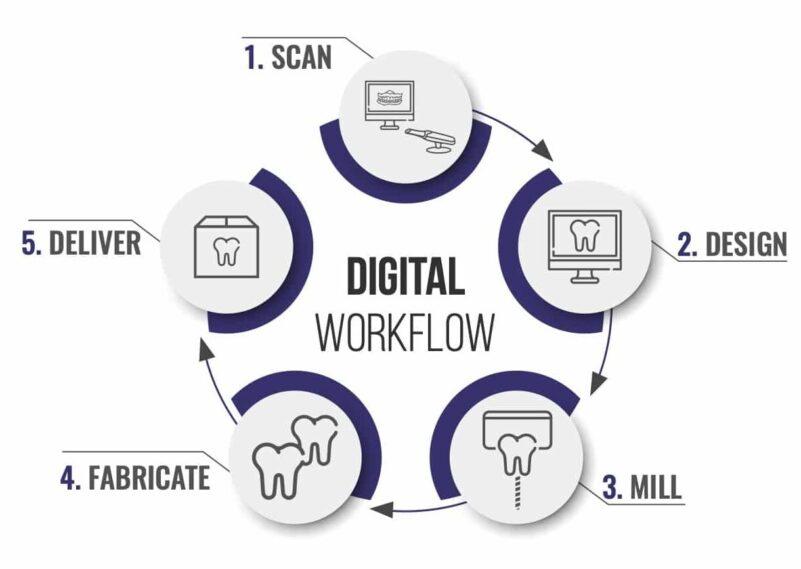
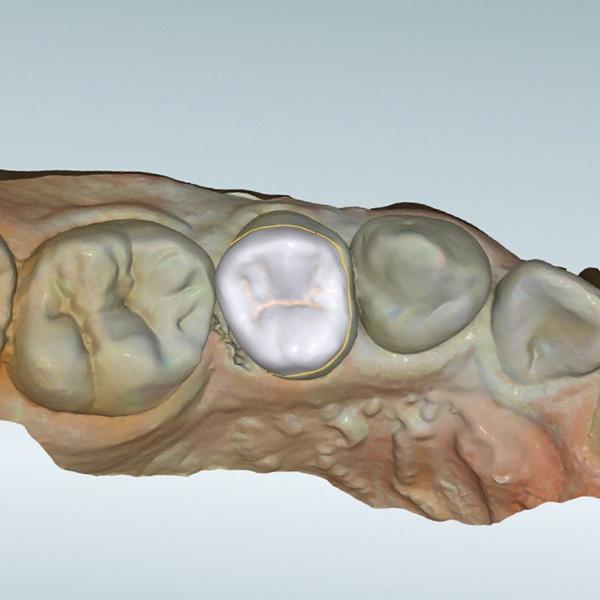
In digital dentistry, file exchange is often assumed to be a straightforward step—scan, export, send, and design. In practice, dental CAD file compatibility is one of the most common sources of workflow disruption. Even when scan quality is high, incompatibility between file formats, software environments, and data structures can delay or compromise the design process.
From a laboratory perspective, file compatibility is not just about whether a file can be opened. It determines whether the data can be interpreted correctly, aligned with design protocols, and translated into manufacturable output without loss of accuracy.
This article examines the role of file compatibility in dental CAD workflows, focusing on how different formats behave, where issues arise, and how structured workflows mitigate these problems.
File Compatibility as a Workflow Dependency
Digital workflows rely on the seamless transfer of data between systems:
Intraoral scanners
CAD design software
CAM and manufacturing systems
Case management platforms
Each of these systems may use different file formats or data structures. Dental CAD file compatibility becomes critical when these systems must interact without introducing distortion, data loss, or misinterpretation.
When compatibility is not managed, the workflow becomes fragmented:
Files require conversion before design
Data may be altered during translation
Design timelines are interrupted
Compatibility is therefore a foundational requirement for workflow continuity.
Core File Formats in Dental CAD Workflows
STL: The Industry Standard for Geometry
STL (Standard Tessellation Language) is the most widely used format in dental CAD.
Characteristics:
Represents surface geometry using a mesh of triangles
Does not include color, texture, or metadata
Compatible with most CAD and CAM systems
Workflow Implications:
High compatibility across platforms
Limited contextual information (e.g., no color for margin identification)
Relies entirely on geometric clarity
STL is reliable for most workflows but may require additional interpretation when visual cues are limited.
PLY: Enhanced Data Representation
PLY (Polygon File Format) extends STL by including additional data.
Characteristics:
Supports color and texture information
Maintains geometric accuracy
Often used in intraoral scanning systems
Workflow Implications:
Improved margin visibility through color differentiation
Better support for aesthetic and anatomical interpretation
Requires compatible software to fully utilize additional data
In workflows where margin clarity is critical, PLY files can improve design accuracy when properly supported.
Beyond STL and PLY: Additional File Types
Digital workflows increasingly involve multiple file formats beyond basic geometry.
Common examples include:
XML: Stores workflow parameters and metadata
DCM (DICOM): Used for imaging and implant planning
OBJ / MTL: Advanced 3D modeling with texture support
PDF / HTML: Supplementary documentation or case instructions
A structured workflow must be able to interpret and integrate these formats without disrupting the design process.
Where File Compatibility Issues Typically Occur
Compatibility problems rarely occur at a single point. They emerge during transitions between systems.
Scanner to CAD Software
Unsupported file formats
Loss of color or metadata during export
Mesh inconsistencies
CAD to CAM Transition
Geometry misinterpretation
Scaling or alignment errors
Loss of design parameters
Multi-System Workflows
Conflicts between software versions
Inconsistent handling of file structures
Data fragmentation across formats
Each of these issues affects how accurately a case can be designed and manufactured.
File Compatibility vs File Readability
A file being “readable” does not guarantee compatibility.
Readable but Not Fully Compatible
File opens in CAD software
Certain data (e.g., color, metadata) is ignored
Design must proceed with limited information
Fully Compatible Files
All relevant data is preserved
Software interprets geometry and metadata correctly
Design can proceed without additional processing
Understanding this distinction is critical in evaluating dental CAD file compatibility.
Impact of File Conversion on Data Integrity
When incompatible files are converted, data integrity may be affected.
Common Conversion Issues
Loss of resolution in mesh geometry
Removal of color information
Introduction of artifacts or distortions
Workflow Consequences
Reduced margin clarity
Inaccurate occlusal relationships
Increased need for manual correction
While conversion enables compatibility, it may reduce the reliability of the data.
Mesh Integrity and Its Role in Compatibility
File compatibility is not only about format—it is also about the internal structure of the file.
Mesh-Related Issues
Holes or missing polygons
Overlapping surfaces
Noise from scanning artifacts
Effect on CAD Processing
Difficulty in margin detection
Errors in Boolean operations
Instability during design
Even when formats are compatible, poor mesh integrity can disrupt the workflow.
Software Version Alignment
Compatibility is also influenced by software versions.
Version Mismatch Problems
Files created in newer versions may not open correctly in older systems
Parameter data may not be interpreted consistently
Design features may be lost or altered
Workflow Consideration
Structured workflows account for version compatibility by:
Defining supported software versions
Standardizing file export settings
Communicating requirements clearly
Case Intake and File Compatibility Validation
Given the complexity of file handling, compatibility must be validated at intake.
Intake-Level File Checks
Verification of supported file formats
Assessment of file integrity
Confirmation of complete data sets
If files are incompatible or incomplete, cases are paused until corrected.
Workflow Impact
Prevents mid-design interruptions
Reduces need for file conversion
Maintains consistent processing timelines
Intake validation is essential for managing dental CAD file compatibility effectively.
Communication and File Submission Standards
File compatibility issues are often linked to communication gaps.
Importance of Defined Submission Guidelines
Accepted file formats must be clearly specified
Required data types should be documented
Export settings should be standardized
Role of Feedback
When compatibility issues occur:
Specific problems should be identified
Clear instructions for resubmission should be provided
Patterns of recurring issues should be tracked
This improves submission quality over time and reduces workflow disruption.
Workflow Efficiency and Compatibility Management
Efficient workflows depend on minimizing interruptions caused by file issues.
Effects of Poor Compatibility Management
Delays in design initiation
Increased manual processing
Inconsistent output quality
Benefits of Structured Compatibility Handling
Faster case intake
Reduced need for file repair
More predictable turnaround
Managing compatibility effectively contributes directly to workflow stability.
Balancing Flexibility and Standardization
Modern laboratories often receive files from multiple sources using different systems.
Flexible Acceptance
Ability to handle multiple file formats
Support for various scanner outputs
Adaptability to different workflows
Need for Standardization
Defined internal processing standards
Consistent conversion protocols
Controlled design environment
A reliable workflow balances flexibility in intake with standardization in processing.
Practical Considerations for Multi-Format Workflows
Handling multiple file formats requires:
Robust software infrastructure
Clear communication protocols
Consistent quality control procedures
Laboratories that process a wide range of formats must ensure that all incoming data is normalized before design begins.
Limitations of File Compatibility Solutions
Even with structured workflows, certain limitations remain:
Dependence on scanner output quality
Variability in file export settings
Differences in software ecosystems
These factors cannot be fully controlled but can be managed through standardized processes.
Conclusion: Compatibility as a Foundation for Digital Workflow Stability
Dental CAD file compatibility is a foundational element of digital dental workflows. It determines how effectively data can move between systems, how accurately designs can be created, and how consistently restorations can be produced.
By structuring workflows to validate, standardize, and manage file compatibility at intake and throughout the design process, laboratories and clinics can reduce delays, improve accuracy, and maintain predictable outcomes.
In digital dentistry, compatibility is not a technical detail—it is a core requirement for workflow continuity and reliability.
Chairside adjustment is one of the most common friction points in crown and bridge workflows. Whether it presents as tight contacts, high occlusion, incomplete seating, or marginal discrepancies, the need for adjustment is rarely random. From a laboratory perspective, dental crown adjustment problems are typically the visible outcome of upstream inconsistencies across intake, design, and production.
In digital workflows, restorations are fabricated with high geometric precision. When adjustments are required, it is not because the system lacks accuracy, but because the input, parameters, or process alignment introduced variability before fabrication. Understanding these root causes is essential to reducing adjustment frequency and improving overall workflow efficiency.
This article analyzes the underlying reasons why dental cases require adjustment and outlines how structured workflows prevent these issues.
Adjustment as a Symptom, Not a Root Cause
Chairside adjustment is often treated as a final-stage correction. In reality, it is a downstream symptom of earlier decisions or missing information.
Common adjustment scenarios include:
Crowns that do not fully seat
High occlusal contacts
Tight or open proximal contacts
Marginal discrepancies
Each of these issues originates from a specific stage in the workflow. Addressing them effectively requires identifying where the deviation occurred rather than focusing solely on the final outcome.
To reduce dental crown adjustment problems, the workflow must be analyzed as a system.
Where Adjustment Issues Originate in the Workflow
Intake-Related Causes
At intake, incomplete or unclear data introduces uncertainty into the design process:
Missing or unstable bite registration
Incomplete margin capture
Lack of antagonist data
Ambiguous prescription parameters
When these variables are not validated, designers must compensate, increasing the likelihood of adjustment later.
Design-Related Causes
During CAD design, variability arises from:
Inaccurate margin placement
Improper occlusal contact settings
Inconsistent internal spacing
Misinterpretation of clinical intent
Even small deviations at this stage can result in significant chairside adjustments.
Production-Related Causes
Although less common in structured workflows, production can contribute through:
Material-specific distortions
Tolerance misalignment
Assembly inconsistencies in multi-component restorations
However, most adjustment issues originate before production begins.
Incomplete Seating: A Margin and Internal Fit Issue
One of the most frequent dental crown adjustment problems is incomplete seating.
Root Causes
Unclear or distorted margin definition
Inconsistent cement space settings
Internal contact points caused by scan artifacts
When margins are not clearly defined, the CAD system cannot establish a precise boundary. This leads to uneven internal adaptation.
Workflow Impact
Time spent identifying internal interference
Repeated seating attempts
Potential need for remakes if margins are compromised
Prevention Through Workflow Control
Intake validation of margin clarity
Consistent internal spacing parameters in CAD
Design-level quality control before production
High Occlusion: A Bite Registration and Design Control Issue
High occlusal contacts are another common adjustment scenario.
Root Causes
Inaccurate bite registration
Misalignment of upper and lower scans
Overcompensation during occlusal design
In digital workflows, occlusion is entirely dependent on input data. If the bite relationship is unstable, occlusal design becomes an estimation.
Workflow Impact
Chairside occlusal reduction
Increased clinical time
Potential impact on restoration longevity
Prevention Strategies
Verification of bite scan stability at intake
Controlled occlusal contact settings in CAD
Simulation of articulation during design
By stabilizing input data and standardizing design parameters, occlusal discrepancies can be minimized.
Proximal Contact Issues: Tight or Open Contacts
Proximal contacts must balance retention and ease of seating. Deviations in either direction lead to adjustment.
Root Causes
Inaccurate adjacent tooth geometry in scan data
Inconsistent contact strength settings
Lack of standardization in contact design
Workflow Impact
Adjustment of contact points chairside
Risk of compromising contact integrity
Additional clinical time
Prevention Through Standardization
Consistent contact parameter settings
Verification of scan accuracy for adjacent teeth
Design-level QC for contact distribution
Structured workflows reduce variability in contact design across cases.
Margin Discrepancies and Their Consequences
Marginal accuracy directly affects both fit and long-term stability.
Root Causes
Poor margin visibility in scan data
Inconsistent margin placement during design
Overextension or underextension of margins
Workflow Impact
Chairside margin adjustment
Increased risk of remake
Compromised restoration performance
Prevention
Strict intake QC for margin clarity
Standardized margin marking protocols
Design validation before production
Margin accuracy is one of the most critical factors in reducing dental crown adjustment problems.
The Role of File Quality in Adjustment Reduction
Digital workflows rely on scan data as the foundation for all design decisions.
Effects of Poor File Quality
Distorted geometry
Missing data points
Inaccurate occlusal relationships
These issues force designers to make assumptions, increasing variability.
Workflow Control
Validation of file completeness at intake
Rejection or correction of low-quality scans
Standardization of acceptable file formats
High-quality input reduces the need for downstream correction.
Design Parameter Consistency and Its Impact
Variability in design parameters is a major contributor to adjustment issues.
Common Inconsistencies
Variation in cement space settings
Differences in occlusal contact intensity
Inconsistent thickness control
Impact on Workflow
Unpredictable fit across cases
Increased adjustment rates
Reduced efficiency
Standardization as a Solution
Defined parameter sets for different restoration types
Consistent application across all cases
Regular QC checks to ensure compliance
Consistency in design is essential to reducing variability.
Communication Gaps as a Hidden Cause of Adjustments
Many adjustment issues originate from unclear communication between clinic and lab.
Common Communication Issues
Missing instructions for occlusal preferences
Lack of clarity on margin location
Incomplete case information
Workflow Impact
Designers rely on default assumptions
Increased variability in outcomes
Higher likelihood of adjustment
Prevention Through Structured Communication
Standardized case submission forms
Clear documentation of requirements
Feedback loops for improving communication
Effective communication reduces ambiguity and supports accurate design.
Quality Control as a Preventive System
Quality control is often applied after production. In structured workflows, it is integrated throughout the process.
Multi-Level QC Approach
Intake QC: Validates input data
Design QC: Reviews digital output
Pre-production QC: Ensures manufacturability
Impact on Adjustment Reduction
Early detection of potential issues
Prevention of errors entering production
Improved consistency across cases
This layered approach is critical for minimizing dental crown adjustment problems.
Balancing Speed and Accuracy
In high-volume environments, there is often pressure to prioritize speed.
Speed-Driven Workflow
Faster processing with minimal validation
Higher risk of adjustment
Increased rework
Accuracy-Driven Workflow
Controlled intake and design processes
Reduced need for chairside correction
More predictable outcomes
From a workflow perspective, prioritizing accuracy reduces total time spent on adjustments and corrections.
From Adjustment to Prevention: A Workflow Shift
Reducing adjustments requires a shift in how workflows are structured.
Reactive Approach
Adjust issues at the clinical stage
Accept variability as unavoidable
Focus on correcting errors
Preventive Approach
Validate input data before design
Standardize design execution
Align production with design parameters
This shift transforms adjustment from a routine requirement into an exception.
Conclusion: Adjustment Reflects Workflow Quality
Dental crown adjustment problems are not isolated issues. They are indicators of how well the workflow is controlled from intake through production.
By addressing root causes—input quality, design consistency, communication clarity, and quality control—laboratories and clinics can significantly reduce the need for chairside adjustments.
In digital workflows, the goal is not to eliminate adjustment entirely, but to minimize it through structured processes that ensure consistency and predictability across all cases.
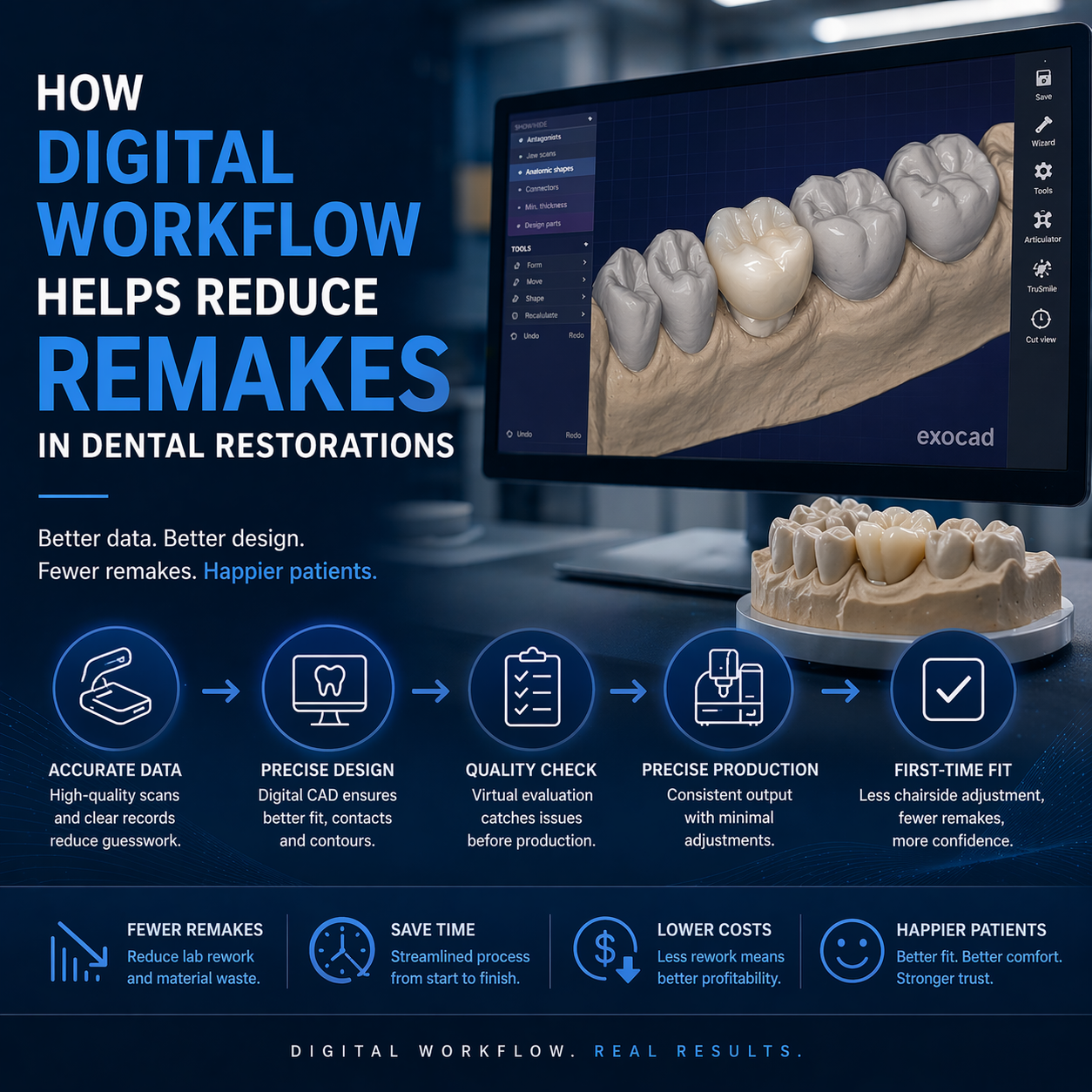
Remakes are one of the most persistent inefficiencies in dental laboratory workflows. They consume design time, material resources, production capacity, and coordination effort between clinic and lab. While individual remake cases may appear isolated, they are typically symptoms of systemic issues within the workflow.
To reduce dental remakes, the focus must shift from correcting errors after they occur to structuring processes that prevent those errors from entering the system. Digital workflows provide the framework for this shift by enabling control over data quality, design consistency, communication, and production alignment.
This article analyzes the root causes of remakes and explains how a structured digital workflow reduces error rates across the entire restoration process.
Understanding Remakes as a System-Level Outcome
Remakes are often attributed to specific issues such as poor fit or occlusal discrepancies. However, these are surface-level manifestations of deeper workflow problems.
Common observable causes include:
Open or inaccurate margins
Improper occlusion
Inconsistent internal fit
Aesthetic mismatches
From a laboratory perspective, these issues rarely originate at a single stage. Instead, they result from misalignment between stages—intake, design, and production.
A digital workflow does not eliminate complexity, but it allows these stages to be structured and controlled, which is essential to reduce dental remakes.
Where Remakes Typically Originate in the Workflow
To understand how digital workflows reduce remakes, it is necessary to identify where errors are introduced.
Intake-Related Errors
Incomplete scan data (missing antagonist or bite)
Poor margin visibility
Incorrect or unclear prescription
These issues limit the accuracy of CAD design from the outset.
Design-Related Errors
Incorrect margin placement
Improper occlusal contact distribution
Inconsistent parameter application
These errors often stem from unclear input or lack of standardized design protocols.
Production-Related Errors
Material mismatch with design parameters
Inaccurate reproduction due to misaligned settings
Assembly inconsistencies in multi-component restorations
Even with accurate design, production misalignment can lead to remakes.
Digital Workflow as a Structured Control System
The primary advantage of a digital workflow is its ability to introduce control points at each stage.
Instead of relying on individual corrections, the workflow is structured to:
Validate input data before design
Standardize design execution
Align design with manufacturing constraints
Apply quality control at multiple stages
This systematic approach reduces variability and supports efforts to reduce dental remakes.
Intake Validation: Preventing Errors Before Design Begins
The most effective way to reduce remakes is to prevent flawed cases from entering the design stage.
Role of Intake Quality Control
A structured intake process verifies:
Completeness of scan data
Clarity of margin definition
Accuracy of bite registration
Consistency of prescription details
Cases that do not meet these criteria are paused until corrected.
Impact on Remake Reduction
By enforcing intake QC:
Design errors caused by incomplete data are minimized
Cases proceed with a stable foundation
Downstream corrections are reduced
This is one of the most direct ways to reduce dental remakes at a system level.
Standardized CAD Design: Reducing Variability
Digital workflows enable the use of consistent design protocols across cases.
Key Elements of Standardization
Defined margin handling procedures
Controlled occlusal contact settings
Consistent thickness and spacing parameters
Effect on Design Accuracy
When design is standardized:
Variability between cases decreases
Outcomes become more predictable
Adjustments and remakes are reduced
Without standardization, design quality depends heavily on individual interpretation, increasing the likelihood of error.
Margin and Occlusion Control in Digital Design
Two of the most common causes of remakes—margin inaccuracies and occlusal discrepancies—are directly influenced by digital design control.
Margin Control
Clear digital margins allow precise boundary definition
Consistent margin placement improves seating and adaptation
Occlusal Control
Digital articulation enables controlled contact design
Contact intensity and distribution can be standardized
By controlling these variables within the CAD environment, digital workflows reduce the need for post-production adjustments.
Alignment Between Design and Manufacturing
A critical factor in remake reduction is how well design translates into production.
Design for Manufacturability
Digital workflows ensure that:
Material constraints are considered during design
Minimum thickness and connector dimensions are respected
Production tolerances are integrated into CAD parameters
Impact on Remakes
When design and manufacturing are aligned:
Restorations are produced as intended
Fit and function are consistent
Remake rates decrease
Misalignment between design and production is a common cause of remakes in less structured workflows.
Multi-Level Quality Control in Digital Systems
Digital workflows incorporate quality control at multiple stages rather than relying on final inspection.
Intake-Level QC
Validates input data
Prevents flawed cases from entering the system
Design-Level QC
Reviews margin integrity and occlusion
Ensures adherence to design protocols
Production-Level QC
Verifies physical output against design
Identifies discrepancies before delivery
This layered approach reduces cumulative error and supports efforts to reduce dental remakes.
Communication as a Remake Prevention Tool
Many remakes are caused not by technical limitations but by miscommunication.
Role of Structured Communication
Clear case instructions reduce ambiguity
Defined parameters guide design decisions
Feedback loops improve submission quality over time
When communication is structured:
Fewer assumptions are made during design
Errors are identified earlier
Workflow interruptions are minimized
Continuous Improvement Through Feedback
Digital workflows allow for:
Documentation of recurring issues
Identification of error patterns
Refinement of submission and design protocols
This iterative process contributes to long-term reduction in remakes.
Turnaround Time and Its Relationship to Remakes
Turnaround time and remake rates are closely linked.
Speed vs Stability
Rapid processing without validation increases error risk
Controlled workflows may take longer initially but reduce rework
Hidden Time Costs of Remakes
Remakes introduce:
Additional design cycles
Reproduction and material usage
Extended delivery timelines
Reducing remakes improves overall efficiency, even if individual steps are more controlled.
Managing Variability Across Cases
Digital workflows do not eliminate variability but provide tools to manage it.
Sources of Variability
Differences in scan quality
Case complexity
Clinical technique
System-Level Management
Standardized intake criteria
Consistent design protocols
Structured communication
By controlling how variability is handled, workflows become more stable and predictable.
From Reactive Correction to Preventive Systems
Traditional workflows often rely on correcting errors after they occur.
Reactive Approach
Identify issues during try-in
Adjust or remake restorations
Repeat cycle for similar cases
Preventive Digital Approach
Validate input before design
Standardize design execution
Align production with design
This shift from reactive to preventive systems is essential to reduce dental remakes effectively.
Limitations of Digital Workflows
While digital workflows improve control, they depend on:
Quality of input data
Consistency of process implementation
Effective communication between clinic and lab
Without these elements, digital systems cannot achieve their full potential.
Conclusion: Reducing Remakes Through Workflow Design
To reduce dental remakes, the focus must move beyond individual corrections to system-level improvements. Digital workflows provide the structure needed to control input quality, standardize design, align production, and integrate quality control across all stages.
By addressing the root causes of errors—rather than their symptoms—laboratories and clinics can achieve more predictable outcomes, improved efficiency, and reduced operational disruption.
In modern dental workflows, remake reduction is not a result of isolated improvements. It is the outcome of a structured system designed to prevent errors before they occur.
In digital dental workflows, CAD design is often perceived as a standardized service—one that can be evaluated primarily by speed or cost. However, from a laboratory perspective, this assumption does not hold under real production conditions. The variability in dental CAD design quality becomes evident when cases move beyond initial design into manufacturing, fitting, and clinical delivery.
The distinction between low-cost CAD design and lab-grade precision is not defined by software alone. Both may use similar tools. The difference lies in how workflows are structured, how input data is validated, how design decisions are controlled, and how consistently results are delivered across varying case conditions.
This article examines the operational differences between low-cost and lab-grade CAD design, focusing on workflow stability, risk exposure, and long-term efficiency.
Cost as an Output of Process, Not a Primary Variable
Low-cost CAD services are often positioned around reduced pricing or faster turnaround. However, cost is not an isolated variable—it reflects how the workflow is structured.
Characteristics of Cost-Driven Models
Minimal intake validation
High throughput with limited case segmentation
Reduced time allocated per case
Limited communication or feedback loops
These characteristics allow for lower operational cost per case but introduce variability into the workflow.
Characteristics of Lab-Grade Models
Structured intake quality control
Defined design protocols
Integrated quality assurance
Consistent communication processes
In this context, dental CAD design quality is not a feature—it is the result of process discipline.
Intake Discipline: The First Point of Divergence
The most immediate difference between low-cost and lab-grade design appears at the intake stage.
Low-Cost Intake Approach
Cases are accepted with minimal validation
Missing or unclear data is often handled during design
Designers may proceed with assumptions to maintain speed
Lab-Grade Intake Approach
Cases are reviewed for completeness before design begins
Required scan sets and parameters are verified
Incomplete cases are paused until clarified
Workflow Impact
When intake is not controlled:
Design workflows are interrupted
Errors propagate downstream
Turnaround time becomes inconsistent
Lab-grade workflows prioritize input quality to stabilize the entire process.
Design Execution: Throughput vs Controlled Precision
Low-Cost Design Characteristics
Emphasis on speed and volume
Limited time per case
Reduced customization based on clinical context
Design decisions may rely on default parameters rather than case-specific considerations.
Lab-Grade Design Characteristics
Structured application of design protocols
Consideration of margin integrity, occlusion, and material constraints
Alignment with manufacturing requirements
This approach ensures that dental CAD design quality is consistent across cases, not dependent on individual interpretation.
Margin Handling and Its Downstream Consequences
Margin definition is one of the most sensitive aspects of CAD design.
In Low-Cost Workflows
Margins may be approximated when scan data is unclear
Limited time is spent refining margin lines
Variability increases across cases
In Lab-Grade Workflows
Margin clarity is validated at intake
Designers refine margins based on clear data
Consistency is maintained across restorations
Impact on Fit and Remakes
Poor margin handling leads to:
Open or overextended margins
Increased chairside adjustment
Higher remake rates
These outcomes directly affect workflow efficiency beyond the design stage.
Occlusal Design: Simplification vs Controlled Adjustment
Occlusion is another area where differences in dental CAD design quality become evident.
Low-Cost Approach
Simplified occlusal mapping
Reduced emphasis on contact distribution
Greater reliance on default articulation settings
Lab-Grade Approach
Controlled occlusal contact design
Consideration of load distribution
Alignment with clinical input and case requirements
Workflow Implications
Inaccurate occlusion leads to:
Chairside adjustments
Patient discomfort
Additional clinical time
Lab-grade design reduces these issues by integrating occlusal considerations into the workflow.
Design-to-Manufacturing Alignment
A critical distinction between low-cost and lab-grade CAD design lies in how well designs translate into production.
Low-Cost Limitations
Designs may not fully account for material constraints
Thickness and connector parameters may be inconsistent
Production adjustments may be required
Lab-Grade Integration
Design parameters are aligned with manufacturing capabilities
Material-specific constraints are considered
Output is consistent with production requirements
This alignment ensures that design intent is preserved through fabrication.
Quality Control: Reactive vs Embedded Systems
Low-Cost QC Approach
Limited or final-stage inspection
Issues identified after design completion
Corrections handled reactively
Lab-Grade QC Approach
Intake-level validation
Design-level review
Pre-production verification
This multi-layered QC structure reduces cumulative error and improves overall dental CAD design quality.
Communication Structure and Case Clarity
Communication is often reduced in low-cost workflows to maintain speed.
Low-Cost Communication
Minimal clarification during intake
Limited feedback to clinics
Reduced documentation of case details
Lab-Grade Communication
Structured case submission requirements
Clear documentation of design parameters
Feedback loops for improving input quality
Workflow Impact
Clear communication reduces:
Misinterpretation of cases
Design variability
Delays caused by clarification
Turnaround Time: Perceived Speed vs Actual Efficiency
Low-cost services often emphasize faster turnaround. However, speed must be evaluated across the full workflow.
Immediate Processing vs Stable Flow
Low-cost: faster initial processing, higher risk of rework
These factors extend total case time, even if initial design appears faster.
Consistency Across Case Volume
Scalability is a key consideration in dental CAD design quality.
Low-Cost Scalability
High volume capacity
Increased variability under load
Reduced consistency across cases
Lab-Grade Scalability
Structured workflows maintain consistency
Capacity is managed without compromising quality
Output remains stable across varying volumes
Consistency becomes more critical as case volume increases.
Risk Distribution in Design Choices
Selecting low-cost CAD design introduces specific operational risks.
Short-Term Benefits
Lower cost per case
Faster initial turnaround
Long-Term Risks
Increased remake rates
Higher chairside adjustment time
Workflow instability
Lab-grade design reduces these risks by prioritizing process control over short-term efficiency.
When Low-Cost CAD Design May Be Suitable
Low-cost models may be appropriate in specific scenarios:
Non-critical or temporary restorations
Cases with low complexity
Situations where variability can be tolerated
However, even in these cases, workflow impact should be considered.
When Lab-Grade Precision Becomes Critical
Lab-grade dental CAD design quality is essential for:
Implant restorations
Multi-unit bridges
Full-arch cases
High-volume production environments
In these contexts, consistency and predictability outweigh initial cost considerations.
Evaluating CAD Design Quality Beyond Cost
A practical evaluation framework includes:
Input Handling
Does the provider validate case data before design?
Design Consistency
Are results repeatable across cases?
Workflow Integration
Is design aligned with manufacturing requirements?
Communication Structure
Are case instructions clearly defined and documented?
This framework shifts the focus from cost to system performance.
Conclusion: Design Quality as a Workflow Decision
The difference between low-cost CAD design and lab-grade precision is not defined by tools or individual skills. It is defined by how the workflow is structured and controlled.
Dental CAD design quality determines not only the accuracy of individual restorations but also the efficiency and stability of the entire production process. While low-cost options may offer short-term advantages, they often introduce variability that affects long-term outcomes.
From a laboratory perspective, selecting a design model is not a pricing decision—it is a workflow decision that influences every stage from intake to final delivery.
Selecting an outsourcing partner is no longer a peripheral decision in digital dentistry. As workflows become increasingly dependent on CAD design, digital case intake, and integrated production systems, the performance of an external laboratory directly affects clinical timelines, restoration accuracy, and operational stability.
Dental outsourcing lab selection should not be based on isolated factors such as speed or cost. From a laboratory perspective, reliability is defined by how consistently a partner maintains workflow continuity—across intake, design, production, and communication—under varying case conditions.
This article outlines a structured framework for evaluating outsourcing laboratories, focusing on three core dimensions: quality control discipline, communication structure, and consistency in execution.
Reliability as a Workflow Property, Not a Single Capability
A common misconception is that reliability is determined by technical skill alone. In practice, most laboratories can produce acceptable results under controlled conditions. The difference emerges when:
Case volume increases
Case complexity varies
Input quality becomes inconsistent
A reliable partner maintains stable performance under these conditions. This requires not only technical capability but also structured processes that govern how cases are handled at every stage.
In dental outsourcing lab selection, the focus should shift from individual outputs to system behavior.
Intake Quality Control: The First Indicator of Reliability
The intake stage is the earliest point at which workflow stability can be assessed.
What a Reliable Lab Verifies at Intake
A structured intake process includes:
Validation of required scan sets (preparation, antagonist, bite)
Assessment of file compatibility across formats (e.g., STL, PLY, XML, DCM)
Review of prescription completeness and clarity
Identification of missing or inconsistent data
Cases that do not meet these criteria are not processed immediately. Instead, they are paused until sufficient information is provided.
Why Intake Discipline Matters
Labs that bypass intake validation may appear faster initially but introduce downstream inefficiencies:
Interrupted design workflows
Increased communication during processing
Higher likelihood of remakes
A reliable laboratory enforces intake QC consistently, even if it delays individual cases. This approach stabilizes the overall workflow.
Communication Structure: From Informal Exchange to Defined Protocols
Communication is often underestimated in outsourcing relationships. However, it is one of the primary determinants of workflow efficiency.
Characteristics of Structured Communication
Reliable laboratories define:
Standardized case submission formats
Clear channels for file transfer and communication
Documented case instructions and parameters
Response protocols for clarification requests
These elements ensure that dental outsourcing lab selection is not dependent on informal or ad hoc communication.
Impact on Timeline Stability
When communication is structured:
Cases proceed without repeated clarification
Design teams operate with clear parameters
Delays caused by misinterpretation are minimized
Conversely, unstructured communication leads to fragmented workflows and unpredictable turnaround times.
Design Consistency: Repeatability Across Cases
Consistency in CAD design is a key indicator of reliability. It reflects how well a laboratory standardizes its internal processes.
Indicators of Design Consistency
Uniform margin handling across cases
Consistent occlusal design protocols
Stable application of thickness and material parameters
Predictable anatomical outcomes
Consistency reduces variability, which is essential for maintaining efficiency at scale.
Risks of Inconsistent Design
When design approaches vary:
Adjustments increase at the clinical stage
Remake rates rise
Workflow becomes less predictable
In dental outsourcing lab selection, consistency is often more valuable than peak performance on individual cases.
Alignment Between Design and Manufacturing
A reliable outsourcing laboratory does not treat design and production as separate functions. Instead, it ensures that both stages are aligned.
Design for Manufacturability
Design must account for:
Material-specific constraints
Minimum thickness requirements
Production tolerances
If design decisions are not aligned with manufacturing capabilities, issues arise during fabrication.
Integrated Workflow Advantage
When design and production are coordinated:
Cases transition smoothly between stages
Adjustments during production are minimized
Output matches design intent consistently
This integration is a critical factor in evaluating outsourcing partners.
Turnaround Time as a Measure of Process Stability
Turnaround time is often used as a primary selection criterion. However, its significance lies in consistency rather than speed.
What Reliable Turnaround Looks Like
Defined timelines based on case complexity
Predictable start points after intake validation
Minimal variation across similar cases
Turnaround time should reflect a controlled process rather than reactive execution.
Factors Influencing Turnaround
Reliable laboratories structure their timelines based on:
Case completeness
Complexity and volume
Workflow capacity and scheduling
For example, design timelines are typically adjusted based on case size and complexity rather than applied uniformly.
Case Tracking and Workflow Transparency
Transparency in workflow management is another key indicator of reliability.
Features of Transparent Systems
Real-time case status tracking
Visibility into design and production stages
Shipment and delivery updates
These systems allow both laboratory and clinic to monitor progress without relying on manual follow-up.
Benefits for Workflow Control
Reduced uncertainty in case handling
Faster identification of issues
Improved coordination between stages
Transparency supports accountability and enhances overall efficiency.
Handling Variability: A Core Test of Reliability
In real-world workflows, variability is unavoidable. Reliable laboratories are defined by how they manage it.
Sources of Variability
Differences in scan quality
Variations in case complexity
Inconsistent prescription details
Structured Response to Variability
Reliable partners implement:
Standardized intake criteria
Flexible but controlled design protocols
Clear communication for resolving discrepancies
This ensures that variability does not translate into workflow instability.
Scalability and Capacity Management
As case volume increases, the ability to scale becomes critical.
Indicators of Scalable Systems
Ability to handle fluctuating case volumes
Consistent performance under increased demand
Structured allocation of design and production resources
Risks of Limited Scalability
Bottlenecks during peak periods
Delays due to capacity constraints
Reduced consistency in output
In dental outsourcing lab selection, scalability determines whether a partner can support long-term growth.
Quality Control Beyond Final Inspection
Quality control is often associated with final inspection. In reliable workflows, it is distributed across multiple stages.
Multi-Level QC Structure
Intake QC: Validating input data
Design QC: Reviewing digital output
Production QC: Verifying physical restorations
This layered approach reduces cumulative error and improves overall accuracy.
Impact on Workflow Efficiency
Fewer remakes
Reduced need for adjustments
More predictable outcomes
Quality control, when applied consistently, becomes a driver of efficiency rather than a constraint.
Evaluating Risk in Outsourcing Partnerships
Selecting a laboratory also involves assessing operational risk.
Key Risk Factors
Dependence on informal communication
Lack of standardized processes
Inconsistent turnaround performance
Limited transparency in case handling
Risk Mitigation Through Structure
Reliable laboratories reduce risk by:
Defining clear workflows
Enforcing intake and QC protocols
Maintaining consistent communication
This structured approach supports long-term collaboration.
A Practical Framework for Dental Outsourcing Lab Selection
Based on workflow considerations, a reliable laboratory can be evaluated across three core dimensions:
1. Input Control
Does the lab enforce intake quality control?
Are submission requirements clearly defined?
2. Process Stability
Are design and production workflows standardized?
Is turnaround time consistent across cases?
3. Output Consistency
Are results repeatable across similar cases?
Are remakes and adjustments minimized?
This framework shifts the focus from isolated capabilities to system-level performance.
Conclusion: Reliability Is Built on Process Discipline
Dental outsourcing lab selection is fundamentally a decision about workflow structure. A reliable laboratory is not defined by individual strengths but by its ability to maintain consistent performance across all stages of the process.
From intake validation and communication to design consistency and production alignment, each element contributes to overall reliability. Laboratories that enforce structured workflows, maintain transparency, and manage variability effectively provide a more stable foundation for long-term collaboration.
In digital dental workflows, reliability is not an outcome—it is a property of the system that produces it.
In digital dental production, the decision between maintaining an internal CAD design team and working with an external partner is often framed as a question of control versus cost. In practice, the more relevant comparison is operational: how each model performs within a structured workflow and how it scales under variable demand.
In-house vs outsourced dental CAD is not a binary choice of capability. Both models can produce technically accurate designs. The difference lies in how each approach manages workflow continuity, absorbs variability, and maintains consistency across case volumes and complexity levels.
This article evaluates in-house and outsourced CAD design from a workflow perspective, focusing on intake discipline, processing stability, communication structure, and scalability.
Understanding CAD Design as a Workflow Node
Before comparing models, it is important to position CAD design correctly within the workflow. Design is not an isolated activity; it is a central node connecting:
Case intake and data validation
Occlusal and anatomical design decisions
Manufacturing preparation and output
Any disruption at this stage affects both upstream and downstream processes. Therefore, the evaluation of in-house vs outsourced dental CAD should focus on how each model maintains stability at this critical node.
Intake Dependency: How Each Model Handles Input Variability
In-House CAD Design
Internal teams often operate in close proximity to case intake. This allows:
Immediate access to submitted data
Faster informal communication with clinicians
Greater flexibility in handling incomplete cases
However, this flexibility can introduce inconsistency. Designers may proceed with partial information, relying on assumptions to maintain speed.
Outsourced CAD Design
External workflows typically enforce stricter intake validation:
Cases are reviewed for completeness before design begins
Missing information results in case pausing
Standardized submission requirements are applied
This approach ensures that only validated cases enter the design queue.
Workflow Implication
From a workflow perspective, outsourcing emphasizes input discipline, while in-house models often prioritize immediate processing. The former reduces downstream variability, while the latter may increase it.
Workflow Continuity and Interruption Management
In-House Model
In internal environments:
Designers often manage multiple roles, including communication and troubleshooting
Interruptions occur when clarification is needed
Workflow can become fragmented due to task switching
This is particularly evident in high-volume settings where case complexity varies.
Outsourced Model
In outsourced environments:
Design workflows are typically segmented from intake and communication
Only validated cases are processed
Designers operate within uninterrupted queues
This separation reduces mid-process interruptions and supports continuous workflow execution.
Workflow Comparison
In in-house vs outsourced dental CAD, the key difference lies in how interruptions are handled:
In-house: interruptions are absorbed within the design process
Outsourced: interruptions are filtered out at intake
This structural difference has a direct impact on efficiency and predictability.
Turnaround Time: Stability vs Responsiveness
Turnaround time is often used as a comparison metric, but its interpretation differs between models.
In-House Turnaround Characteristics
Potential for rapid response on individual cases
Flexibility to prioritize urgent cases immediately
Variability depending on team workload
While individual cases may be processed quickly, overall consistency may fluctuate.
Outsourced Turnaround Characteristics
Defined processing timelines based on case type and volume
Turnaround begins after case validation
Greater consistency across cases
Design timelines are structured according to complexity and completeness rather than immediate availability.
Workflow Comparison
In-house models emphasize responsiveness, while outsourced models emphasize consistency. The choice depends on whether the workflow prioritizes flexibility or predictability.
Design Consistency and Standardization
In-House Variability
Internal teams may develop individual design habits:
Differences in margin interpretation
Variations in occlusal design
Inconsistent parameter application
While this allows flexibility, it can lead to variability across cases.
Outsourced Standardization
Outsourced workflows typically rely on:
Defined design protocols
Standardized parameter settings
Consistent quality control processes
This reduces variability and supports repeatable outcomes.
Impact on Workflow
Consistency in design reduces the need for:
Adjustments during production
Remakes due to design discrepancies
Case-specific troubleshooting
From a workflow perspective, standardization supports scalability.
Communication Structure and Its Effect on Efficiency
In-House Communication
Communication within internal teams is often informal:
Direct interaction between clinicians and designers
Faster clarification for simple issues
Potential lack of documentation
While efficient for small teams, this approach may not scale effectively.
Outsourced Communication
External workflows rely on structured communication:
Defined submission formats
Documented case instructions
Formal feedback loops
Case tracking systems may be used to monitor progress and updates.
Workflow Implication
Structured communication reduces ambiguity and supports consistent processing, especially in high-volume environments.
Scalability Under Increasing Case Volume
In-House Scalability
Scaling internal design capacity requires:
Hiring and training additional designers
Expanding infrastructure
Managing team coordination
This process is resource-intensive and may lag behind demand.
Outsourced Scalability
Outsourcing allows:
Flexible allocation of design capacity
Handling of peak volumes without internal expansion
Distribution of workload across larger teams
This enables more immediate scalability without structural changes.
Workflow Comparison
In in-house vs outsourced dental CAD, scalability is a key differentiator:
In-house: capacity is fixed and grows incrementally
Outsourced: capacity is variable and adjusts to demand
Handling Complex Cases and Specialized Requirements
In-House Strengths
Internal teams may have:
Direct familiarity with specific clinicians’ preferences
Greater flexibility in handling unique cases
Immediate access to contextual information
This can be advantageous for highly customized restorations.
Outsourced Capabilities
Outsourced partners often:
Handle a wide range of case types
Apply standardized approaches to complex workflows
Require clear communication for customization
Complex cases may require more structured input to achieve desired outcomes.
Workflow Consideration
The effectiveness of either model depends on how well complexity is managed through communication and process control.
Quality Control Integration
In-House QC
Quality control is often integrated within the design process:
Designers self-check their work
Additional QC steps may vary depending on workload
This approach relies on individual consistency.
Outsourced QC
Outsourced workflows typically include:
Dedicated intake QC
Design-level validation
Pre-production checks
This layered approach reduces cumulative errors.
Impact on Workflow
Structured QC reduces rework and supports more predictable outcomes across cases.
Risk Distribution and Dependency
In-House Risk Profile
Dependence on a limited number of designers
Risk of workflow disruption due to staff availability
Internal bottlenecks during peak demand
Outsourced Risk Profile
Dependence on external coordination
Potential delays if communication is incomplete
Reduced risk of capacity limitations
Workflow Perspective
Each model distributes risk differently. The choice depends on whether the workflow prioritizes internal control or external flexibility.
Hybrid Models: Combining In-House and Outsourcing
In practice, many laboratories adopt a hybrid approach:
Core cases handled internally
Overflow and standardized cases outsourced
This allows:
Retention of internal expertise
Flexible scaling during peak periods
Balanced control and efficiency
From a workflow perspective, hybrid models aim to combine the strengths of both approaches.
Decision Framework Based on Workflow Priorities
When evaluating in-house vs outsourced dental CAD, the decision should be based on workflow priorities rather than assumptions.
When In-House May Be Preferred
Low to moderate case volume
High need for customization
Strong internal design team
When Outsourcing May Be Preferred
High or variable case volume
Need for consistent turnaround
Focus on workflow standardization
When Hybrid Models Are Effective
Mixed case complexity
Fluctuating demand
Need for both flexibility and control
Conclusion: Workflow Structure Determines the Better Model
The comparison between in-house and outsourced CAD design is not about which model is inherently superior. It is about how each model supports the overall workflow.
In-house vs outsourced dental CAD should be evaluated based on:
How well input variability is managed
How consistently cases move through the design stage
How effectively the system scales with demand
In digital dental production, efficiency is achieved not by optimizing individual steps, but by maintaining continuity across the entire workflow. The model that best supports this continuity will deliver the most predictable and scalable results.
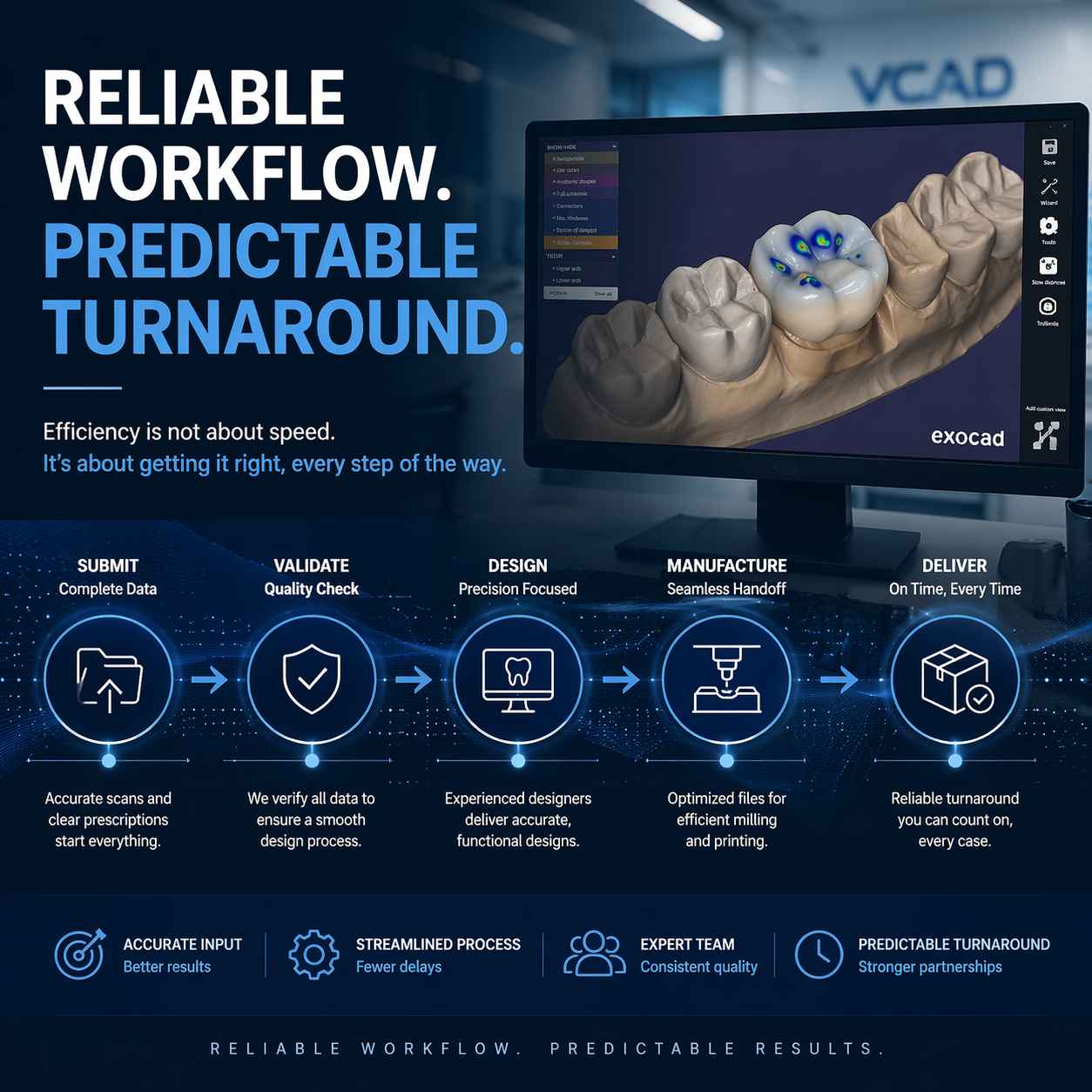
Turnaround time is one of the most frequently discussed metrics in digital dental workflows. It is often interpreted as a simple measure of speed—how fast a case can be designed and delivered. In practice, however, dental CAD turnaround time is not defined by a single step or capability. It is the outcome of multiple interdependent variables across the entire workflow.
From a laboratory perspective, turnaround time is a function of workflow stability rather than isolated efficiency. Cases move predictably when input quality is controlled, communication is structured, and design processes are aligned with production requirements. When these conditions are not met, delays occur—even in systems with high technical capacity.
This article examines what actually determines turnaround time in dental CAD design services, focusing on the underlying workflow logic rather than speed-based assumptions.
Turnaround Time Begins After Case Validation, Not Submission
A common misconception is that turnaround time starts when a case is submitted. In structured workflows, this is not the case.
Intake Validation as the Starting Point
Before design begins, cases must be validated for:
Completeness of scan data (preparation, antagonist, bite)
File compatibility and integrity
Clarity of prescription and design parameters
If any required information is missing, the case is paused until it is resolved.
Impact on Turnaround Measurement
This means that dental CAD turnaround time effectively begins only after:
All required data is confirmed
The case is ready for uninterrupted processing
Cases that enter the workflow without full validation often experience hidden delays later, making their total processing time longer despite earlier submission.
Case Complexity as a Structural Variable
Not all cases require the same level of design effort. Complexity is one of the primary determinants of turnaround time.
Simple vs. Complex Cases
Single-unit restorations: Typically require less design time due to limited anatomical and occlusal considerations
Multi-unit bridges: Require connector design, occlusal coordination, and structural balancing
Implant restorations: Involve additional variables such as interface alignment and emergence profile
Full-arch cases: Require extended planning, articulation, and design verification
Implications for Workflow Planning
Turnaround time must be structured according to complexity rather than standardized across all cases. In practice, design timelines vary based on case type and size.
Input Data Quality and Its Direct Impact on Processing Time
One of the most critical factors affecting dental CAD turnaround time is the quality of the submitted data.
Effects of High-Quality Input
When scan data is:
Complete
Clear
Structurally consistent
design can proceed without interruption. This leads to:
Continuous workflow
Minimal need for clarification
Predictable design timelines
Effects of Low-Quality Input
When data is incomplete or unclear:
Designers must request additional information
Cases are paused mid-process
Redesign or correction may be required
These interruptions extend the total turnaround time, even if the actual design step is relatively short.
Case Communication and Its Influence on Workflow Continuity
Turnaround time is closely tied to how efficiently information flows between the clinic and the laboratory.
Role of Clear Communication
Effective communication ensures that:
Design parameters are understood from the beginning
Special instructions are incorporated correctly
Clarification is minimized during processing
Impact of Communication Gaps
When dental CAD turnaround time is affected by communication issues, delays typically occur due to:
Waiting for responses to clarification requests
Misinterpretation of incomplete instructions
Rework caused by incorrect assumptions
These delays are often more significant than the time required for actual design execution.
Workflow Queue Management and Case Flow
Design capacity is finite, and cases must be managed within a queue.
Continuous vs. Interrupted Flow
In structured workflows:
Cases enter the queue only after validation
Designers process cases without interruption
Output remains consistent
In unstructured workflows:
Cases enter the queue with incomplete data
Designers must pause and switch between tasks
Workflow becomes fragmented
Effect on Turnaround Time
Interrupted workflows reduce efficiency and increase total processing time, even if individual design tasks are short.
Design Standardization and Its Role in Predictability
Standardization within CAD design processes contributes significantly to stable turnaround times.
Consistent Design Protocols
When design parameters are standardized:
Designers spend less time making case-by-case adjustments
Output becomes more predictable
Variability between cases is reduced
Reduced Decision Overhead
Standardization minimizes the need for:
Reinterpretation of clinical intent
Custom adjustments for each case
This improves efficiency and supports consistent dental CAD turnaround time across different case types.
The Relationship Between Design and Manufacturing Alignment
Although turnaround time is often associated with CAD design, it is influenced by how well design integrates with production.
Design for Manufacturability
Designs must account for:
Material limitations
Minimum thickness requirements
Production tolerances
If designs are not aligned with manufacturing constraints:
Adjustments are required before production
Cases may need to be redesigned
Production schedules are delayed
Integrated Workflow Impact
When design and manufacturing are aligned, cases move seamlessly from one stage to the next, reducing total turnaround time.
Priority Handling and Case Segmentation
Turnaround time is also affected by how cases are prioritized within the workflow.
Case Segmentation
Cases may be categorized based on:
Urgency
Complexity
Volume
Priority Allocation
Structured workflows allow for:
Expedited handling of urgent cases
Standard processing for routine cases
Flexible allocation of resources
When priorities are clearly defined, dental CAD turnaround time can be managed more effectively across different case types.
Time Zone and Operational Coverage
In outsourcing environments, operational coverage can influence turnaround time.
Extended Processing Windows
Laboratories operating across multiple time zones can:
Process cases outside the clinic’s working hours
Reduce idle time between submission and design initiation
Impact on Workflow Continuity
This enables a more continuous workflow, reducing delays caused by time gaps between stages.
However, this benefit is only realized when input data and communication are complete.
Quality Control as a Time-Defining Factor
Quality control is often perceived as an additional step that increases processing time. In practice, it defines overall efficiency.
Pre-Design QC
Ensures that only complete cases enter the workflow
Prevents interruptions during design
Post-Design QC
Identifies issues before production
Reduces the likelihood of remakes
Net Effect on Turnaround Time
Although QC adds time at specific stages, it reduces total turnaround time by preventing rework and delays.
Hidden Delays vs. Visible Processing Time
One of the challenges in evaluating dental CAD turnaround time is distinguishing between visible and hidden delays.
Visible Time
Time spent on design
Defined processing windows
Hidden Time
Waiting for missing information
Rework due to errors
Communication delays
In many cases, hidden delays account for a significant portion of total turnaround time.
Two Approaches to Managing Turnaround Time
Different laboratories adopt different strategies for managing turnaround.
Speed-Focused Approach
Emphasis on rapid design execution
Minimal intake validation
Higher risk of interruptions and rework
Workflow-Focused Approach
Emphasis on structured intake and communication
Continuous, uninterrupted processing
More predictable outcomes
The second approach typically results in more stable and reliable turnaround performance.
Limitations and Practical Constraints
Several factors influencing turnaround time are not fully controllable:
Variability in scan quality
Differences in case complexity
Response time from clinics
However, structured workflows mitigate these variables by:
Defining clear intake requirements
Standardizing communication
Maintaining consistent design protocols
Conclusion: Turnaround Time as a System Outcome
Dental CAD turnaround time is not determined by how quickly a design can be completed in isolation. It is the result of how effectively the entire workflow is structured—from intake validation and communication to design execution and production alignment.
Focusing solely on speed overlooks the underlying factors that create delays. By addressing input quality, communication clarity, workflow continuity, and quality control, laboratories and clinics can achieve more predictable and efficient turnaround times.
In digital dental workflows, consistency—not speed alone—is the defining characteristic of reliable turnaround performance.
In digital dental workflows, most discussions around accuracy and efficiency focus on CAD design or manufacturing precision. However, from a laboratory perspective, the most decisive stage occurs earlier—at case intake. Before any design work begins, the quality, completeness, and consistency of submitted data determine whether the workflow will proceed smoothly or encounter delays, rework, and variability.
Dental case intake quality control is not an administrative step. It is a technical validation process that defines whether a case is ready for design. When intake is structured and disciplined, downstream processes become predictable. When intake is inconsistent, even highly skilled design and production teams are constrained by incomplete or inaccurate input.
This article examines why intake QC is critical, what it involves in practice, and how it directly impacts workflow stability.
Intake as the True Starting Point of the Digital Workflow
In a digital environment, design does not begin when a file is opened in CAD software. It begins when the case is received and evaluated.
At intake, multiple variables converge:
Scan data quality (preparation, antagonist, bite)
File compatibility and integrity
Prescription clarity
Restoration parameters and material selection
If any of these variables are incomplete or inconsistent, the design process cannot proceed reliably.
A structured dental case intake quality control process ensures that all required inputs are validated before design begins, preventing the need for interpretation or assumption later in the workflow.
What Intake Quality Control Actually Verifies
Effective intake QC is not a superficial check. It is a systematic evaluation of whether the case contains all necessary information for accurate design and manufacturing.
1. Completeness of Scan Data
For crown and bridge cases, this typically includes:
Preparation scan
Antagonist scan
Bite registration
Missing any of these elements compromises the ability to establish occlusion, margin placement, or spatial relationships.
2. File Format and Compatibility
Digital workflows involve multiple file types, including:
STL and PLY for geometry
XML or DCM for additional data
Other formats depending on scanner systems
A structured intake process ensures that all files are readable and compatible with the design environment.
3. Prescription and Parameter Clarity
Design cannot proceed without defined parameters such as:
Restoration type
Material selection
Thickness requirements
Special instructions
Incomplete prescriptions force designers to make assumptions, increasing variability in outcomes.
Why Cases Should Not Proceed Without Complete Intake Data
In high-volume environments, there may be pressure to begin design immediately upon receiving a case. However, proceeding without full validation introduces compounding inefficiencies.
Immediate vs. Delayed Processing
When intake QC is enforced:
Cases with complete information proceed immediately
Cases with missing data are paused until clarification is provided
If information cannot be provided promptly, cases are typically deferred to the next processing cycle.
Impact on Workflow Efficiency
While this approach may delay individual cases, it prevents:
Interrupted design workflows
Mid-process communication delays
Redesign and remakes
From a system perspective, enforcing intake QC reduces total turnaround time across all cases.
The Cost of Skipping Intake Quality Control
When dental case intake quality control is not applied consistently, errors propagate through the workflow.
Design-Level Consequences
Incorrect margin interpretation
Unstable occlusion due to incomplete bite data
Inconsistent anatomical design
Production-Level Consequences
Poor fit requiring adjustment
Material waste due to remakes
Delays in delivery schedules
Operational Consequences
Increased communication between lab and clinic
Unpredictable turnaround times
Reduced throughput capacity
These issues are often more costly to resolve than the time saved by skipping intake QC.
Intake QC as a Bottleneck Prevention Strategy
From a workflow perspective, intake QC functions as a bottleneck control mechanism.
Identifying Constraints Early
By validating cases before design:
Errors are identified at the earliest possible stage
Design teams are not interrupted mid-process
Production schedules remain stable
Maintaining Continuous Workflow
When only validated cases enter the design queue:
Designers can work without interruption
Case flow becomes more predictable
Resource allocation is more efficient
This transforms the workflow from reactive to controlled.
Interaction Between Intake QC and Turnaround Time
Turnaround time is often misunderstood as a measure of speed. In practice, it is a measure of consistency.
Structured Turnaround Logic
In disciplined workflows:
Design timelines begin only after intake validation
Cases with complete information follow defined turnaround windows
Complex cases are allocated appropriate time based on requirements
For example, design timelines may vary depending on case size and complexity, but only after the case is confirmed to be complete.
Avoiding Hidden Delays
Without intake QC, delays occur later in the process:
Waiting for missing information during design
Reworking incomplete designs
Reproducing failed cases
These delays are less visible but more disruptive.
Case Communication as Part of Intake Quality Control
Intake QC is closely tied to communication between clinics and laboratories.
Structured Communication Requirements
Effective intake processes define:
Required scan sets
Mandatory prescription fields
Acceptable file formats
Response expectations for missing data
This reduces ambiguity and ensures that both parties operate within the same framework.
Feedback Loops
When issues are identified:
Clear feedback is provided to the clinic
Specific deficiencies are documented
Resubmission requirements are defined
Over time, this improves submission quality and reduces intake errors.
Managing Variability in Case Submissions
Not all cases are submitted with the same level of completeness or quality. Variability is inevitable due to differences in:
Scanner systems
Operator technique
Clinical conditions
Standardization Through Intake QC
A structured dental case intake quality control process mitigates this variability by:
Applying consistent validation criteria
Rejecting or pausing incomplete cases
Ensuring that only standardized inputs enter the workflow
This creates a stable foundation for design and production.
Prioritization and Case Segmentation
In high-volume environments, not all cases require the same level of urgency.
Role of Intake QC in Prioritization
During intake, cases can be categorized based on:
Urgency
Complexity
Completeness of data
This allows laboratories to:
Prioritize critical cases
Allocate resources efficiently
Maintain balance between speed and accuracy
Without intake QC, prioritization becomes reactive rather than planned.
Integration with Digital Case Management Systems
Modern workflows often incorporate digital tools for case tracking and management.
Benefits of Structured Case Management
Centralized tracking of case status
Visibility into intake validation results
Coordination between design and production stages
Some systems provide shared dashboards or tracking links, enabling both laboratory and clinic to monitor case progress.
Impact on Workflow Transparency
This integration improves:
Communication efficiency
Accountability
Predictability of delivery timelines
Two Approaches to Intake Handling
Different laboratories approach intake in different ways.
Approach 1: Immediate Processing
Cases are accepted and sent directly to design
Minimal validation at intake
Issues addressed during or after design
Approach 2: Controlled Intake QC
Cases are validated before entering the design queue
Incomplete cases are paused
Only standardized inputs proceed
The second approach leads to greater overall efficiency, despite appearing slower at the initial stage.
Limitations and Practical Considerations
While intake QC improves workflow stability, it requires:
Clearly defined submission guidelines
Consistent enforcement of validation criteria
Efficient communication channels
Without these elements, intake QC may become a bottleneck rather than a control mechanism.
However, when implemented correctly, it functions as a filter that stabilizes the entire workflow.
Conclusion: Intake QC as the Foundation of Predictable Workflows
In digital dental workflows, dental case intake quality control is the foundation upon which all subsequent stages depend.
By ensuring that only complete, consistent, and compatible data enters the design process, intake QC reduces variability, prevents downstream errors, and supports predictable turnaround times.
For laboratories and clinics aiming to optimize efficiency and reduce rework, the focus should not begin at design or production, but at intake—where workflow stability is first established.
Occlusion is one of the most sensitive variables in crown and bridge restorations. In digital workflows, where design is executed through CAD systems and transferred directly to manufacturing, occlusal accuracy is determined not only by clinical intent but by how effectively that intent is translated into digital data and controlled within the design environment.
Occlusal design dental CAD is not a single step within the workflow. It is a layered process involving scan accuracy, articulation logic, design parameters, and manufacturing constraints. From a laboratory perspective, inconsistencies in occlusion are a primary source of chairside adjustments, remakes, and workflow inefficiency.
This article examines occlusal design from a lab-driven perspective, focusing on how digital workflows manage occlusion and where common breakdowns occur.
Occlusion as a Data-Dependent Variable in Digital Workflows
In analog workflows, technicians could adjust occlusion manually based on physical models and articulators. In digital workflows, occlusion is entirely dependent on the accuracy of the input data and the parameters defined within the CAD system.
The reliability of occlusal design dental CAD depends on:
Accuracy of bite registration
Alignment of upper and lower arches
Completeness of occlusal surface data
Stability of articulation within the software
If any of these inputs are compromised, occlusal relationships must be approximated during design, increasing variability in the final restoration.
Bite Registration: The Primary Determinant of Occlusal Accuracy
Among all input factors, bite registration plays the most critical role in occlusal design.
Digital Bite Alignment Challenges
Common issues include:
Inconsistent bite capture leading to unstable occlusion
Misalignment between arches due to stitching errors
Partial bite scans that do not represent full occlusal contact
These issues directly affect how contact points are established in CAD.
Impact on Design Decisions
When bite data is unreliable, designers must decide whether to:
Reduce occlusal contacts to avoid high points
Maintain estimated contacts based on anatomical assumptions
Both approaches introduce risk. Reduced contacts may compromise function, while estimated contacts may require chairside adjustment.
Static vs. Functional Occlusion in CAD Environments
Digital workflows primarily operate on static occlusion models. However, clinical function involves dynamic movement.
Static Occlusion in CAD
Most CAD systems define occlusion based on:
Maximum intercuspation position (MIP)
Contact intensity mapping
Interocclusal clearance settings
These parameters provide a controlled environment for design but do not fully replicate functional movements.
Limitations in Functional Simulation
While some systems offer virtual articulation, they are limited by:
Accuracy of input data
Simplified movement models
Lack of patient-specific functional dynamics
As a result, occlusal design dental CAD must balance static accuracy with practical considerations for functional adaptation.
Contact Design: Distribution, Intensity, and Control
Occlusal design is not only about establishing contact but also about controlling how contact is distributed.
Contact Distribution
Proper distribution ensures that:
Forces are evenly shared across the restoration
No single contact point bears excessive load
In digital workflows, this is managed through contact mapping tools that visualize occlusal pressure zones.
Contact Intensity
CAD systems allow designers to define:
Light contact
Normal contact
Heavy contact
These settings influence how the restoration interacts with opposing dentition.
Risk of Over- or Under-Contact
Excessive contact leads to high points and adjustment requirements
Insufficient contact leads to lack of function and instability
Achieving the correct balance depends on both input accuracy and design control.
Material Considerations in Occlusal Design
Occlusal design must account for the material used in the restoration. Different materials respond differently to occlusal forces.
Material-Specific Constraints
Zirconia requires controlled contact to avoid excessive stress
Layered restorations may require reduced occlusal load
Monolithic restorations allow for more direct force distribution
Design Implications
In occlusal design dental CAD, material selection influences:
Contact intensity settings
Occlusal anatomy design
Thickness and structural support
Ignoring these factors can lead to material failure or functional issues.
Occlusal Clearance and Its Role in Manufacturing
Occlusal clearance refers to the space between the restoration and the opposing dentition.
Importance of Clearance Control
Adequate clearance ensures:
Proper seating of the restoration
Avoidance of premature contact
Compatibility with manufacturing tolerances
CAD Parameter Management
Designers define clearance values within the CAD system. These values must account for:
Milling or printing tolerances
Material shrinkage or expansion
Cement space interaction
Incorrect clearance settings can result in either tight occlusion or lack of contact.
The Transition from Design to Manufacturing
Occlusal design must be translated accurately into physical form during production.
Manufacturing Precision vs. Design Accuracy
Modern manufacturing systems can reproduce design geometry with high precision. However, they do not correct design errors.
Restorations fit within expected occlusal parameters
Adjustments are minimized
Workflow efficiency is maintained
Quality Control in Occlusal Design
Quality control for occlusion is integrated into multiple stages of the workflow.
Design-Level QC
Verification of contact points
Review of occlusal clearance
Assessment of articulation alignment
Pre-Production QC
Simulation of occlusal interaction
Validation against design parameters
Post-Production QC
Physical or digital verification of contact areas
This multi-layered approach reduces the likelihood of occlusal discrepancies reaching the clinical stage.
Communication Between Clinic and Laboratory
Occlusal design is highly dependent on clinical input. Without clear communication, even accurate data may be misinterpreted.
Required Clinical Information
Occlusal scheme preferences
Functional considerations
Any specific adjustments required
Impact on Workflow
When communication is incomplete:
Designers must rely on default settings
Variability increases
Adjustment rates rise
Structured communication protocols help align clinical intent with laboratory execution.
Managing Variability in Occlusal Design
Variability in occlusion arises from multiple sources:
Differences in scanning technique
Variations in bite registration
Case-specific anatomical factors
Workflow Strategies
To manage this variability, laboratories implement:
Standardized design parameters
Defined occlusal protocols
Consistent QC procedures
These strategies help maintain stability in occlusal design dental CAD across different cases.
Balancing Efficiency and Occlusal Precision
In high-volume environments, there is often a trade-off between speed and precision.
Efficiency-Focused Approach
Faster design with minimal adjustments
Higher risk of occlusal discrepancies
Increased chairside correction
Precision-Focused Approach
Detailed occlusal analysis during design
Reduced need for clinical adjustment
More predictable outcomes
From a workflow perspective, prioritizing occlusal precision improves overall efficiency by reducing rework and adjustment time.
Limitations of Digital Occlusal Design
Despite advancements in CAD technology, certain limitations remain:
Dependence on input data quality
Simplified articulation models
Limited representation of dynamic function
These limitations require designers to apply judgment and experience when interpreting digital data.
Conclusion: Occlusion as a Controlled Variable in Digital Design
In digital crown and bridge workflows, occlusal design dental CAD is a controlled variable that must be managed across multiple stages.
From bite registration and contact distribution to material considerations and manufacturing alignment, each element contributes to the final outcome. While CAD systems provide tools for precision, the reliability of occlusal design depends on the quality of input data, the consistency of design protocols, and the integration of workflow stages.
For laboratories and clinics aiming to reduce adjustments and improve predictability, occlusion must be treated as a system-level consideration rather than an isolated design task.
In digital crown and bridge workflows, most downstream issues—misfit, open margins, occlusal discrepancies, and remakes—can often be traced back to a single upstream variable: margin definition. While CAD systems and manufacturing technologies continue to improve in precision, they remain dependent on the accuracy of the preparation margin captured during scanning.
Crown margin accuracy is not simply a technical detail within the design phase. It is a controlling factor that determines how reliably a restoration seats, how much adjustment is required chairside, and how often cases must be remade. From a laboratory perspective, margin clarity directly influences both workflow efficiency and production predictability.
This article examines how margin quality affects crown fit, why unclear margins increase remake rates, and how structured workflows mitigate these risks.
Margin Definition as the Starting Point of Crown Design
In CAD-based workflows, the margin line defines the boundary between the prepared tooth and the restoration. It serves as the primary reference for:
Restoration seating
Internal fit and cement space
External contour emergence
Margin adaptation
When crown margin accuracy is high, the design process can proceed with confidence. The CAD system can:
Detect the margin automatically or with minimal manual refinement
Generate consistent offsets for cement space
Maintain uniform adaptation along the entire margin line
However, when margin clarity is compromised, the design process becomes interpretive rather than deterministic. The designer must approximate the margin location, introducing variability into the final result.
How Margin Clarity Influences Crown Fit
Crown fit is directly tied to how precisely the margin is defined in the digital model.
Clear Margins and Predictable Seating
When margins are:
Sharp and continuous
Free from noise or distortion
Fully captured circumferentially
the resulting crown is more likely to:
Seat fully without resistance
Maintain uniform internal spacing
Require minimal adjustment
This leads to consistent clinical outcomes and reduced chairside time.
Unclear Margins and Fit Variability
When margins are:
Blurred by soft tissue interference
Interrupted by missing scan data
Distorted by mesh irregularities
the resulting crown may exhibit:
Tight or incomplete seating
Open or overextended margins
Uneven internal contact
These issues are not always correctable through minor adjustments and often lead to compromised results or remakes.
The Relationship Between Margin Accuracy and Remake Rates
From a laboratory operations perspective, remake rates are a critical indicator of workflow efficiency. Among the various causes of remakes, margin-related issues are consistently among the most significant.
Common Margin-Related Causes of Remakes
Incorrect margin placement during design
Incomplete margin capture leading to open edges
Overcompensation by designers resulting in overextended margins
Misinterpretation of unclear margin boundaries
Each of these issues originates from insufficient crown margin accuracy at the input stage.
Workflow Impact of Remakes
Remakes introduce multiple layers of inefficiency:
Additional design time
Reproduction and material usage
Communication and coordination delays
Disruption of production scheduling
Reducing remake rates therefore depends heavily on improving margin clarity at the beginning of the workflow.
Why CAD Systems Cannot Compensate for Poor Margin Data
A common assumption is that advanced CAD software can compensate for unclear margins. In practice, this is not the case.
Limitations of Automated Margin Detection
CAD systems rely on geometric contrast to identify margin lines. When this contrast is insufficient:
Automatic detection becomes unreliable
Manual marking becomes necessary
Variability between designers increases
Even with manual intervention, the absence of clear data limits the accuracy of the final design.
Design Constraints Imposed by Input Quality
When crown margin accuracy is compromised, designers must choose between:
Conservative margin placement (risking open margins)
Neither option guarantees optimal fit, and both increase the likelihood of adjustment or remake.
Margin Clarity and Its Effect on Cement Space and Internal Fit
Margin definition does not only affect the external boundary of the crown. It also determines how internal parameters are applied.
Cement Space Distribution
Cement space is typically defined relative to the margin line. If the margin is unclear:
Cement space may be inconsistent
Internal pressure points may develop
Seating may be incomplete
Internal Adaptation
Accurate margins allow for:
Uniform internal spacing
Controlled retention and resistance form
Predictable seating behavior
Poor margin data disrupts these relationships, leading to unpredictable internal fit.
Scan Quality Factors That Affect Margin Accuracy
Margin clarity is influenced by multiple aspects of scan quality. These factors must be considered collectively to ensure reliable crown margin accuracy.
Soft Tissue Management
Margins located near or below the gingival margin are particularly sensitive to:
Tissue interference
Moisture contamination
Limited scanner access
If soft tissue obscures the margin, scan data becomes incomplete.
Resolution and Detail Capture
Scanner resolution affects the ability to capture fine margin details. Low-resolution scans may:
Smooth out sharp edges
Blur margin transitions
Reduce geometric contrast
Scan Path and Technique
Inconsistent scanning paths can lead to:
Stitching errors
Distorted geometry
Incomplete margin capture
These issues are often subtle but significantly affect design accuracy.
Laboratory Intake and Margin Validation
Given the importance of margin clarity, structured laboratories incorporate margin validation into the intake process.
Intake-Level Margin Assessment
Before design begins, cases are evaluated for:
Margin continuity
Clarity and contrast
Completeness around the entire preparation
If margins are insufficiently defined, cases may be paused for clarification or rescanning.
Impact on Workflow Efficiency
While this step may delay individual cases, it prevents:
Incorrect design execution
Downstream production errors
Increased remake rates
From a system perspective, early validation improves overall efficiency.
Communication Between Clinic and Laboratory
Margin accuracy is not solely a technical issue; it is also a communication issue.
Importance of Clear Case Instructions
In addition to scan data, laboratories rely on:
Margin location confirmation
Preparation type and expectations
Any specific design considerations
When communication is incomplete, even high-quality scans may be interpreted incorrectly.
Feedback Loops for Margin Improvement
Structured workflows include feedback mechanisms:
Identification of margin issues
Documentation of deficiencies
Guidance for improved scanning
Over time, this reduces variability in crown margin accuracy across cases.
Margin Accuracy and Production Consistency
Once design is completed, production systems replicate the digital model with high precision. However, they cannot correct margin inaccuracies.
Manufacturing Dependence on Design Accuracy
Milling and printing systems:
Follow the defined margin line precisely
Maintain the geometry provided by CAD
Reproduce both accurate and inaccurate designs equally
Therefore, production consistency is directly tied to margin accuracy in the design phase.
Implications for Fit and Longevity
Inaccurate margins affect:
Crown seating
Cement integrity
Long-term stability of the restoration
These factors extend beyond workflow efficiency into clinical performance.
Balancing Speed and Margin Quality
In high-volume environments, there is often pressure to accelerate workflows. However, margin accuracy requires careful data capture and validation.
Speed-Oriented Approach
Faster scanning with minimal verification
Increased risk of unclear margins
Higher likelihood of adjustment and remake
Accuracy-Oriented Approach
Additional time spent ensuring margin clarity
Reduced need for redesign or correction
More predictable outcomes
From a workflow perspective, prioritizing crown margin accuracy leads to greater efficiency over the full production cycle.
Managing Variability in Margin Quality
Variability in margin clarity is inevitable due to differences in:
Clinical conditions
Scanner systems
Operator technique
Structured workflows manage this variability through:
Standardized intake criteria
Consistent design protocols
Defined communication channels
By controlling how margin data is evaluated and processed, laboratories can reduce its impact on final outcomes.
Conclusion: Margin Clarity as a Primary Control Variable
In digital crown workflows, crown margin accuracy is a primary control variable that determines both fit and remake rates.
Clear, well-defined margins enable precise CAD design, consistent manufacturing, and predictable clinical outcomes. Conversely, unclear margins introduce variability at every stage, leading to increased adjustments and higher remake rates.
For laboratories and clinics aiming to optimize workflow efficiency and restoration quality, margin clarity should be treated not as a secondary detail, but as a foundational requirement.